
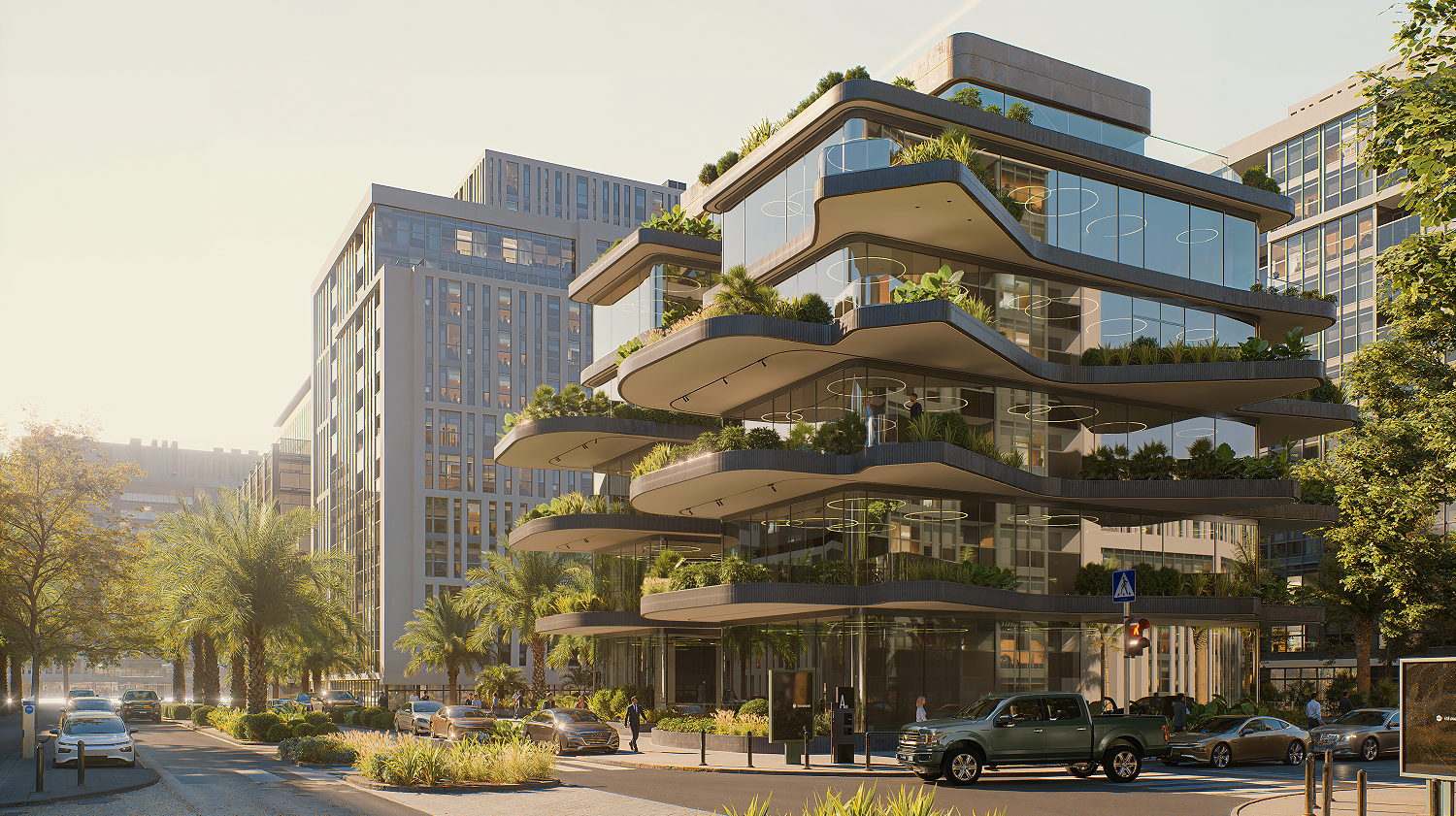
High-quality architecture software often comes with a steep price tag, creating a significant barrier for students, freelancers, and small firms. While many powerful free design and modeling tools are readily available, the dream of producing professional, photorealistic renders usually feels out of reach without hefty software investments.
This guide explores a complete free architecture workflow, detailing essential tools for every step: from conceptual design and 2D drafting, through robust 3D modeling, right up to generating stunning visuals, and we will prominently introduce a powerful real-time rendering software, D5 Render, which uniquely provides professional-grade, real-time rendering capabilities completely free, transforming your designs into breathtaking images.
Key Takeaways on Free Architecture Software
- You can create a complete professional architecture workflow, from initial design to stunning final renders, using entirely free software.
- Free D5 Render is the indispensable free tool that makes professional-grade, real-time rendering achievable within this workflow.
- Leverage D5 Render’s free, powerful features like 실시간 레이 트레이싱 and built-in post-processing to efficiently elevate your designs with realistic visuals.
1. Building Your Free Architecture Software Workflow
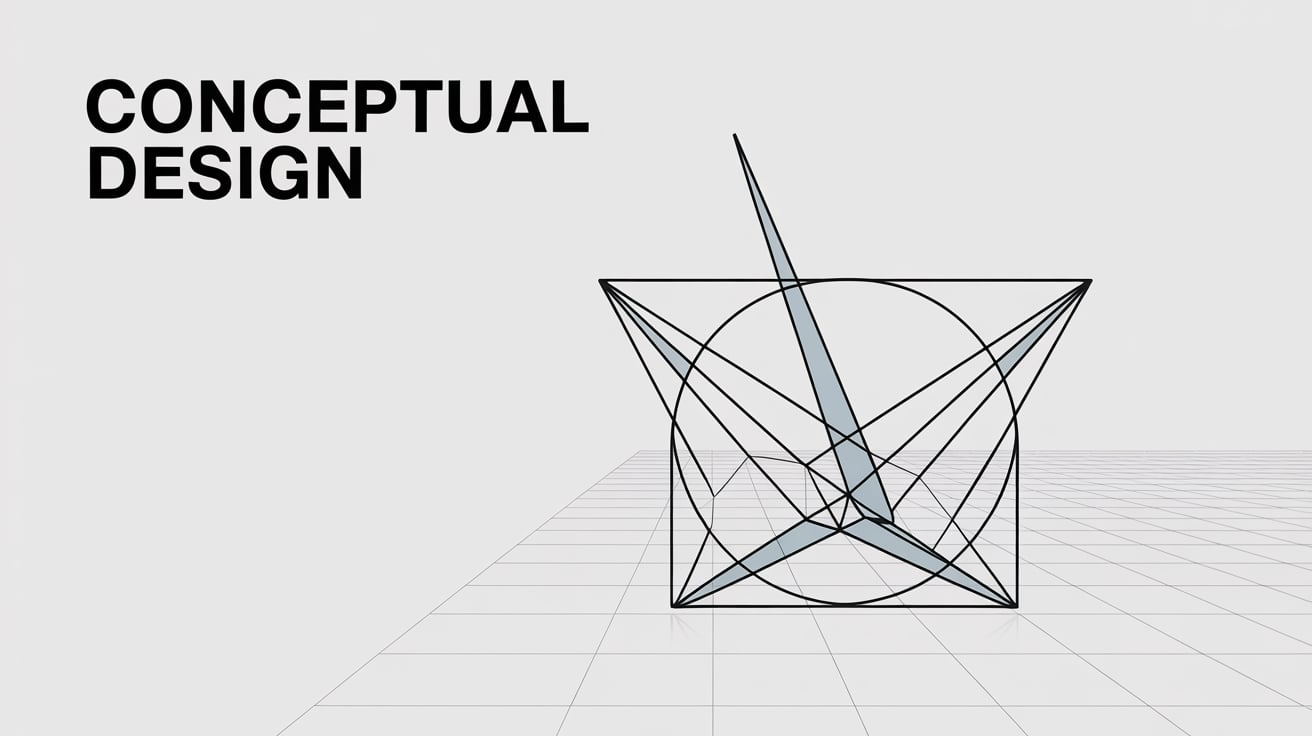
Step 1: Conceptual Design & 2D Drafting
1. LibreCAD
A lightweight, open-source 2D CAD platform designed for precision technical drafting, offering DWG compatibility and a minimalist interface reminiscent of AutoCAD.
✅ Pros: IFamiliar AutoCAD-like interface, cross-platform support, and DWG compatibility.
❌ Cons: No 3D capabilities or parametric design features.
Best for: Architects needing a no-frills 2D drafting tool for floor plans or schematics.
2. FreeCAD(2D Module)
A parametric modeling powerhouse with dedicated 2D sketching tools, enabling dimension-driven designs and basic BIM workflows.
✅ Pros: Open-source, supports BIM workflows, and customizable with Python scripting.
❌ Cons: Steep learning curve; interface feels clunky for quick ideation.
Best for: Technically minded users seeking a free alternative to commercial CAD/BIM software.
Step 2: 3D Modeling
1. SketchUp Free(Web)
A browser-based 3D modeling tool renowned for its intuitive push/pull mechanics and rapid prototyping capabilities.
✅ Pros: Rapid prototyping, user-friendly, and integrates with Trimble’s ecosystem.
❌ Cons: Limited to 10GB cloud storage; no plugin support in the free tier.
Best for: Architects prioritizing speed and simplicity for early-stage spatial studies.
D5 RenderIntegration: SketchUp’s .skp files sync seamlessly with D5 Render’s live link plugin, enabling real-time updates to lighting, materials, and entourage without manual re-exporting.
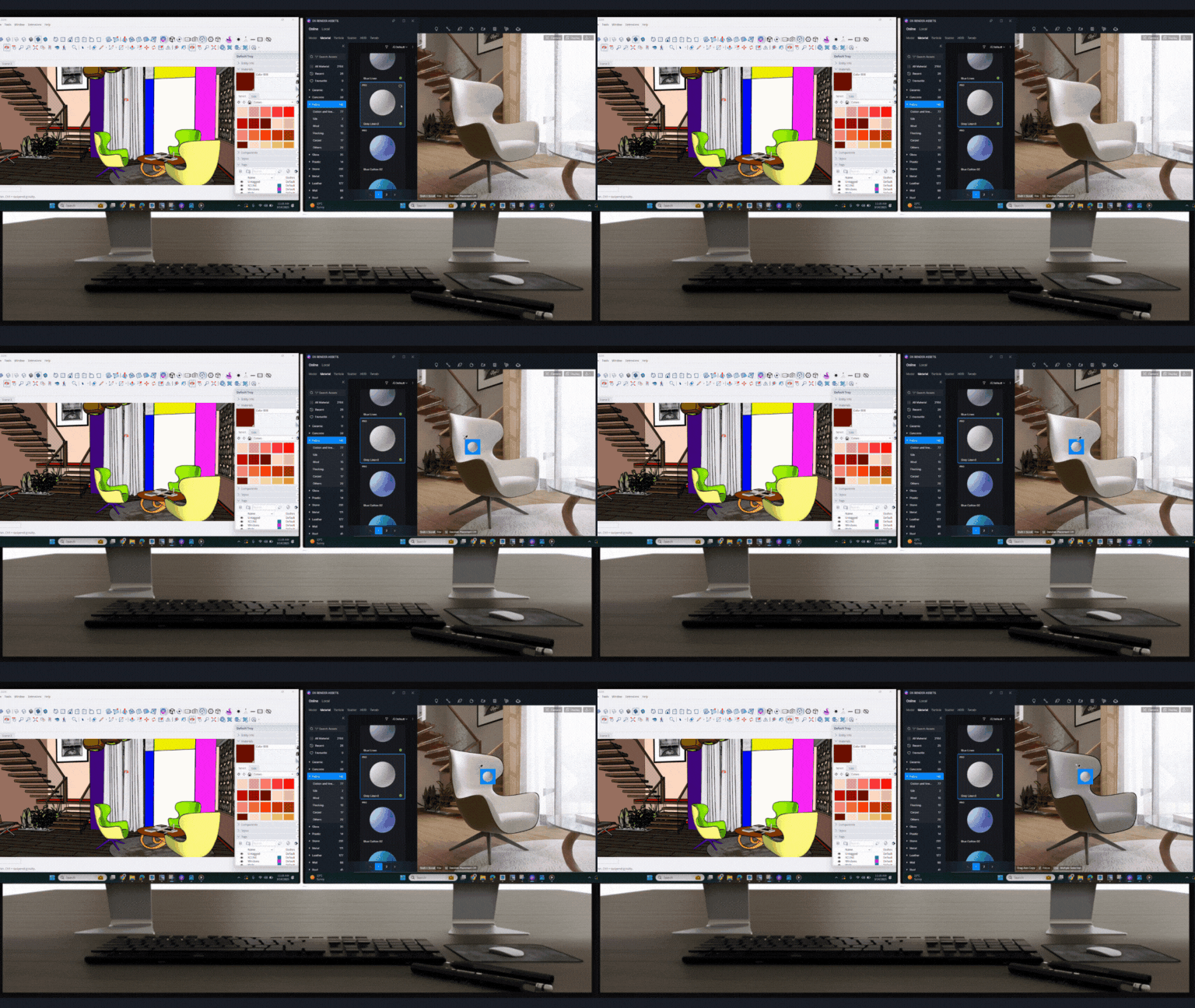
Learn How to Work More Smoothly with Sketchup-D5 Workflow >
SketchUp Free + D5: Get Pro Renders Effortlessly >
2. Blender
A powerhouse open-source 3D suite with sculpting, mesh modeling, and architectural add-ons (e.g., BlenderBIM).
✅ Pros: Unmatched versatility for organic and hard-surface modeling; active community support.
❌ Cons: Overwhelming for beginners; lacks native BIM tools.
Best for: Designers comfortable with complex software for detailed massing or conceptual exploration.
D5 Render Integration: Blender users can enable real-time bidirectional synchronization through the D5 Sync for Blender, maintaining material properties and geometry for instant scene refinement.
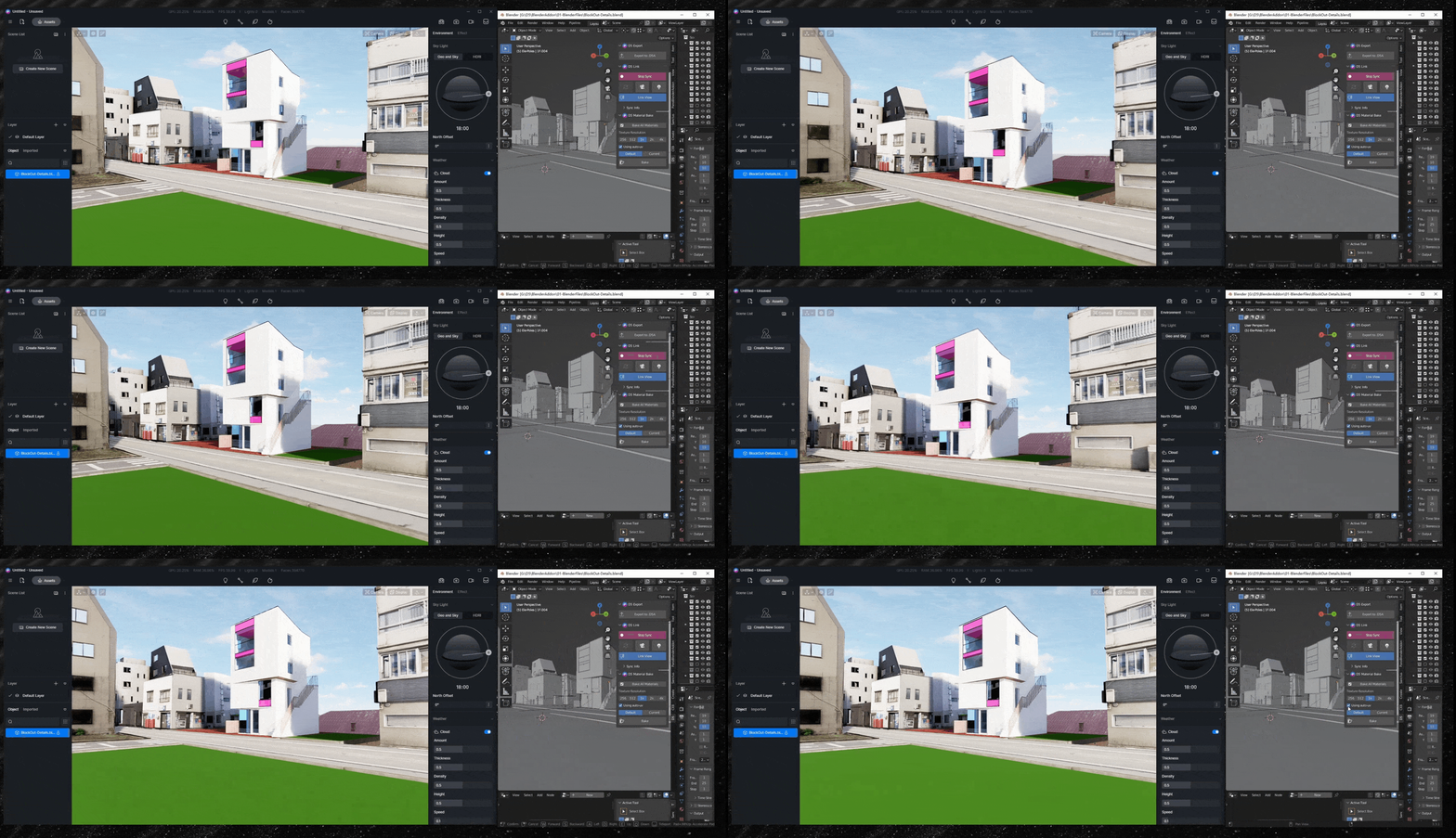
Learn How to Work More Smoothly with Blender-D5 Workflow >
Step 3: Real-Time Rendering Excellence with D5 Render
D5 Render is a professional-grade, real-time ray-traced 3D visualization software designed for architects, designers, and 3D artists. Its Free Community Version is entirely for non-commercial use, offering a robust feature set that rivals paid alternatives. Unlike traditional renderers, D5 combines speed and photorealism in an intuitive interface, making it ideal for transforming raw 3D models into stunning, presentation-ready visuals.
✅ Pros:
- Exceptional Ray-Traced Quality: D5의 실시간 레이 트레이싱 engine delivers cinematic lighting, lifelike shadows, and accurate material reflections, enabling photorealistic outputs even in its free tier.
- Instant Real-Time Feedback: Adjust lighting, materials, or 카메라 각도 and see changes instantly—no waiting for test renders. This accelerates iteration and creative experimentation.
- Massive Asset Library: Access 14,000+ of free, high-quality assets (plants, furniture, vehicles, and textures) to populate scenes effortlessly.
- AI-Powered Workflow Enhancement: D5 integrates AI 기능 like Material Texture Map generation, seamless texture creation, AI 인핸서 (AI Enhancer), and Atmosphere Match to automate complex tasks for faster, smarter, and more realistic renders.
- Seamless Compatibility: D5 LiveSync with SketchUp/Revit/Rhino, etc., auto-updates renders, eliminating manual exports and version chaos. Fluid workflows ensure error-free client presentations, building trust to accelerate career growth.
Who Should Use D5 Render?
D5의 free Community Edition empowers students, hobbyists, and freelancers to create professional visuals without subscriptions, while small studios gain speed and quality for real-time workflows. If the free version aligns perfectly with your needs, seamlessly upgrade to Pro or Teams editions to unlock commercial rights, 8K exports, and advanced features—all while retaining the core tools you already love.
Real-World Example: PHOS Architects
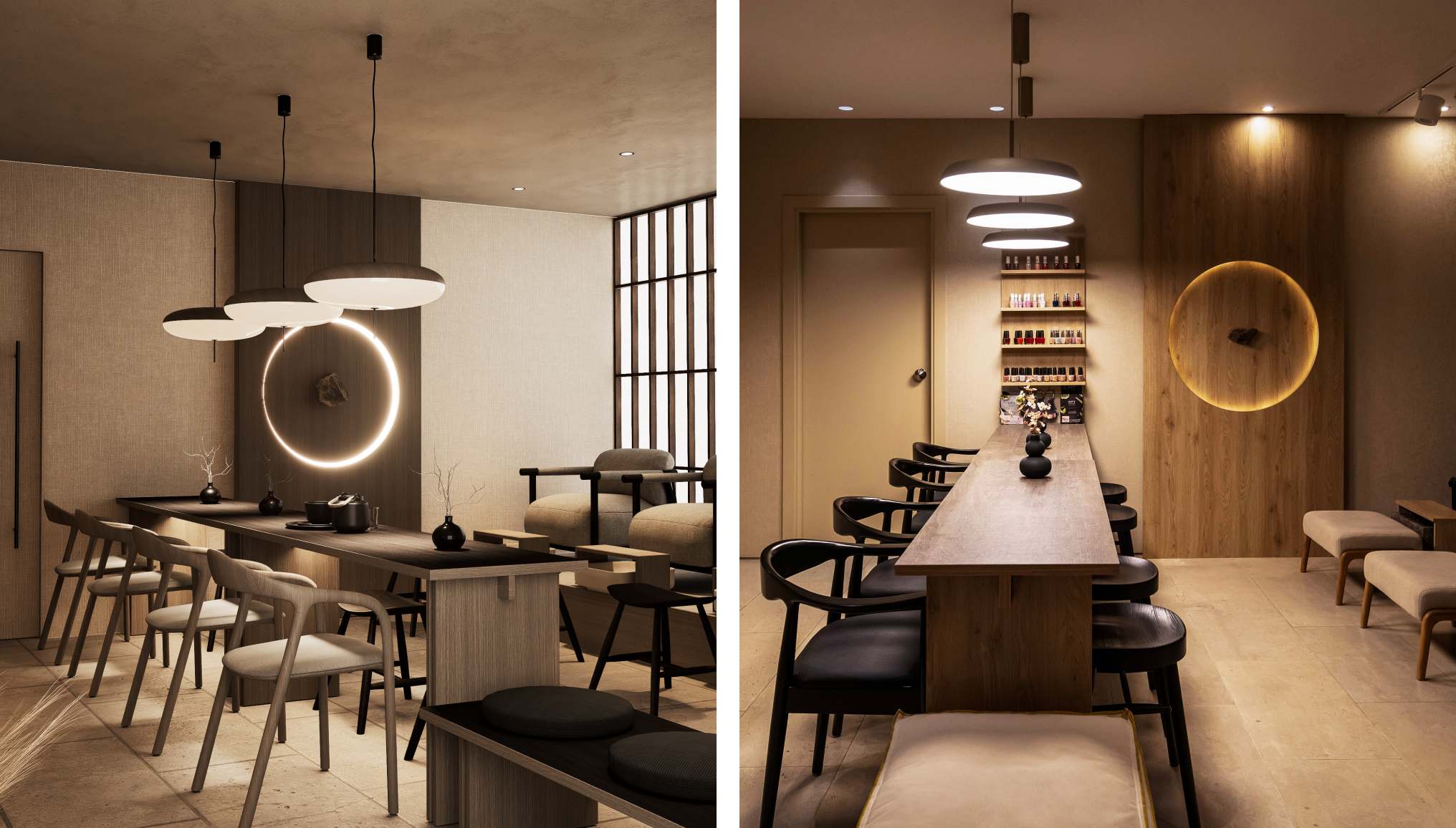
Leading design firm PHOS 아키텍츠 faced challenges with traditional rendering workflows, struggling with long render times and achieving quick material realism needed for effective communication. Seeking a faster, more intuitive solution, they adopted D5 Render. By leveraging its real-time ray tracing engine and speed, PHOS dramatically accelerated visualization, producing photorealistic results much faster.
This real-time capability also transformed client presentations into dynamic, collaborative sessions, allowing for immediate feedback and design adjustments during meetings. The extensive asset library further streamlined scene enrichment. This approach significantly improved client communication, leading to quicker approvals and enabling PHOS architects to focus more time on core design tasks.
Step 4: Final Polish & Output/Presentation
D5 Render isn’t just about setting up your scene and hitting render; it integrates a powerful suite of built-in post-processing tools. This is a significant advantage, allowing you to refine your architectural visuals directly within the software without needing immediate reliance on external image editors.
✅ Pros: D5 Render offers significant advantages: a streamlined workflow allowing you to refine visuals like exposure, color balance (White Balance, Saturation, Contrast), and add effects such as Bloom or Vignetting in real-time as you work. You can apply LUTs for instant stylistic looks. Crucially, this reduces reliance on separate, potentially costly, image editing software for many common adjustments, enabling you to achieve a polished, near-final image efficiently right within D5.
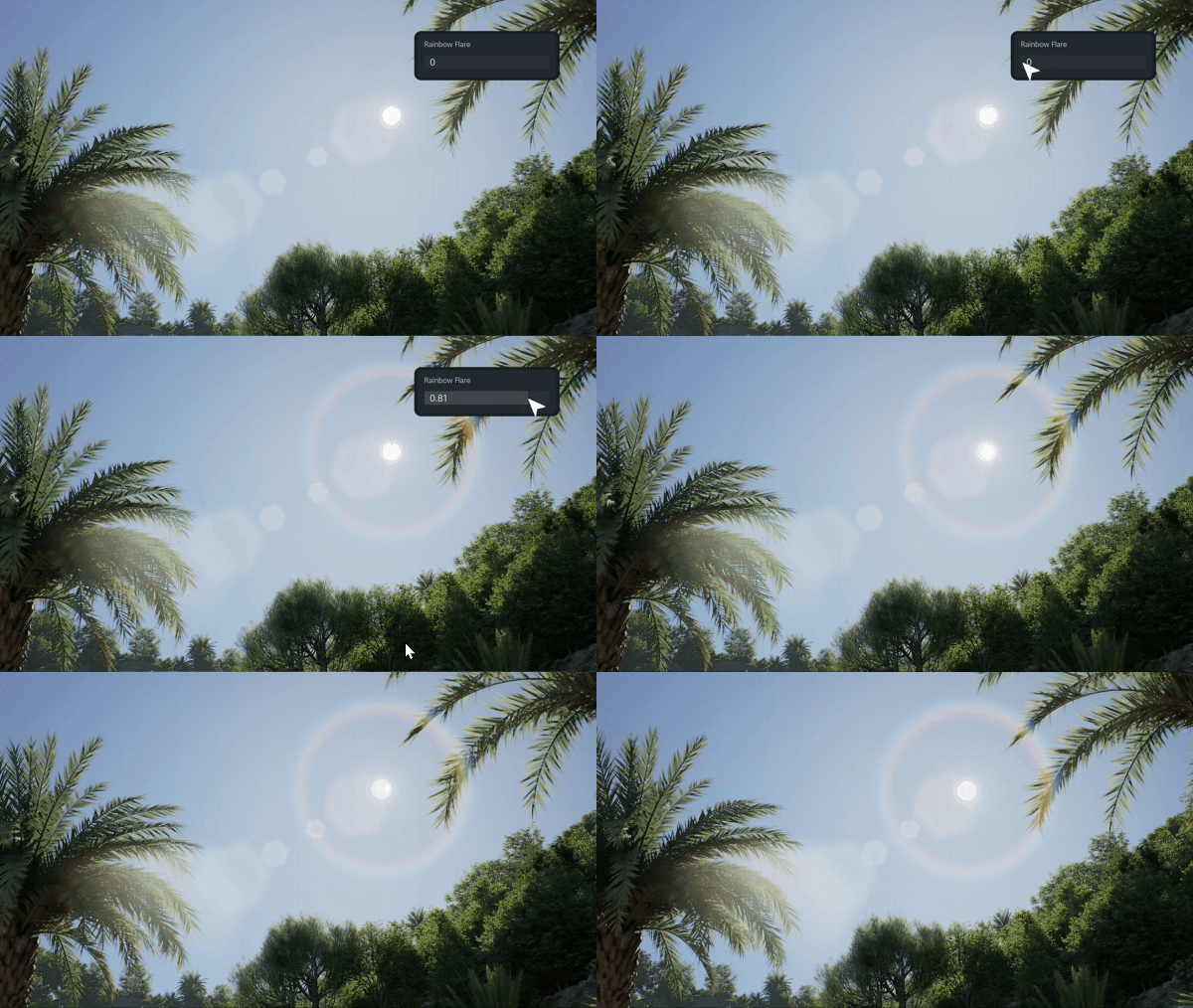
Who Should Use? D5 Render‘s built-in post-processing feature is particularly valuable for students, freelancers, and anyone building a completely free architecture workflow. It empowers you to create presentation-ready images or portfolio pieces without needing advanced external software skills or licenses, making the journey from 3D model to stunning visual much more direct and accessible.
2. Putting the Free Architecture Softwares Together:
Creating professional architectural visuals using free software becomes remarkably streamlined when you integrate the right tools. Starting with initial concepts and 2D drafting, and then bringing your free 3D models from programs like SketchUp or Blender into D5 Render Community Version is seamless. Here, you transform basic geometry into stunning visuals using real-time ray tracing. D5’s intuitive interface and powerful built-in post-processing allow you to refine lighting, materials, and mood instantly, creating professional-quality renders efficiently.
3. Conclusion on Free Architecture Software
In conclusion, achieving professional architectural renders without cost is entirely possible using a smart combination of free tools. D5 Render Free Community Version serves as the indispensable core of this workflow, providing essential real-time visualization and polish. Download D5 Free today and start producing high-impact architectural visuals!

더 많은 D5 Render 기능 살펴보기 계속 읽기
D5 Render 2.10의 실시간 경로 추적이란 무엇이며 왜 중요할까요?
D5 Render 2.10 베타, NVIDIA DLSS 4 통합: 실시간 렌더링의 AI 혁명
사실적인 ArchiCAD 시각화를 위한 D5 Render의 AI 기반 조명 마스터하기
FAQs for Free Architecture Software like D5 Render
1. D5 Render를 현재 사용 중인 디자인 소프트웨어와 통합할 수 있나요?
D5 Render는 다음을 포함한 대부분의 주요 모델링 툴과 원활하게 동기화됩니다. SketchUp, Revit, Rhino, Archicad, Blender, 3ds Max, 등을 통해 수동 내보내기 없이도 실시간 업데이트를 보장합니다.
D5 Render 실시간 동기화 기능이 있는 모든 소프트웨어를 보려면 여기를 클릭하세요 >
2. 무료 체험 후 숨겨진 비용이 있나요?
아니요! D5는 비상업적 용도의 핵심 기능이 포함된 무료 커뮤니티 버전을 제공합니다. 유료 플랜(Pro/Teams)을 사용하면 고급 도구와 상업적 권한을 사용할 수 있으며, 가격은 다음에 투명하게 표시됩니다. D5 Render의 웹사이트.
3. D5 Render 학습에 도움이 필요하면 어떻게 하나요?
D5는 다음을 제공합니다. 무료 튜토리얼, a YouTube 채널, 및 활성 사용자 포럼 를 참조하세요. 모든 기술 수준에 맞는 체계적인 학습 리소스를 제공하여 학습 곡선을 최소화합니다.
4. D5 Render는 고가의 하드웨어가 필요하나요?
D5는 다음에서 원활하게 실행됩니다. 미드 티어 GPU (예: NVIDIA RTX 3060) 및 조정 가능한 설정을 통해 성능을 최적화하여 대부분의 워크스테이션에서 사용할 수 있습니다.
D5 Render의 시스템 요구 사항을 보려면 여기를 클릭하십시오 >
5. D5 Render는 클라이언트 프레젠테이션에 적합합니까?
당연하죠. 유니티의 사실적인 출력물과 실시간 애니메이션은 전 세계 기업에서 고객에게 깊은 인상을 남기고 수정 주기를 50~70% 단축하는 데 신뢰를 받고 있습니다.

 English
 Español
 Français
 한국어
한국어 日本語
日本語