
As a Technical Support Specialist here at D5, I spend a significant portion of my week speaking directly with architects, 3D artists, and studio IT directors. One of the biggest hurdles in modern architectural visualization is the constant pressure for hardware upgrades. As scenes grow increasingly complex and AI-assisted workflows become more prevalent, the hardware requirements for high-end visualization continue to rise.
From the support tickets I see daily, the underlying bottlenecks remain remarkably consistent. I’ve helped users troubleshoot “Out of video memory” errors or maxed-out VRAM during heavy landscape passes, and I’ve spoken with mid-sized firms wondering if they truly need to refresh their entire fleet of high-end workstations just to stay competitive.
In 2026, photorealistic renderizado en tiempo real has become a baseline expectation in architectural visualization. However, achieving these results shouldn’t require a massive IT budget overhaul. Effective GPU rendering relies less on raw horsepower and more on how software manages available resources. That’s why D5 is engineered to keep professional-grade output accessible on the mid-range setups many studios already own.
Key Takeaways: Maximizing Mid-Range GPU Performance
- La pregunta está vacía. Por favor, introduce un texto para traducirlo.Prioritize efficiency over raw power: Smart memory management extends the lifecycle of your existing hardware, enabling mid-range cards to handle high-end workloads.La pregunta está vacía. Por favor, introduce un texto para traducirlo.
- Dynamic streaming minimizes VRAM crashes: By loading only visible assets, D5 significantly reduces the memory spikes that typically crash heavy architectural scenes.La pregunta está vacía. Por favor, introduce un texto para traducirlo.
- Unified ecosystems reduce system strain: Connecting your modeling software directly to D5 bypasses the need for siloed export processes, creating a seamless and lighter design pipeline.

What Actually Weighs Down a Scene?
When a user reports sluggish rendering performance, it’s rarely just a “slow GPU.” More often, it’s a resource management bottleneck. In a typical production environment, the most common bottlenecks include:
- La pregunta está vacía. Por favor, introduce un texto para traducirlo.VRAM Overhead: Large textures (4K–8K) and high-poly assets can saturate GPUs equipped with 6–12 GB of VRAM, leading to crashes or slowdowns.La pregunta está vacía. Por favor, introduce un texto para traducirlo.
- Viewport Latency: Real-time feedback begins to lag during lighting or material adjustments, disrupting the creative process.La pregunta está vacía. Por favor, introduce un texto para traducirlo.
- Pipeline Friction: Excessive time is lost switching between disconnected tools or waiting for assets to sync.
Simply throwing more expensive hardware at the problem isn’t always a sustainable strategy. For many firms, better ROI comes from software that manages resources intelligently—prioritizing stability and real-time responsiveness over brute-force computation.
Why D5 Is Optimized for Mid-Range Hardware
D5 Render mitigates these bottlenecks by leveraging the hardware-level efficiency of modern GPU ray-tracing architectures.
At its core, D5 Render is built on DirectX Raytracing (DXR) and modern GPU acceleration, including NVIDIA RTX hardware. This allows the engine to fully utilize modern GPU features without the performance overhead of legacy API translations. As a result, D5 maintains interactive performance on mid-range GPUs across various architectural scenes—even those with complex bounce lighting and high-poly assets.
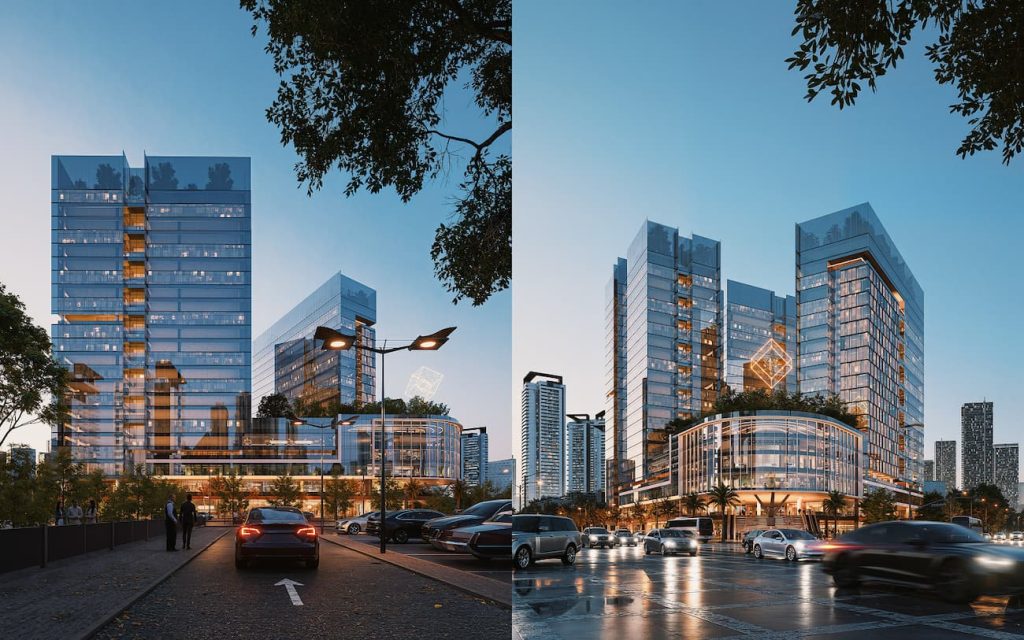
To further manage resources, D5 Render employs texture streaming and large-scene memory optimizations to reduce unnecessary VRAM usage. Rather than loading every texture and high-poly asset at full resolution, the engine prioritizes resources that matter most for the current viewport and scene context. This allows thousands of vegetation instances or dense urban models to stay interactive without overtaxing the GPU.
While VRAM savings vary by scene complexity, D5 maintains higher stability and lower latency on mid-range hardware compared to many traditional real-time engines. By combining smart memory management with GPU acceleration, D5 balances performance and quality, making RTX 3060-class cards highly capable for professional workflows.
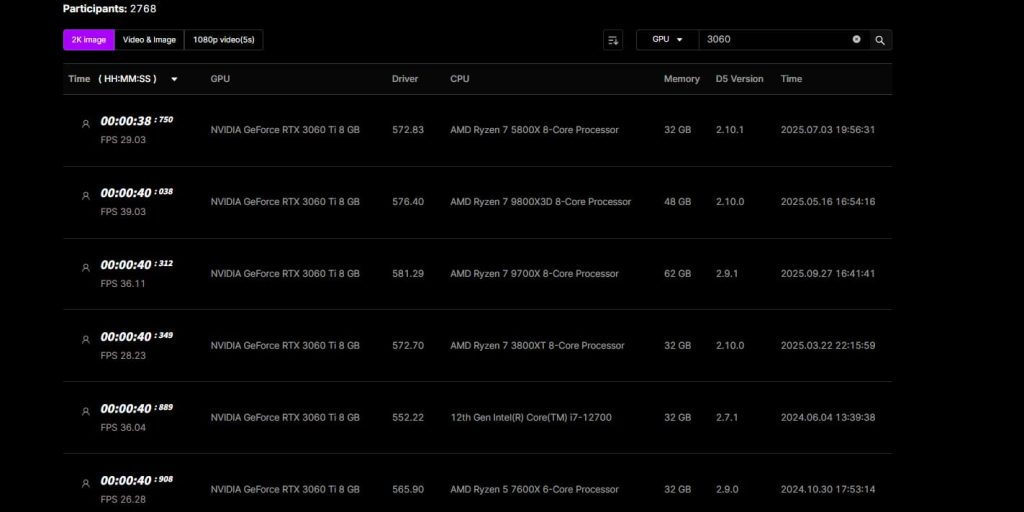
In real-world testing, users running the RTX 3060 Ti with 8 GB of VRAM reported responsive real-time performance, with several benchmark results exceeding 30 FPS and the highest configuration reaching nearly 40 FPS. While performance varied by CPU, driver, and software version, these results suggest that mid-range GPUs can remain productive for interactive architectural workflows without requiring constant hardware upgrades.
D5 Lite: Lowering the Barrier for Early Design
Even with our optimized core engine, we recognized that many users—especially freelancers and interior designers—work on standard laptops or legacy workstations. To bridge this gap, we introduced D5 Lite. Unlike traditional standalone renderers, D5 Lite functions as a streamlined plugin integrated directly into modeling tools like SketchUp. It allows teams to maintain visual fidelity during early massing and material studies without leaving their modeling interface.
This integration includes a built-in AI Generation Mode, which utilizes your active viewport to generate concept variations dynamically based on text prompts or style presets. Because these tools are embedded, you can refine materials and adjust lighting directly within your modeling environment with minimal performance overhead. This ensures that hardware limitations don’t stall the iterative process during critical early stages.
For studios standardizing on mid-range GPUs (RTX 3060-class), this represents a highly efficient shift in workflow. Teams can explore ideas and secure client buy-in directly within their modeling interface using D5 Lite, reserving D5 Render for final high-fidelity presentations and complex animations.
SketchUp Tutorial 2026: Streamlining Your SketchUp-to-D5 Workflow >>
The Power of a Unified Ecosystem
Streamlining your architectural visualization workflow significantly reduces hardware strain. If a team is constantly exporting files, rebuilding scenes, and searching for assets across disconnected platforms, even top-tier hardware becomes inefficient. On the other hand, when the workflow stays connected within a unified pipeline, the exact same machine often feels significantly more capable.
D5‘s efficiency stems from its unified ecosystem, which bridges the traditional gaps between design, rendering, and asset management. Teams can maintain speed and visual fidelity from early conceptualization to final delivery without constantly managing file exports. Architects can sketch concepts in D5 Lite during a meeting, then open the same project file in D5 Render for final production.
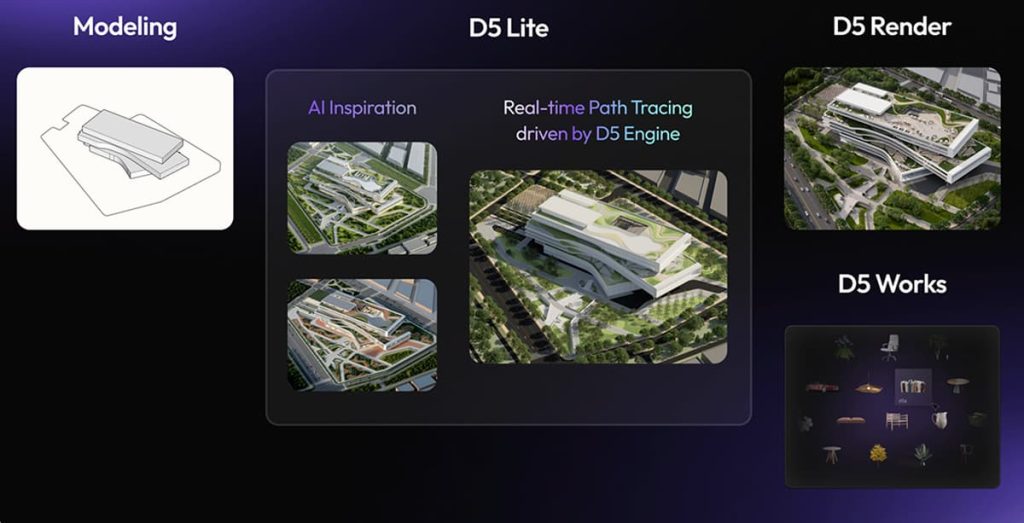
By integrating D5 Works directly within the interface, we provide render-optimized, AEC-ready assets that help you avoid bottlenecks caused by unoptimized external models that quickly exhaust your VRAM. The D5 ecosystem is an integrated pipeline where everything—from the AI tools to the asset library—is designed to work within the constraints of professional hardware.
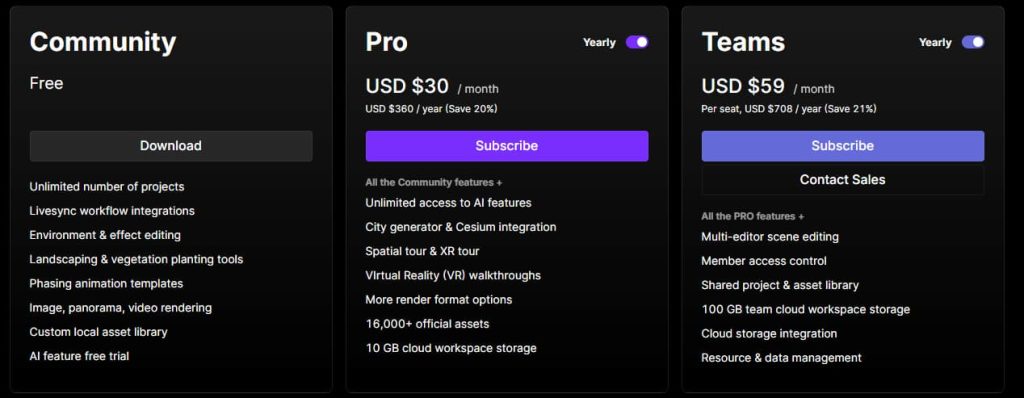
Plus, a single D5 Pro subscription covers premium features, AI tools, and Pro assets across the entire ecosystem—whether you’re in Lite on a laptop or Render on a desktop. You get full access without needing multiple subscriptions or disrupting your workflow.
2026 Hardware Landscape: A Comparative Overview
To help more architects and visualization specialists make informed decisions, we have mapped the performance requirements for the leading tools in the 2026 ecosystem.
| Software | Minimum GPU (Entry-Level) | Recommended GPU (Pro Workflow) | Key Notes |
|---|---|---|---|
| D5 Render | GTX 1060 6 GB+ / Selected Radeon RX 6000-series DXR GPUs / Intel Arc A3+ | RTX 3060 / 4060 or higher | Real-time DXR rendering; memory optimizations reduce VRAM pressure. |
| D5 Lite | GPU de la serie NVIDIA RTX | Mid-range RTX GPU (e.g., RTX 4050 or higher) | Early design, lightweight real-time previews; integrated workflow with modeling software. |
| Traditional Real-Time Software | RTX 2060+ | 12–16 GB+ VRAM | High VRAM requirements for complex scenes; static memory use. |
| Offline Production Renderers | 16 GB+ VRAM / strong CPU | 24 GB+ VRAM / high-core CPU | Heavy reliance on VRAM and CPU for static frame rendering. |
What We See in Real Studio Adoption
Real-world studio adoption reflects this shift toward hardware efficiency.
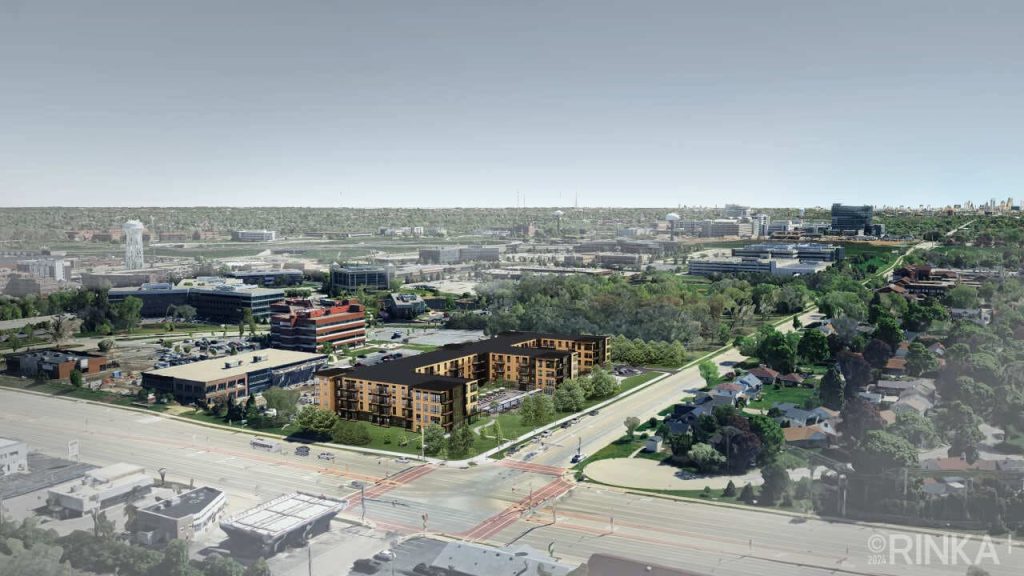
One case that stands out is RINKA Studio. Their team previously relied on Lumion, which they found to be “very heavy on our machines,” forcing frequent hardware upgrades just to keep projects moving. After switching to D5 Render, , architect Buck Knitt noted, “Our older machines can handle large models much more quickly.” The lightweight engine and optimized streaming alleviated the need for constant spec upgrades while accelerating their entire workflow.
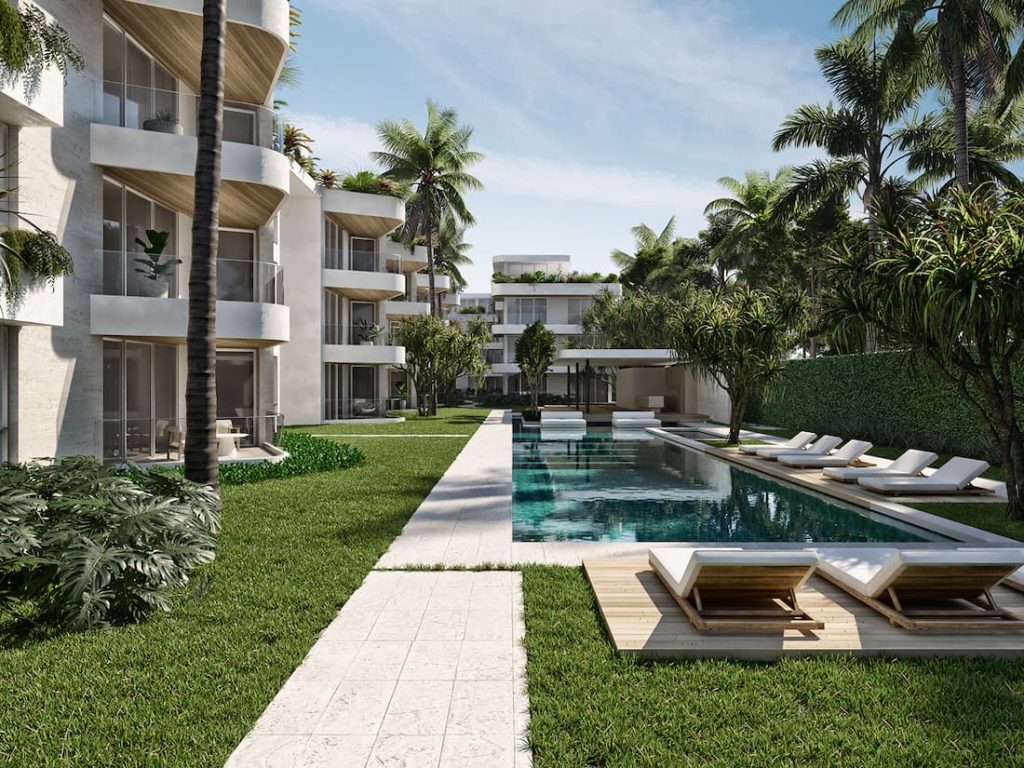
Another strong example comes from ANarquitectura‘s coastal projects. The studio had struggled with legacy proxy workflows and spent weeks populating vegetation, which overwhelmed their hardware. With D5 Render’s built-in library and lightweight performance, architect Leah Hoepleman reported that “Everyone can render—every architect here has D5 on their computer.” Rich tropical environments now render smoothly without pushing GPUs to the limit, letting the whole team iterate in real time instead of waiting on a single high-end workstation.
Conclusion: Strategy Over Specs
The most effective rendering setup isn’t always the one with the highest price tag. It’s the one that allows your team to move through projects with confidence and speed.
In 2026, mid-range GPUs remain a highly practical investment for professional work. The key is pairing that hardware with software that respects its limits and optimizes its strengths. Spend less time worrying about hardware limits and more time focusing on design decisions. Try D5 Render and D5 Lite for free and see how far your current workstation can go.
More Pro Tips: Master Your GPU Rendering Hardware
¿Son 32 GB de RAM Suficientes para Renderizado 3D? | Consejos de Potencia de D5
What Does RTX Mean? How It Powers Real-Time Rendering in D5
¿Cuánta VRAM tengo? Una guía práctica para artistas de visualización
“What Graphics Card Do I Have?” A Starter Guide for D5 Render
RTX 4090 en D5 Render: Análisis de rendimiento definitivo
Windows 10 vs 11: Which Runs D5 Render Better?
Hardware FAQs: Optimizing Your GPU Rendering Workflow
While photorealistic ray tracing is the modern standard, hardware demands vary significantly. Traditional offline or heavy hybrid engines often require RTX 4070-class cards or higher with 12 GB+ VRAM for complex scenes. D5 Render runs smoothly on an RTX 3060—and remains functional on an RTX 2060—by leveraging smart asset streaming to significantly reduce VRAM overhead compared to traditional full-scene loading methods.
Traditional software often pre-loads entire scene environments into VRAM simultaneously. D5 Render addresses this by dynamically streaming assets based on camera visibility, significantly reducing sudden memory spikes when populating dense vegetation or urban contexts.
The friction of switching between modeling software, asset libraries, and render engines often disrupts the design process. D5’s ecosystem (D5 Lite + D5 Render + D5 Works) streamlines this via a single LiveSync connection for tools like SketchUp. You can sketch concepts in D5 Lite on a laptop, access AEC-optimized assets from D5 Works, and then finalize 4K outputs in D5 Render on a workstation—all using the same project file and a single Pro subscription.
Resource management varies significantly across the industry. Traditional rasterization-based engines typically demand 12–16 GB+ VRAM for urban models, while engines relying heavily on path tracing require significant computational overhead. Offline production renderers heavily rely on brute-force computation for lighting and denoising, which provides exceptional fidelity but cannot provide fluid retroalimentación en tiempo real. In contrast, D5 Render is designed to manage memory more efficiently while supporting responsive real-time previews alongside 4K output workflows, making it a more sustainable choice for firms looking to get more life out of their current workstations.
Many AI features are hardware-intensive, but D5 Lite includes a built-in AI Generation Mode designed to work efficiently on modest setups. It utilizes your active viewport to generate refined concept variations based on style presets—no external exports or heavy processing required. This keeps the AI workflow fully integrated within the Ecosistema D5 without compromising system performance.


 English
 Español
 Français
 한국어
한국어 日本語
日本語