
As an architectural/interior/landscape designer, do you ever find yourself spending countless hours searching for the perfect models and materials during the visualization process? Well, fear not because with D5 Render’s built-in asset library, all of that can be a thing of the past!
And the best thing is D5 Asset Library is frequently updated!
Bonjour
Key Takeaways on the D5 Asset Library
- BonjourSpeed up scene building avec D5 Render’s vast asset library, packed with high-quality models for architecture, interiors, and landscapes—no more wasting time searching.Bonjour
- Bring designs to life effortlessly En utilisant D5 Render’s animated models & particles, allowing you to create dynamic, professional animations with just a few clicks.Bonjour
- Simplify material & terrain workflows—D5 Render offers intuitive real-time material adjustments and ready-to-use scatter templates for instant, realistic environments.
Bonjour

Modèles
D5 Model Library is full of high-quality and up-to-date models that are perfect for architectural, landscape, and interior design projects. With its vast selection, filling up your scenes has never been faster!
Check the latest update for global plant models
Bonjour
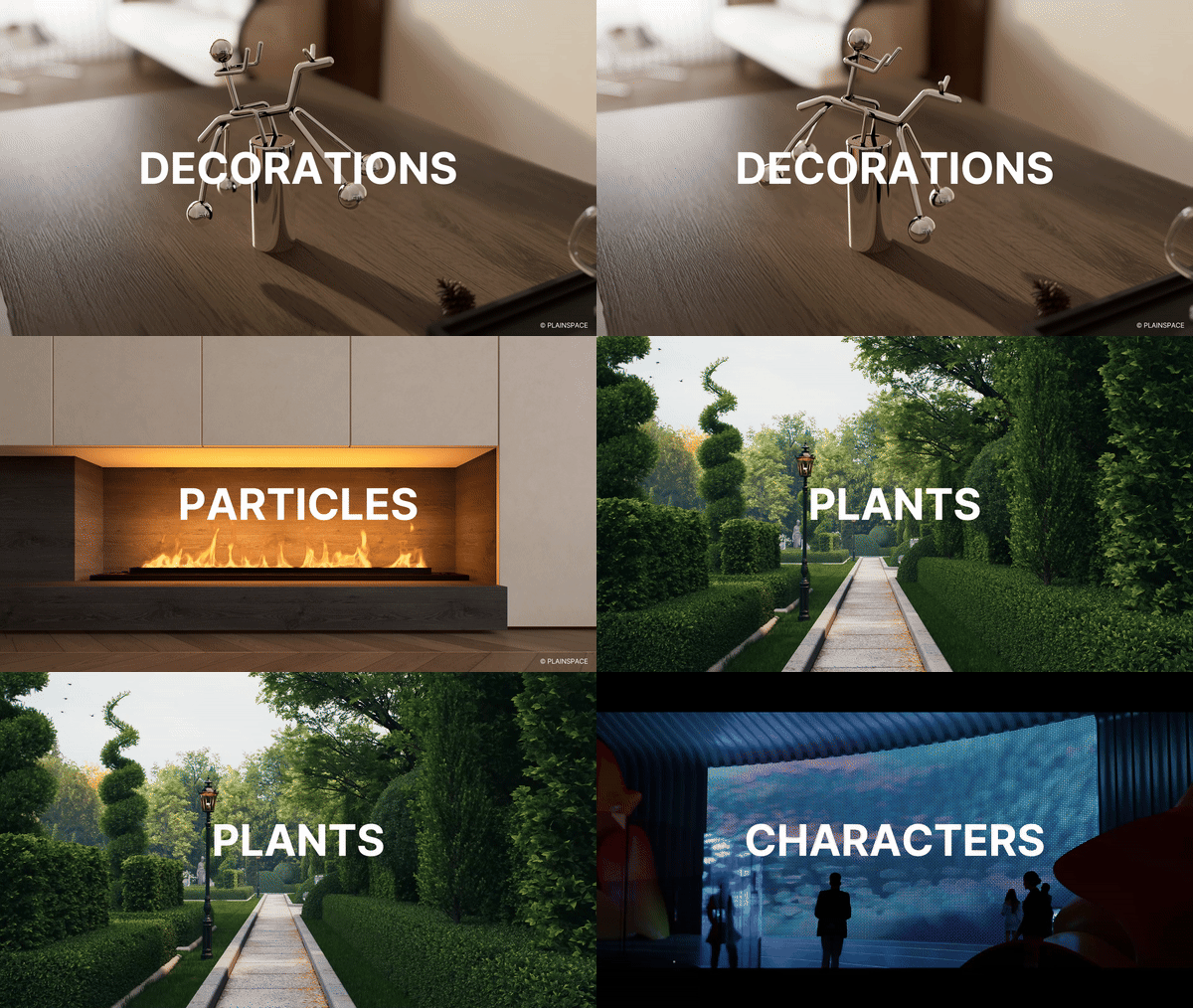
Modèles animés, particules
What’s more, D5 Render helps designers bring their designs to life in animations that vividly convey the design concept and atmosphere.
With a wide range of high-precision dynamic models available at your fingertips, it’s easy to create stunning animations that showcase your design in all its glory.
Matériaux
Unlike traditional rendering software that requires complex material nodes, adjusting materials in D5 is a breeze and you can see the changes in real-time.
But wait, it gets even better! D5 also offers a wide variety of high-quality materials that you can use right out of the box.
Terrain and Scatter Templates
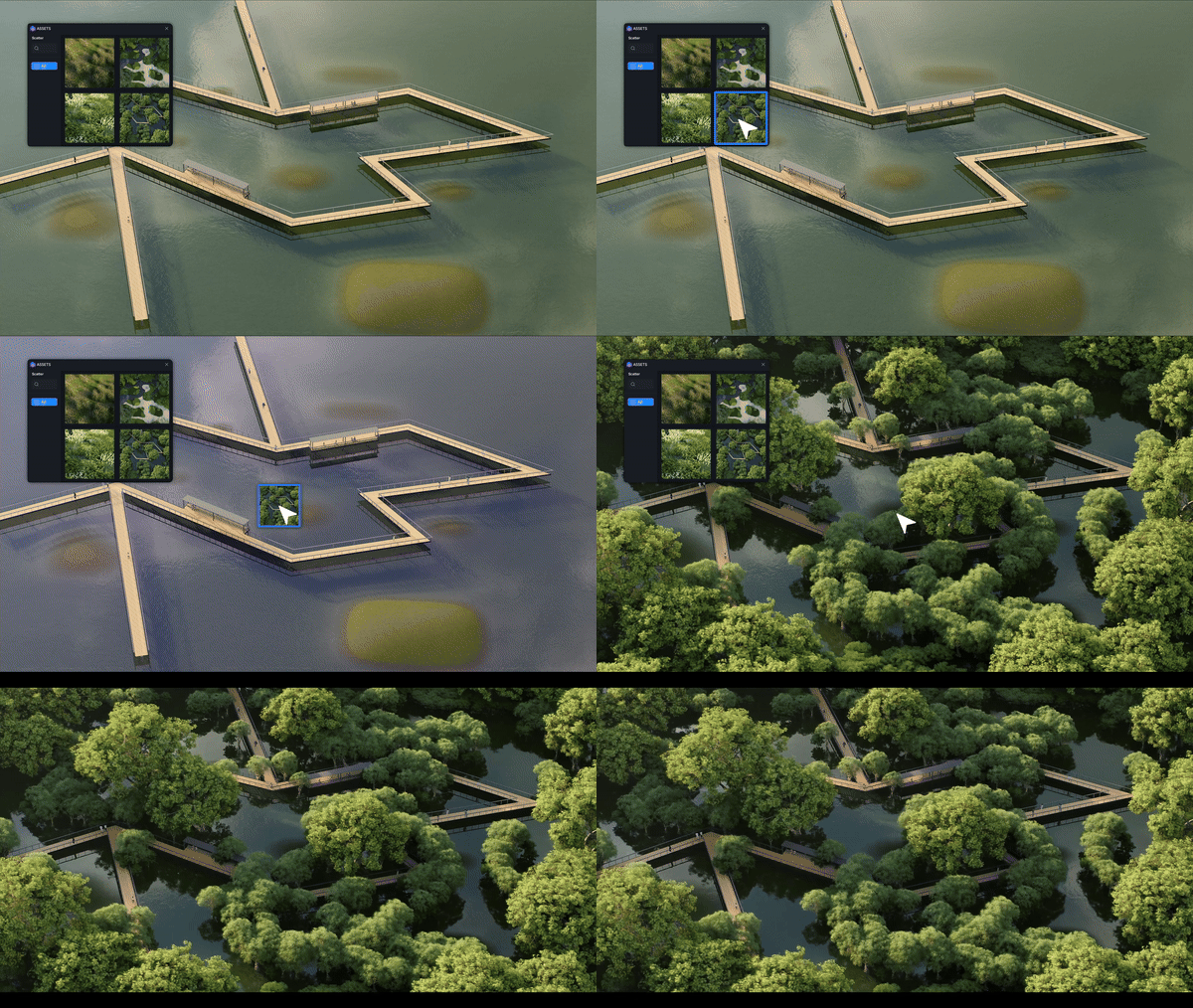
D5 Render meticulously incorporates dozens of terrain and scatter templates. Designers can drag their desired terrain template from the library and drop it to the ground. It will instantly form a realistic topography accordingly. The scatter templates help to effortlessly create lush and lifelike vegetation.
Conclusion on D5’s Asset library
Avec D5 Bibliothèque des actifs, high-quality scene building is faster than ever. From realistic modèles et matériaux to dynamic animations et terrain templates, everything you need is just a click away. Stop wasting time searching—start creating stunning renders in minutes. Try D5 today and speed up your workflow!
Bonjour
Continuez à lire pour en savoir plus sur la bibliothèque d'actifs de D5
Meilleures textures texte gratuites de haute qualité SketchUp en 2025 >
Comment créer une brève d'herbe parfaite avec D5 Render? >
Top 10 Sustainable Building Materials | D5 Render Guide >
Qu'est-ce que le PBR : Votre guide du rendu réaliste
Rendu en temps réel de la diffusion sous-surfacique et pourquoi vous en avez besoin
Comment rendre les matériaux en verre
FAQ sur l'utilisation de la bibliothèque d'actifs de D5 Render
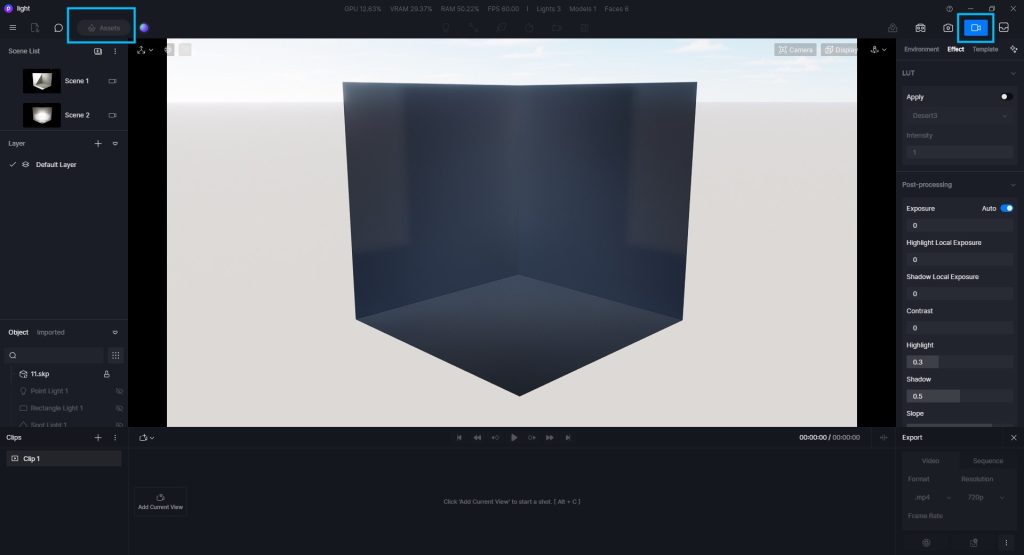
Pourquoi le bouton des actifs est-il grisé et non cliquable ?
Il n'est pas pris en charge d'ajouter des modèles en mode rendu (image/vidéo). Quittez simplement le mode rendu.
Bonjour
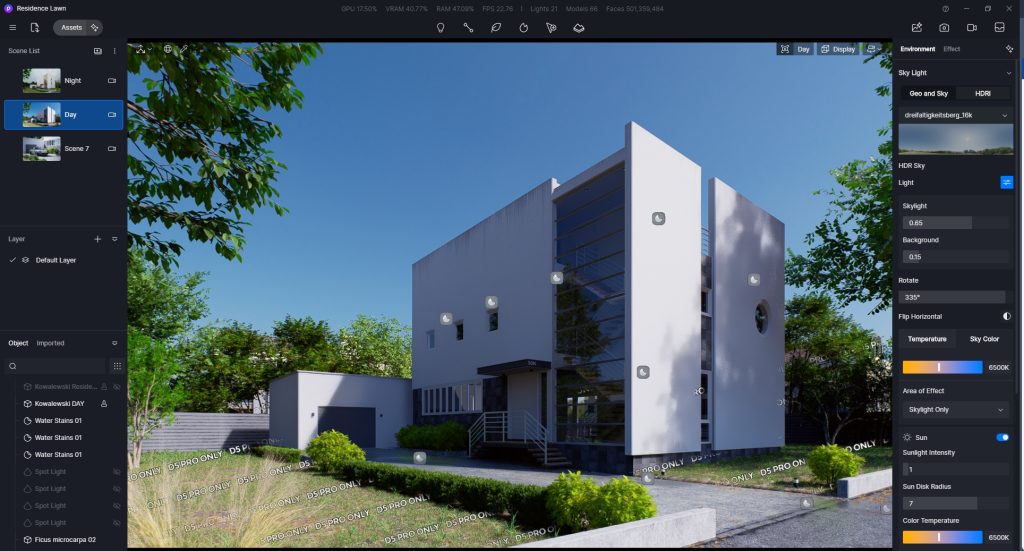
② Pourquoi y a-t-il des filigranes/affiche-t-il D5 PRO ONLY sur les ressources de la scène ?
Les ressources filigranées sont réservées à la version D5 Pro.
Connectez-vous simplement à votre compte Pro/Edu/Teams pour masquer les filigranes sur les ressources.
Bonjour
③ Comment ajouter des matériaux en local ?
Après avoir sélectionné un matériau, vous pouvez l'ajouter à « Local » dans le panneau de l'inspecteur de matériaux, sous le nom du matériau.
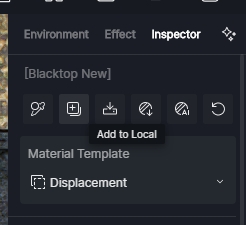
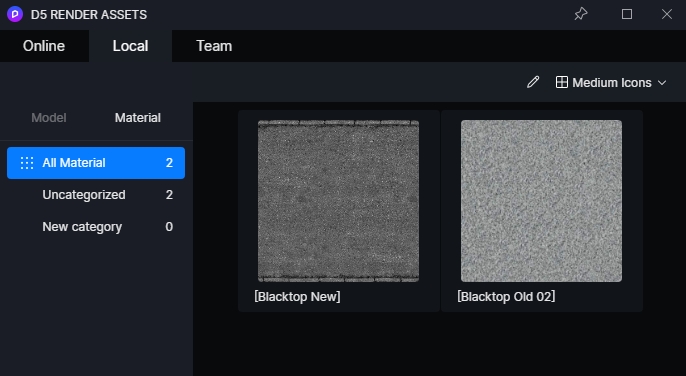
Vous pouvez trouver le matériel sauvegardé dans le menu déroulant “Matériel” de l'onglet “Actifs” > “Local” de la barre de navigation.


 English
 Español
 Français
 한국어
한국어 日本語
日本語