
D5 Render 2.4 Available Now: ultimate real-time rendering with a leap in effects and performance.
The latest version comes with 35 updates including the brand new D5 GI, subsurface scattering material, optimized emissive effect, パスツール, そして multiple frame rate options.
In this release, the D5 Asset Library is also updated with 582 new assets that include SSS models&materials, dynamic landscapes, holiday assets and backdrop planes. You can find them by searching “2.4” in D5 Asset Library.
1 | Rendering
D5 GI
We’re proud to introduce the brand new D5 GI, the updated Global Illumination solution developed by D5 Team, which is a milestone in this release.
Applying advanced algorithms including ReSTIR and Surfel, the new D5 GI ensures your smooth and stable real-time rendering experience while providing a boost in the accuracy of lighting.
One of the biggest noticeable changes is increased bounces of skylight, which leads to sufficient lighting, even deep inside an interior space.
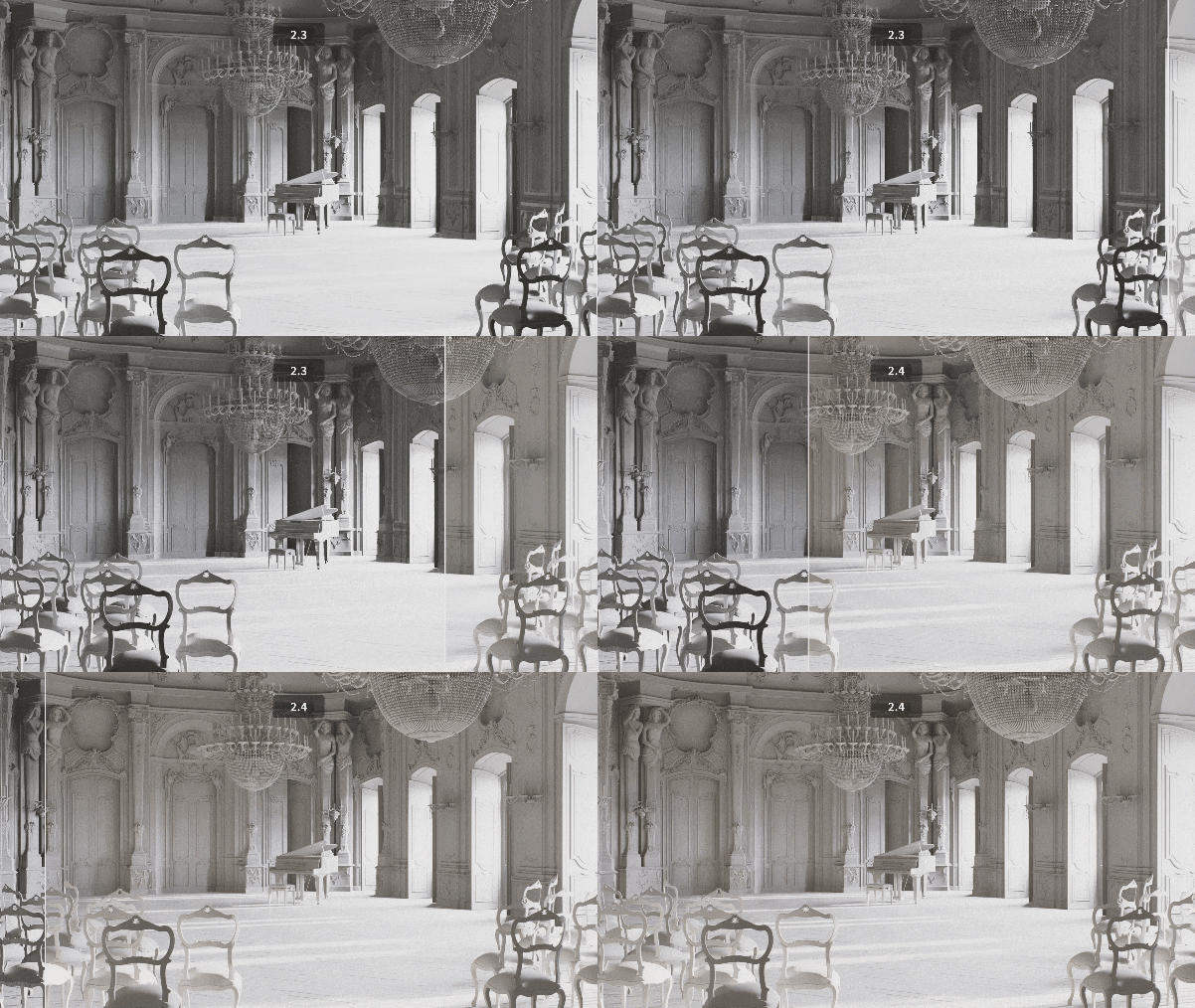
Indirect lighting cache of high precision is supported to bring more realistic lighting transitions into the scene.
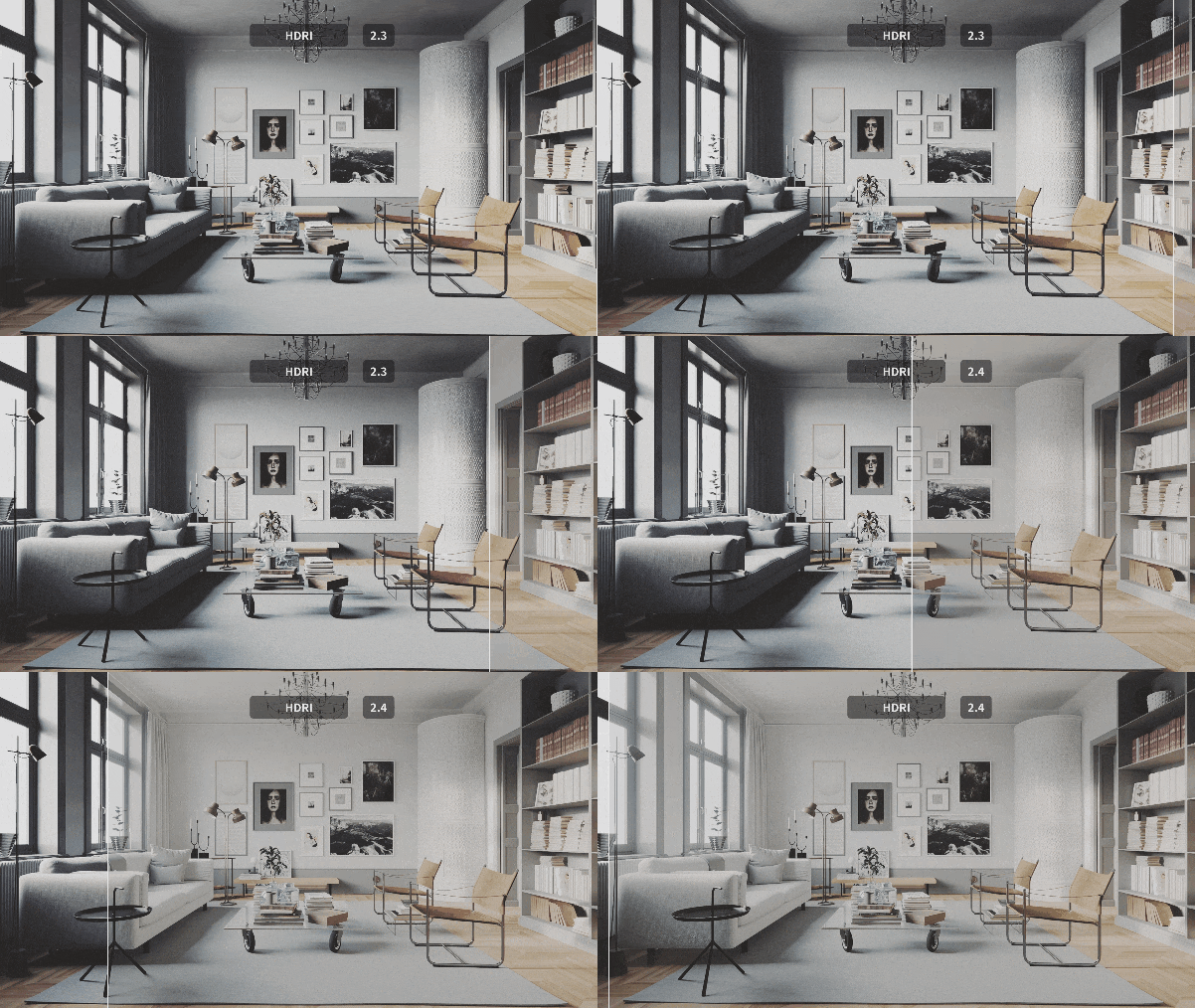
The new D5 GI retains more high-frequency details of the shadows, and tackles the problem of rendering a flat-looking scene caused by denoising.
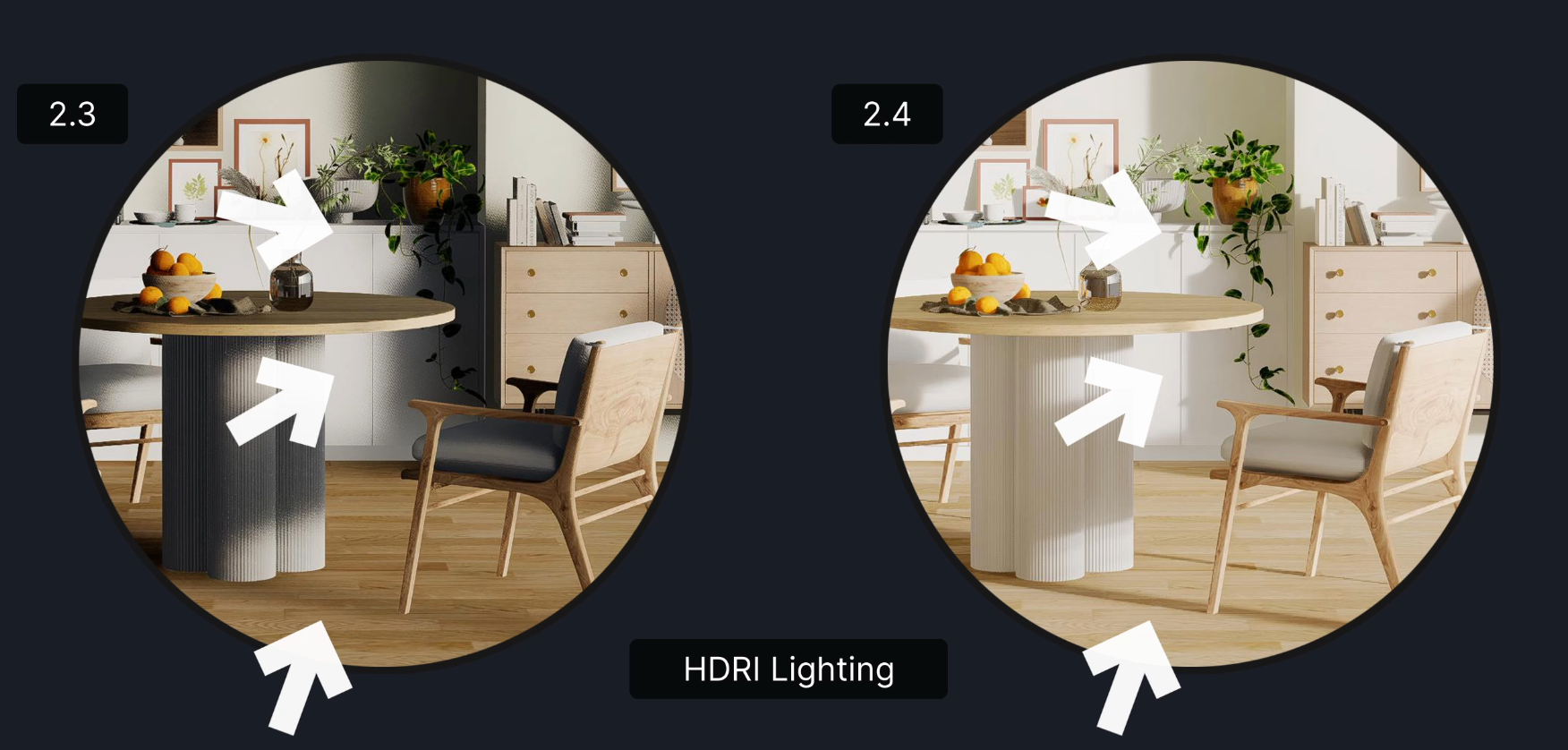
について transmission effect of foliage is significantly improved, so that the leaves of vegetation assets will have a clearer look.
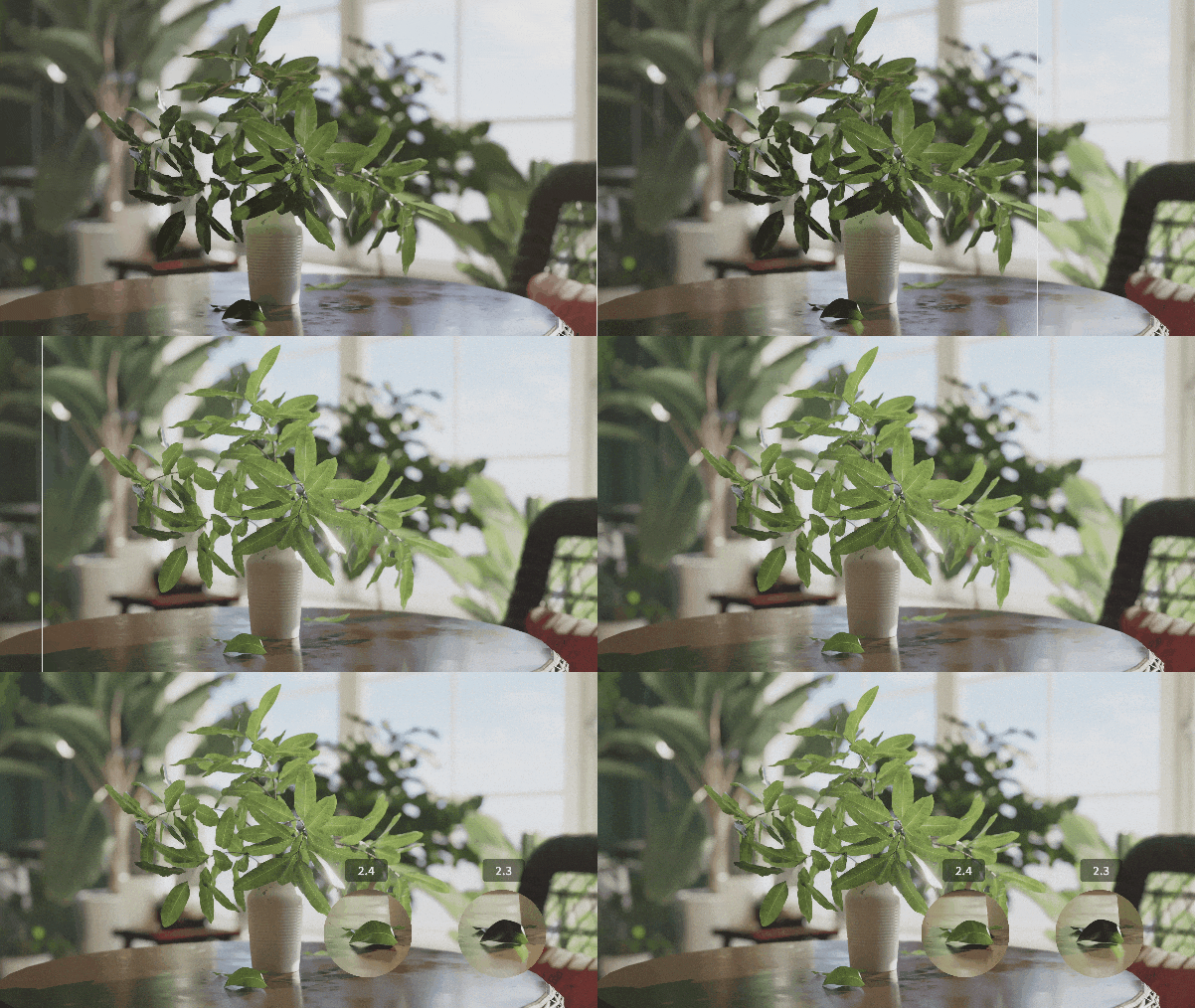
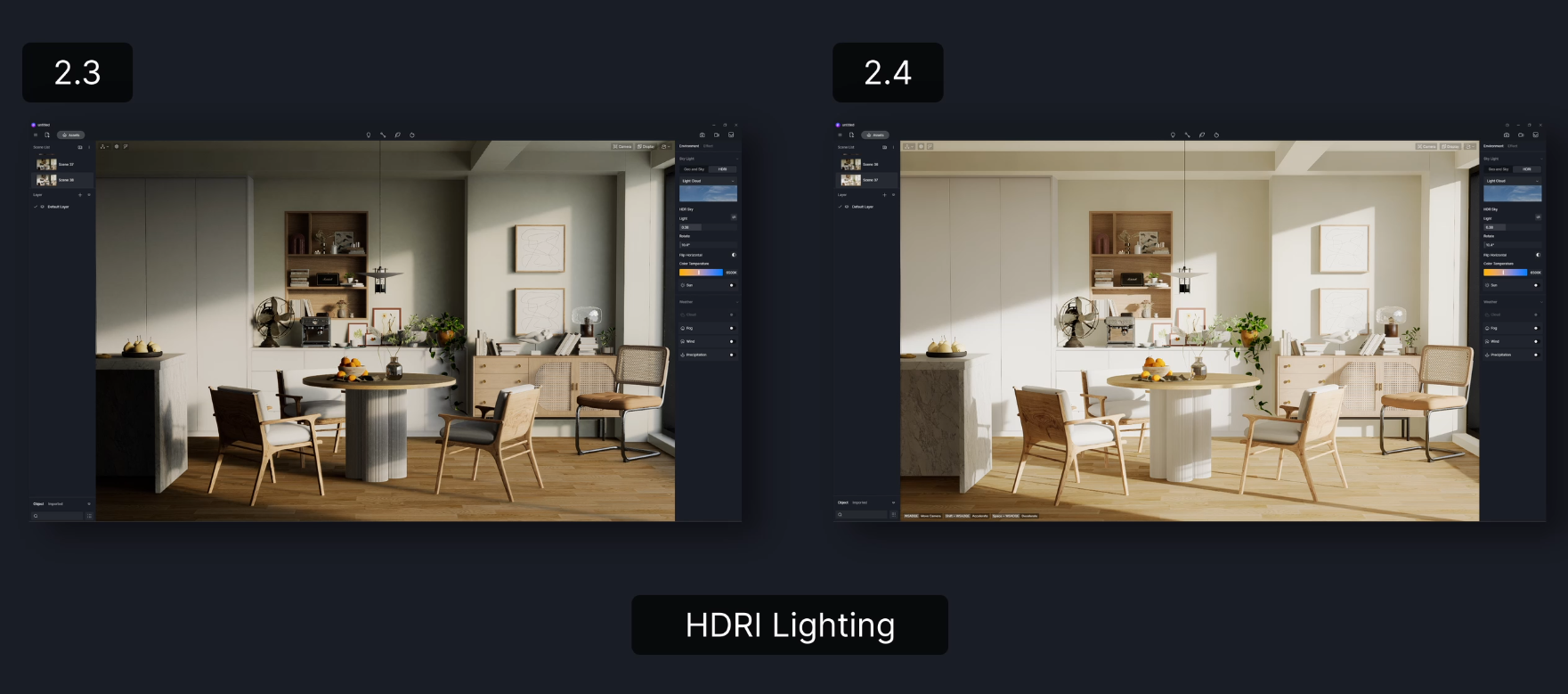
With the breakthroughs in real-time rendering effect and performance made by optimized D5 GI, the inconsistency between viewport preview and the final output is almost eliminated in this version.
Optimized emissive effect
Multiple bounces emitted from emissive materials supported, you are now able to generate precise global illumination with only emissive light sources. With the new algorithm, emissive lighting in D5 avoids completely dark corners in the scene like cornice while presenting a softer lighting effect.
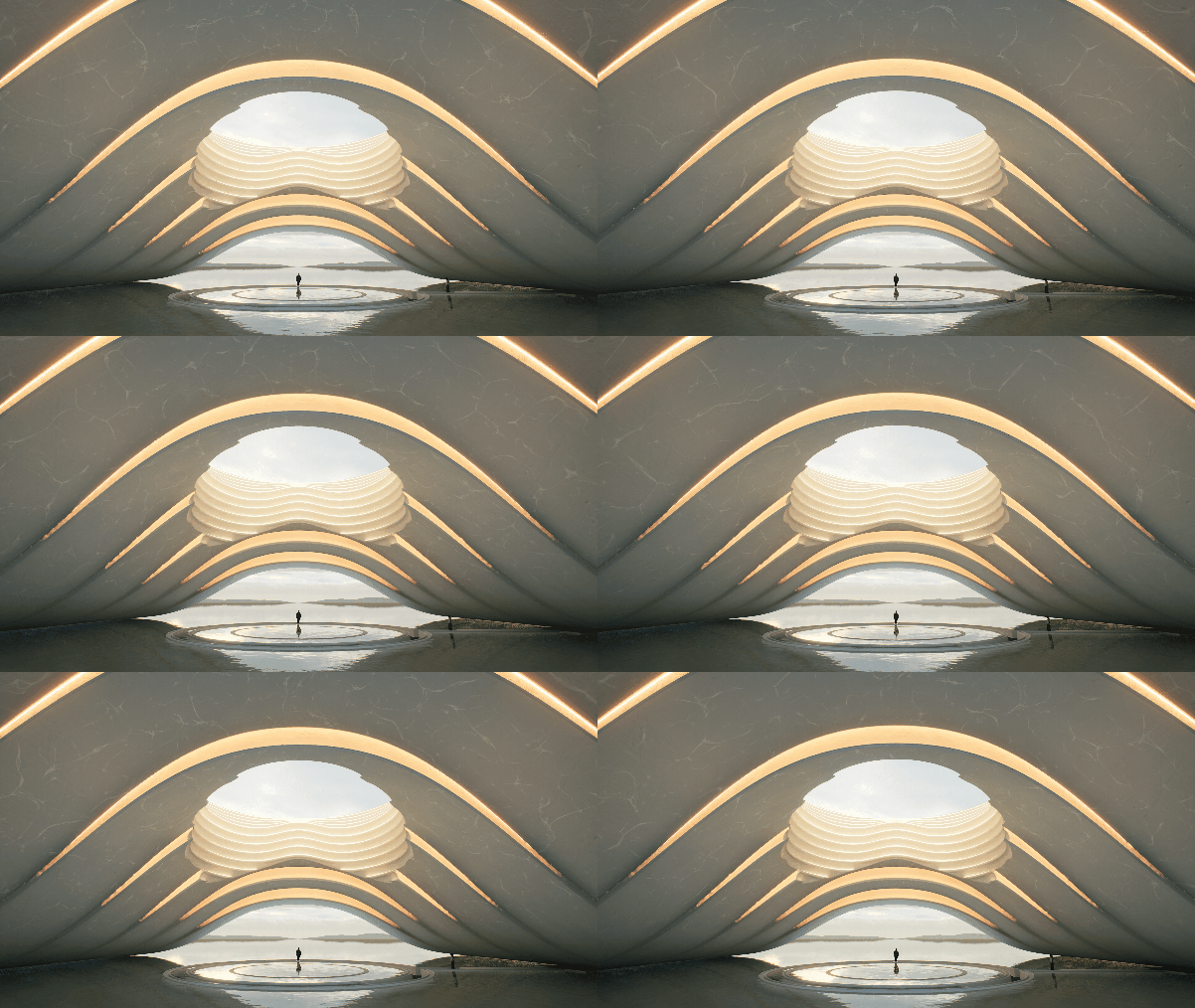
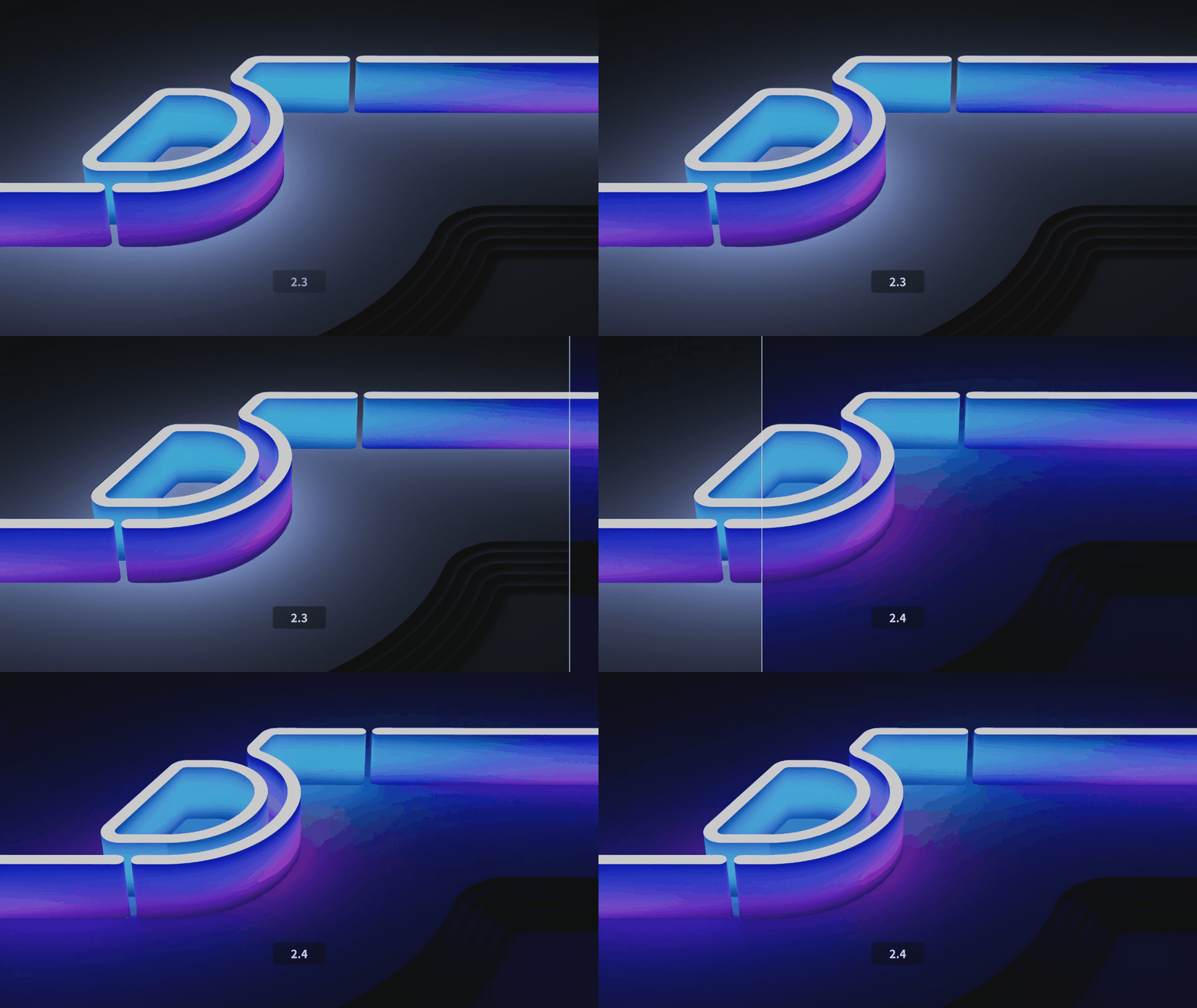
The color emitted from emissive maps was previously in D5 a result of the average color of the maps. We’ve corrected it with the new algorithm to calculate the color of the maps with more precision, so the emissive materials give off lights accordingly. This comes in handy when applying emissive material to LED light signs or billboards.
Subsurface Scattering material
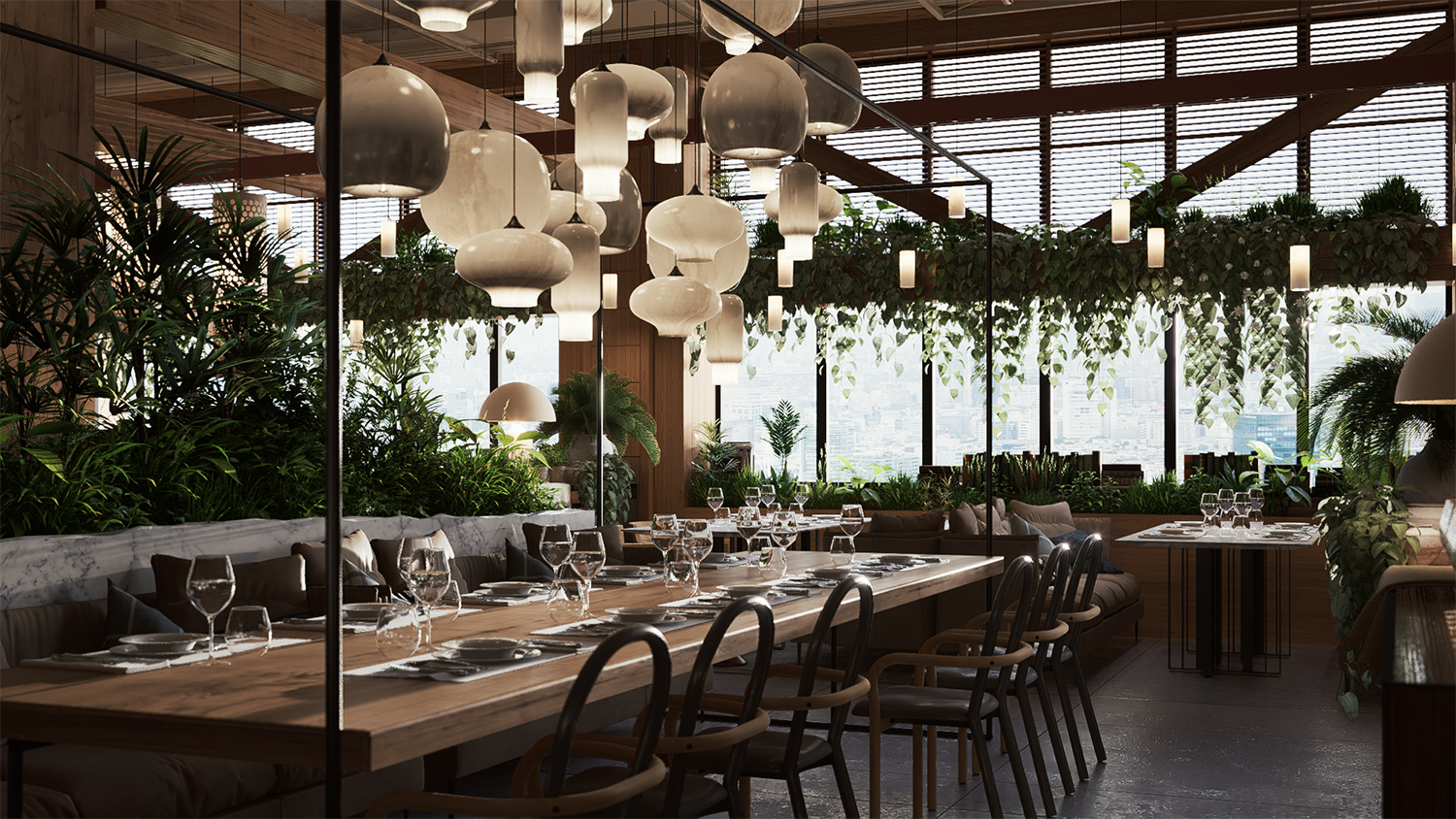
Subsurface scattering materials, or SSS materials, are now supported to simulate translucent objects such as jade, wax and human skin.
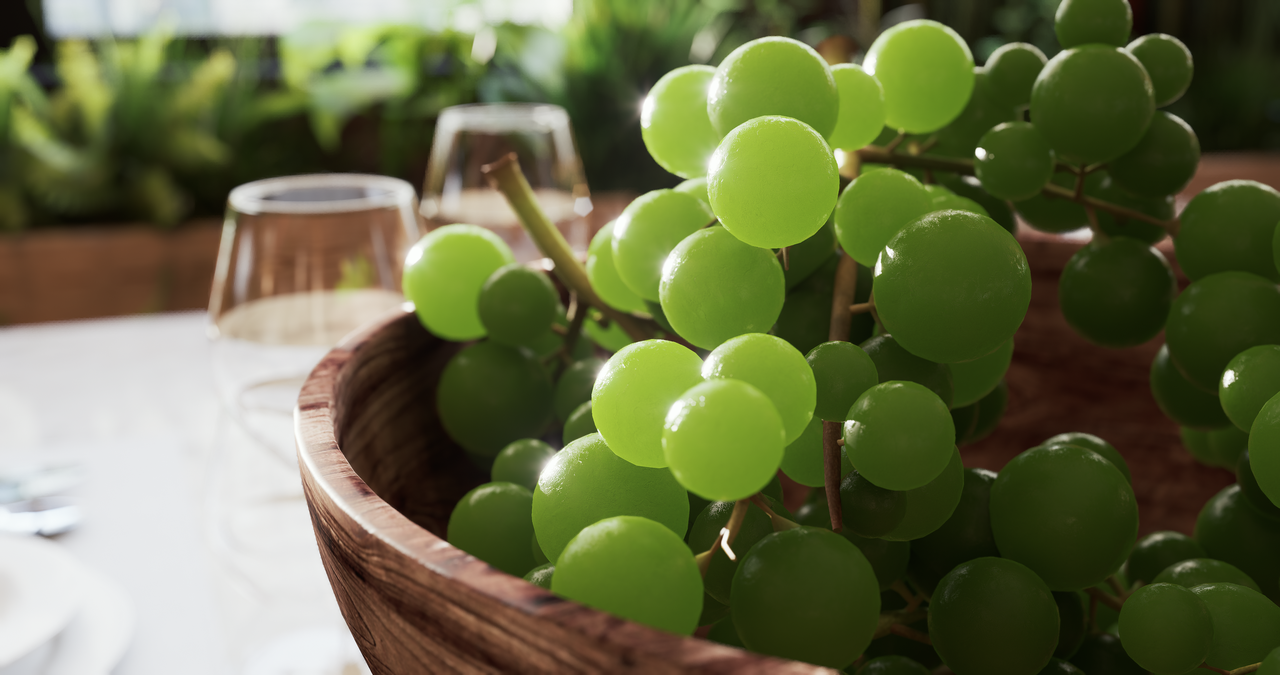
You can use the “Subsurface scattering” material template to create real-time sss effect for the selected texture. Adjustable parameters include SubSurface Color and Scattering Intensity.
Z-Depth
Z Depth mode is now available in Effect > Style.
It works on a grayscale value range, and the colors of points range from black to white based on their distance from the camera, with black being closest to the camera, white in the background, and gray in between.
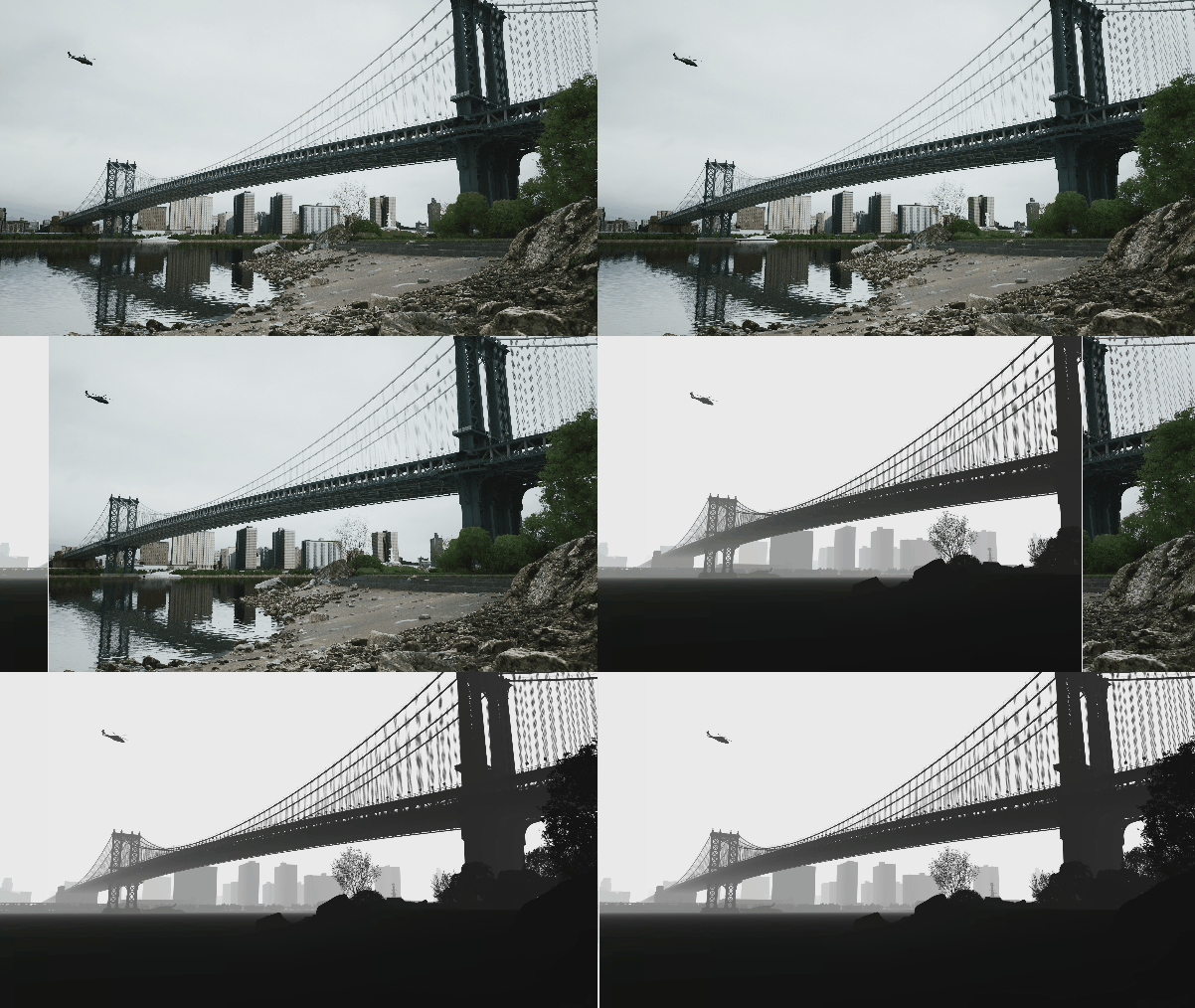
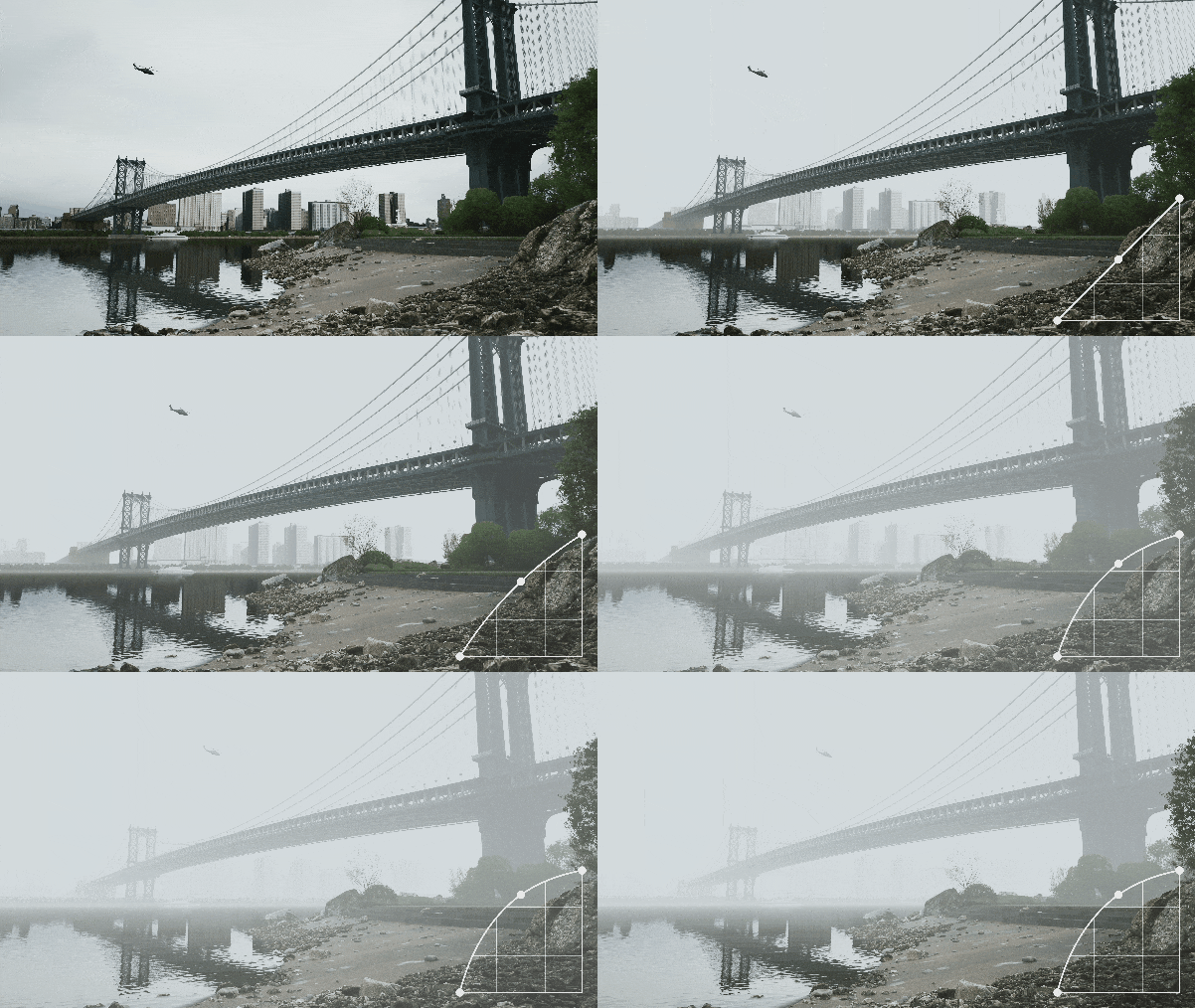
Z Depth is supported as a rendering effect for images or videos, and also as channel export. It’s often used to add Depth of Field effect or to simulate fog.
Cull Distance
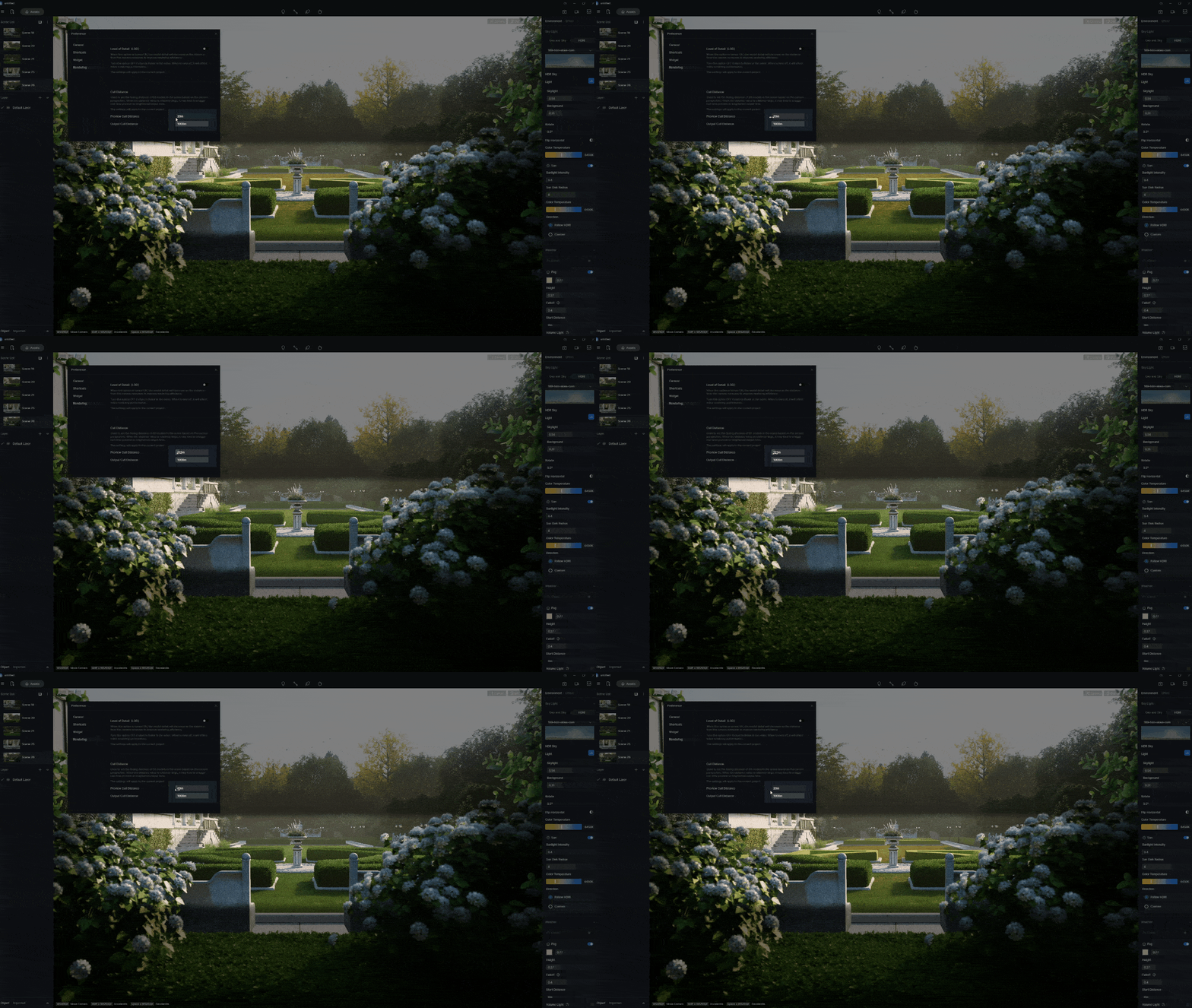
Cull Distance is added in Preference > Rendering. When you specify a cull distance value for preview and output respectively, the smaller models(mainly grass and other plants) beyond that distance will not be rendered in preview or final work, as you chose.
Grass Material Blend Amount
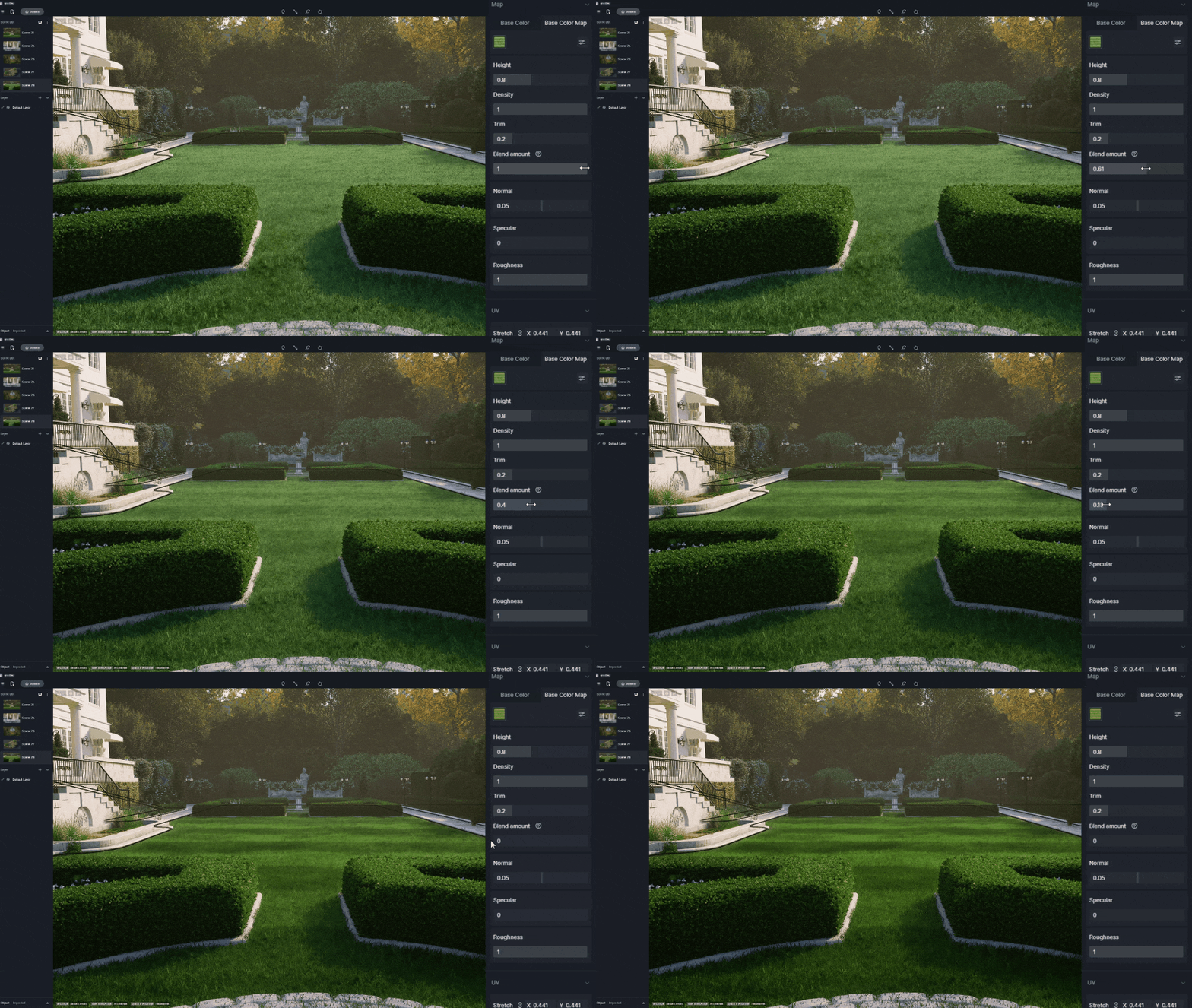
Blend amount setting is newly added to grass material to control the blending level of the base color maps for the ground model and grass material. The larger the value, the more influence the base color map of grass has on the overall color.
2 | Optimizations
Optimized Path tool
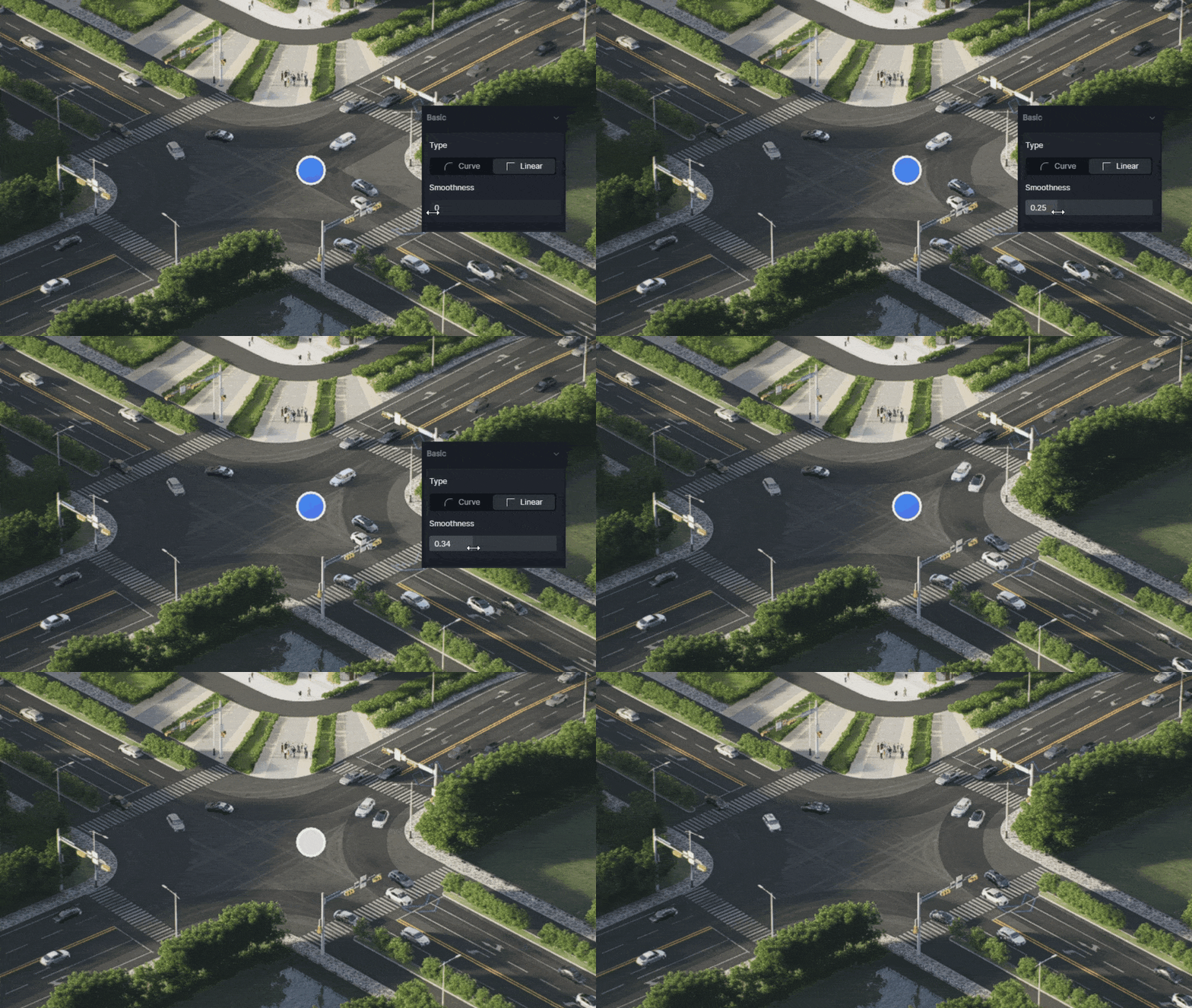
Path Tool is also optimized to make scene building more convenient with customizable path corner nodes: curve or linear.
You can set it to Linear to draw right angles and adjust the Smoothness parameter to customize the corner angles, which helps a lot when it comes to rendering an avenue or crossroads.
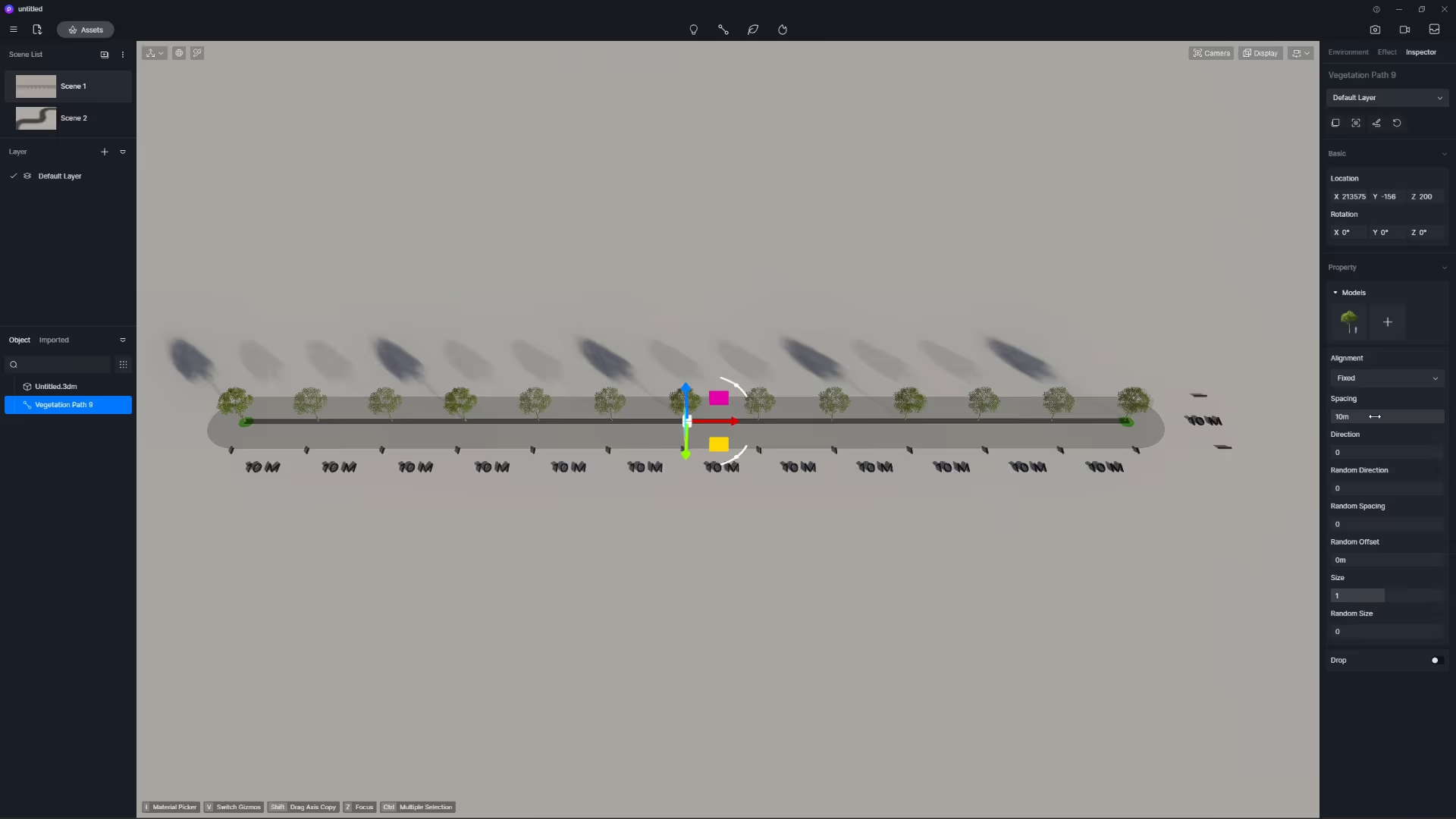
For vegetation paths, we supported setting fixed spacing distance between the vegetation assets. You can use it to generate a corresponding number of models according to the spacing distance value.
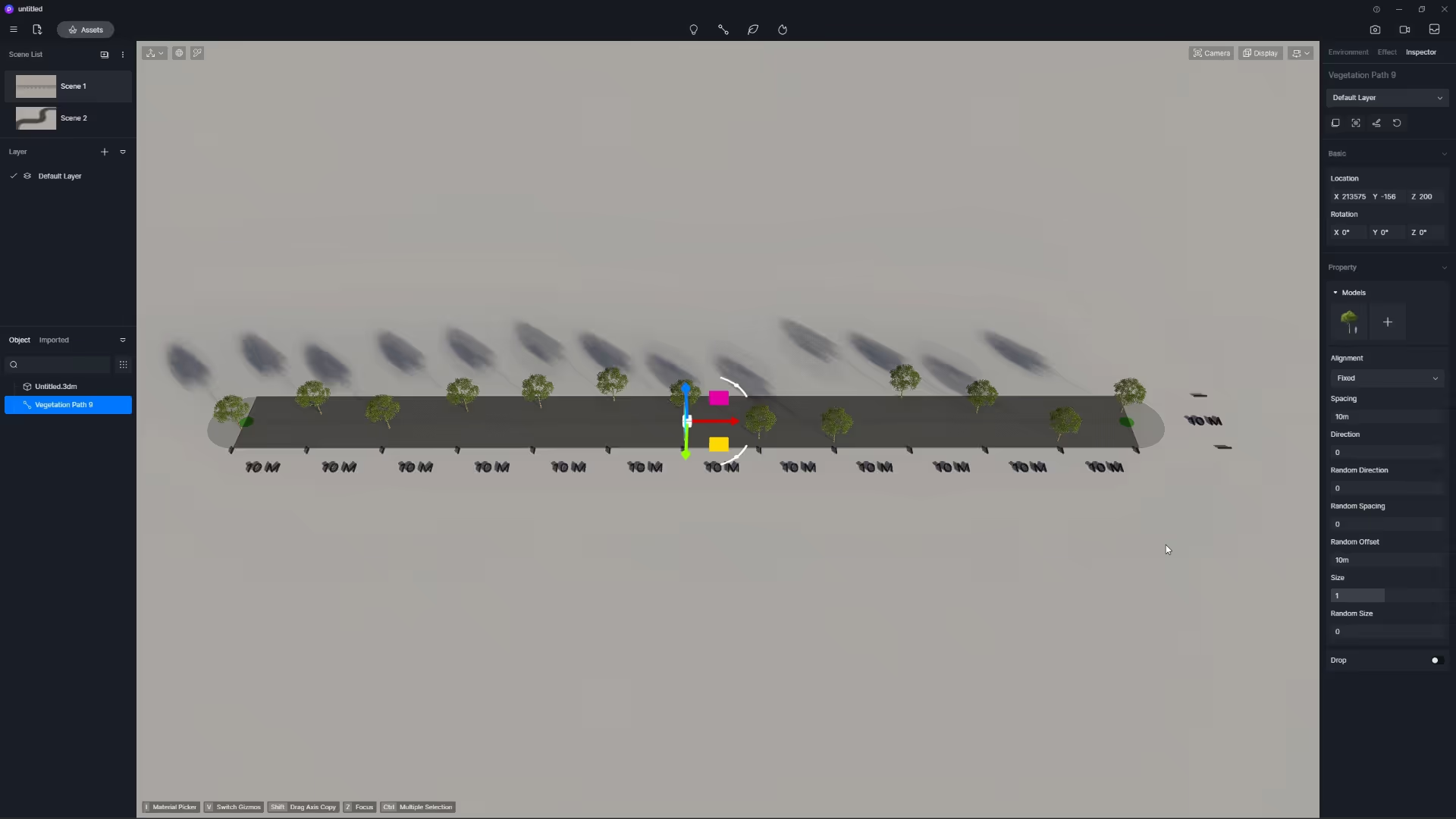
Random Offset is no longer related to the length of path, so there won’t be the problem of a larger actual offset distance for a relatively small offset value caused by a longer path.
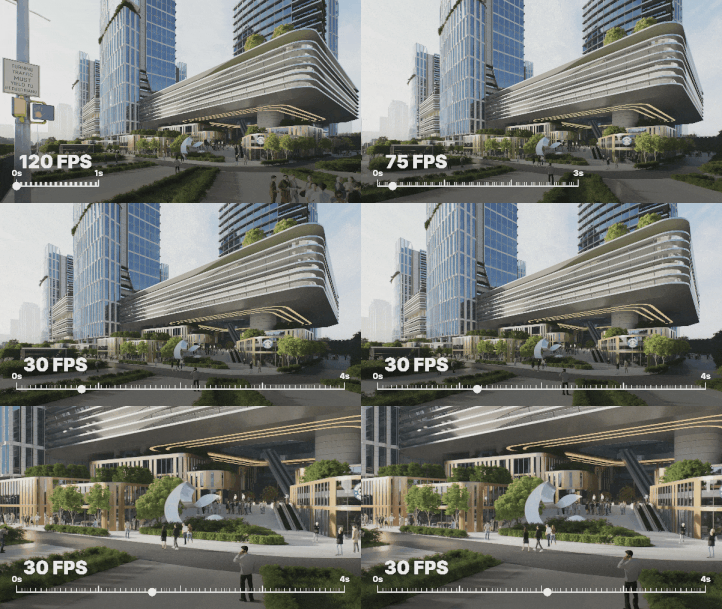
Higher Output Frame Rate Options
より多くのフレームレートオプションをサポートし、より良いビジュアル体験と編集における自由度をもたらします。ビデオレンダリング設定で、出力用に24、25、30、60、または120 FPSを選択できます。.
Note that the default frame rate options are 30 and 60 FPS. You need to go to Menu > Preferences > Widget to enable more options.
Improved Two-point Perspective View
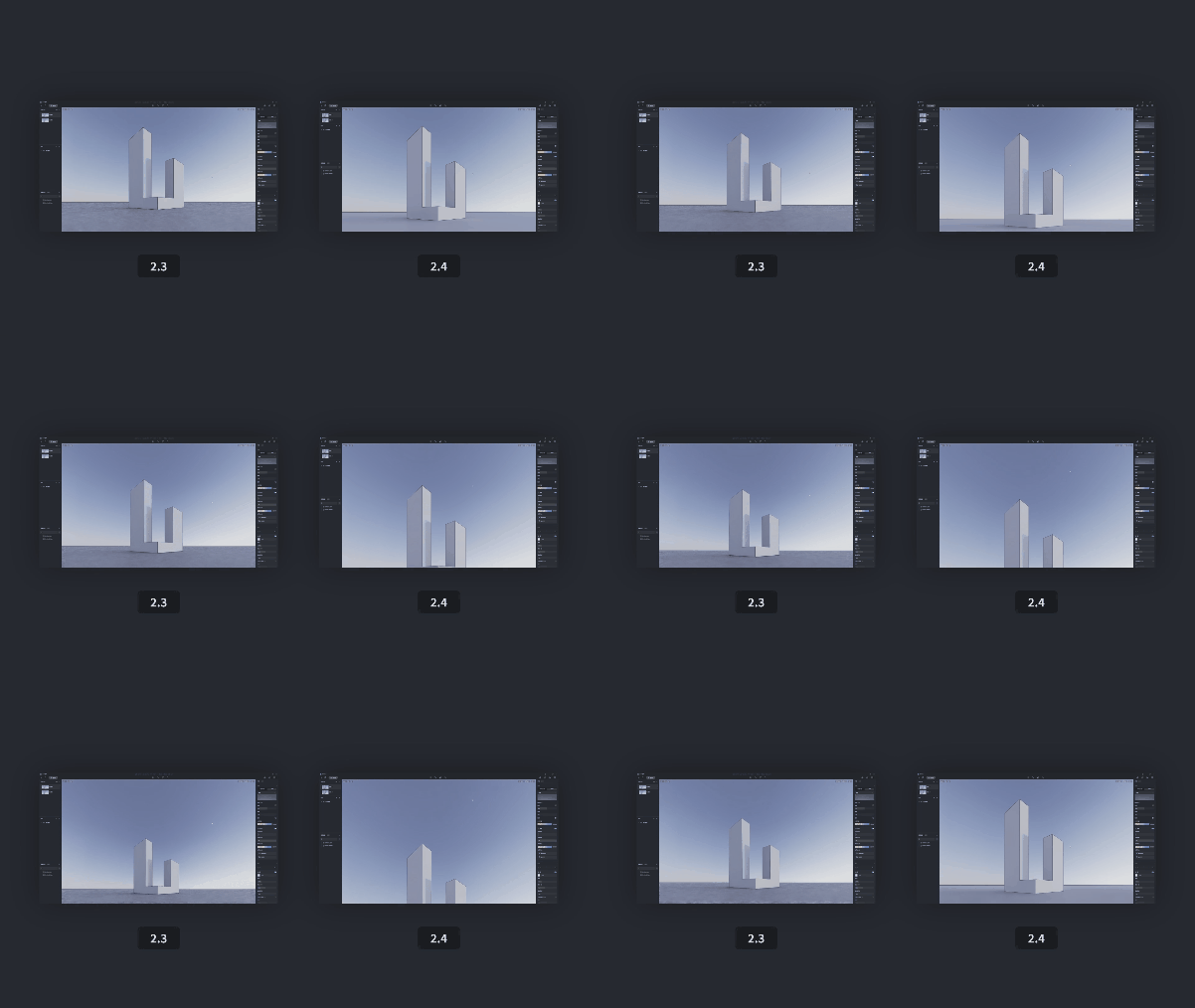
We fixed the unexpected tilting and perspective distortion by correcting the two-point perspective algorithm, and now the animation transitions between two-point perspective and perspective view in video mode will not produce flickering.
Another change is that you would need to press F8 or P to exit the two-point perspective view now.
Group Assets & Save to Local
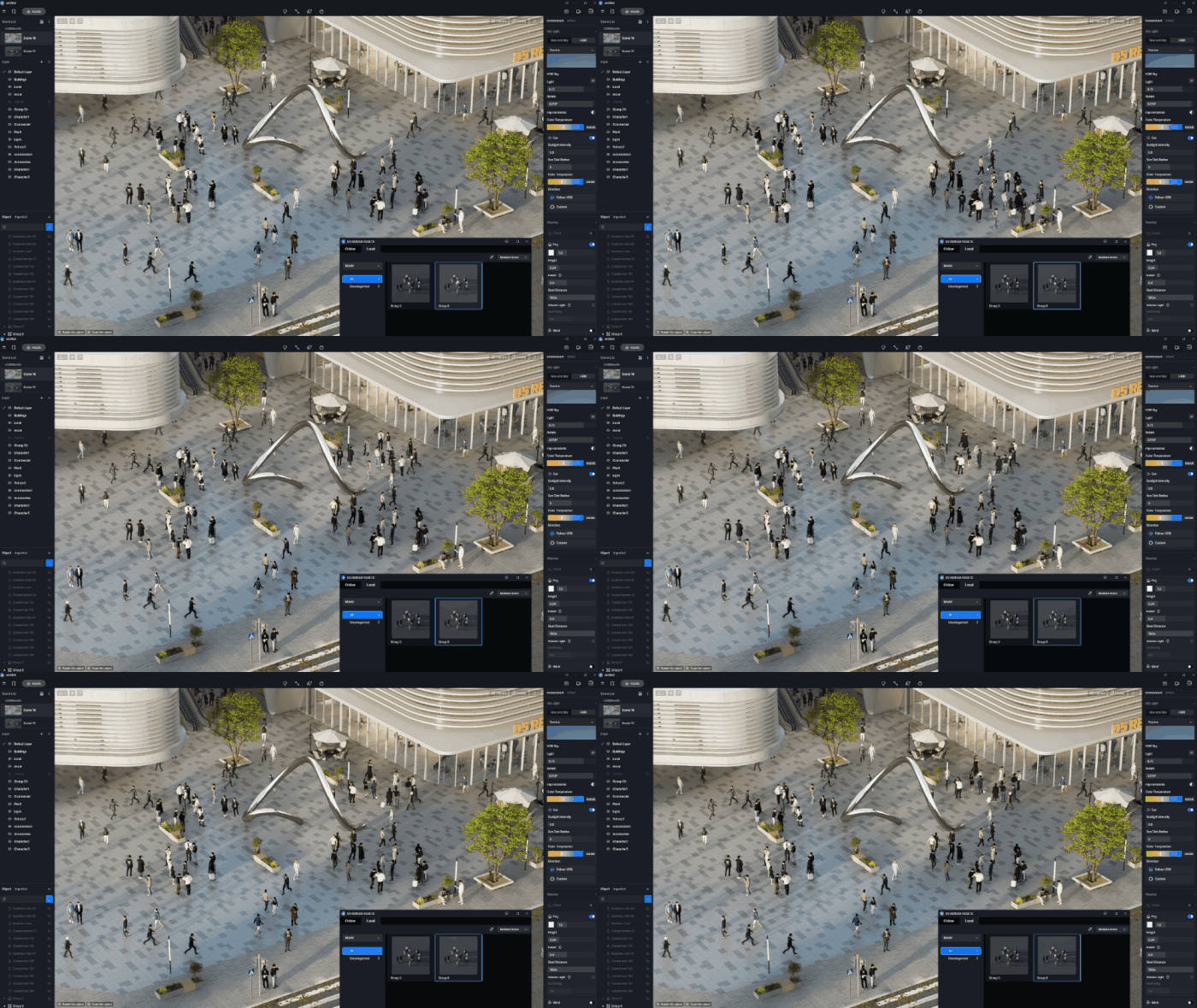
D5 vegetation, characters, animals, vehicles and more models can now be added to your local library and exported as .d5a models. It is also supported to group any of these assets and add them to local, so you can easily grab and use the combo in other projects.
Optimized Scatter & Hedge assets
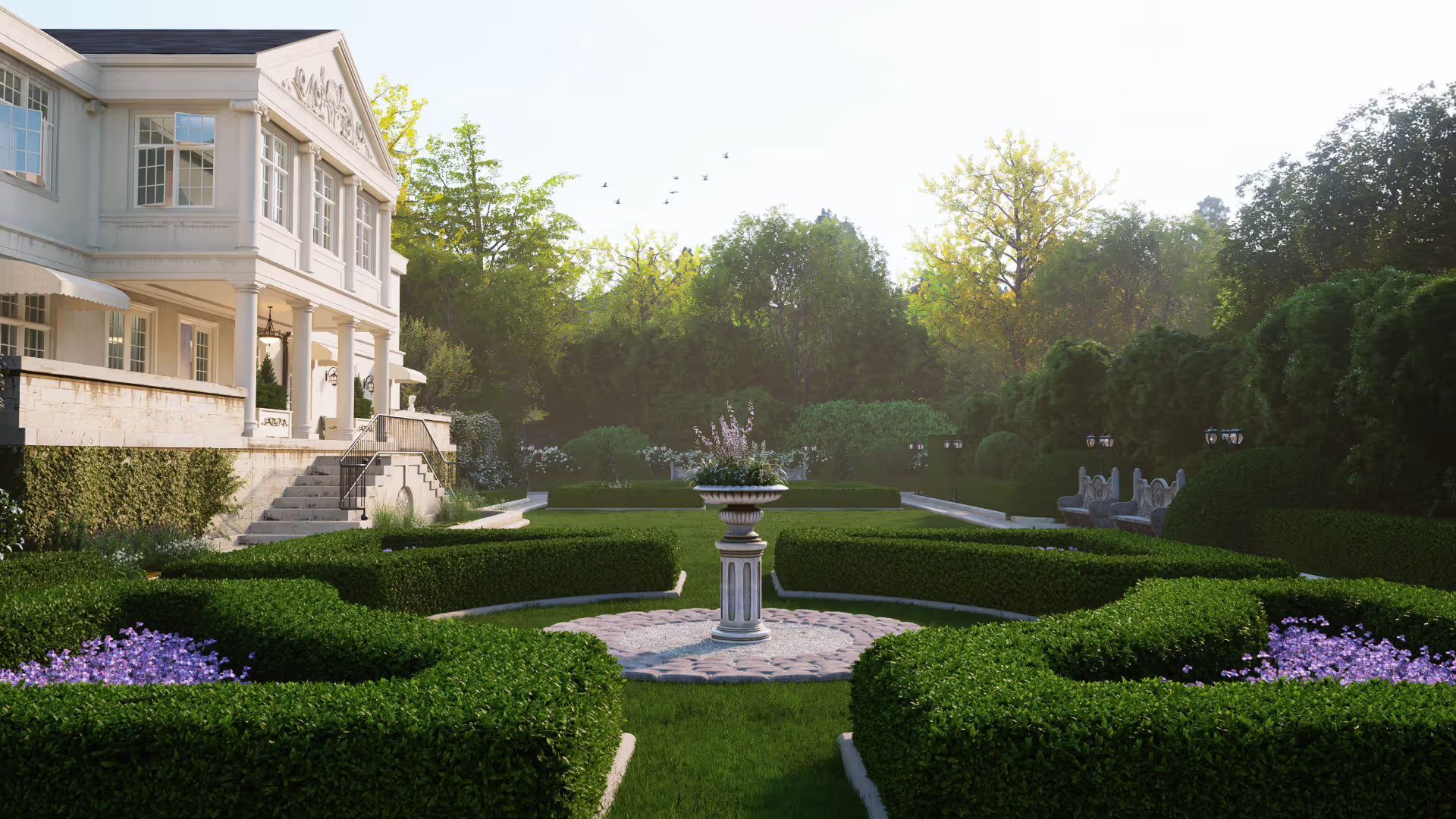
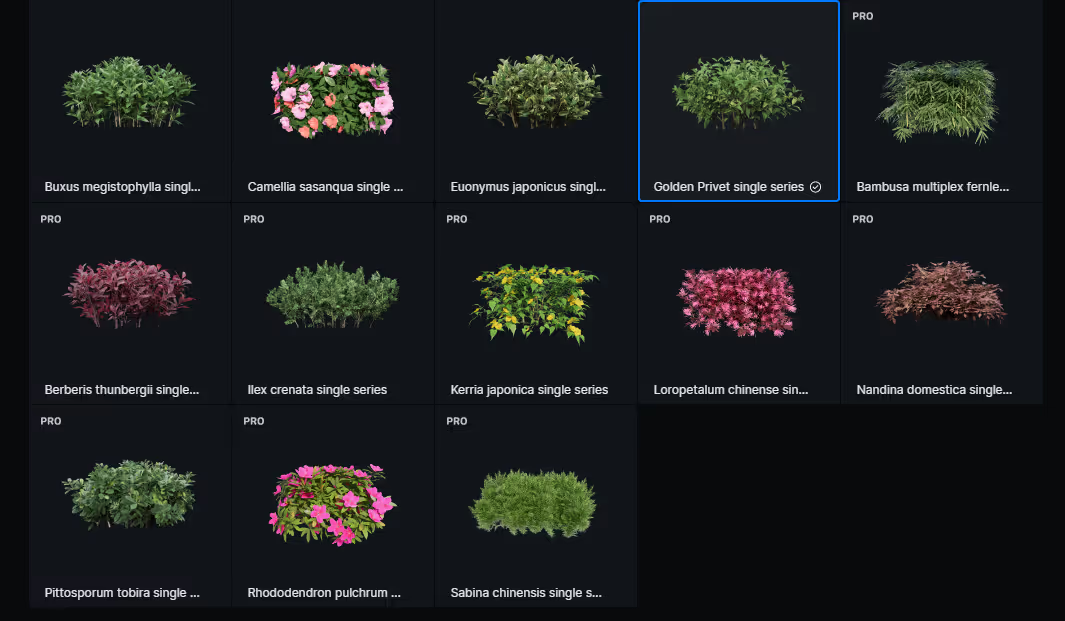
The algorithm of vegetation scatter tool has been optimized to fill a chosen material with vegetation and avoid leaving a gap, making a lush and dense hedge look.
Scatter models with “Single series” in their names from Nature > Hedge category, set the density parameter, and check “Align to Terrain” to quickly fill the block and create realistic hedges.
Drop Models on the Ground
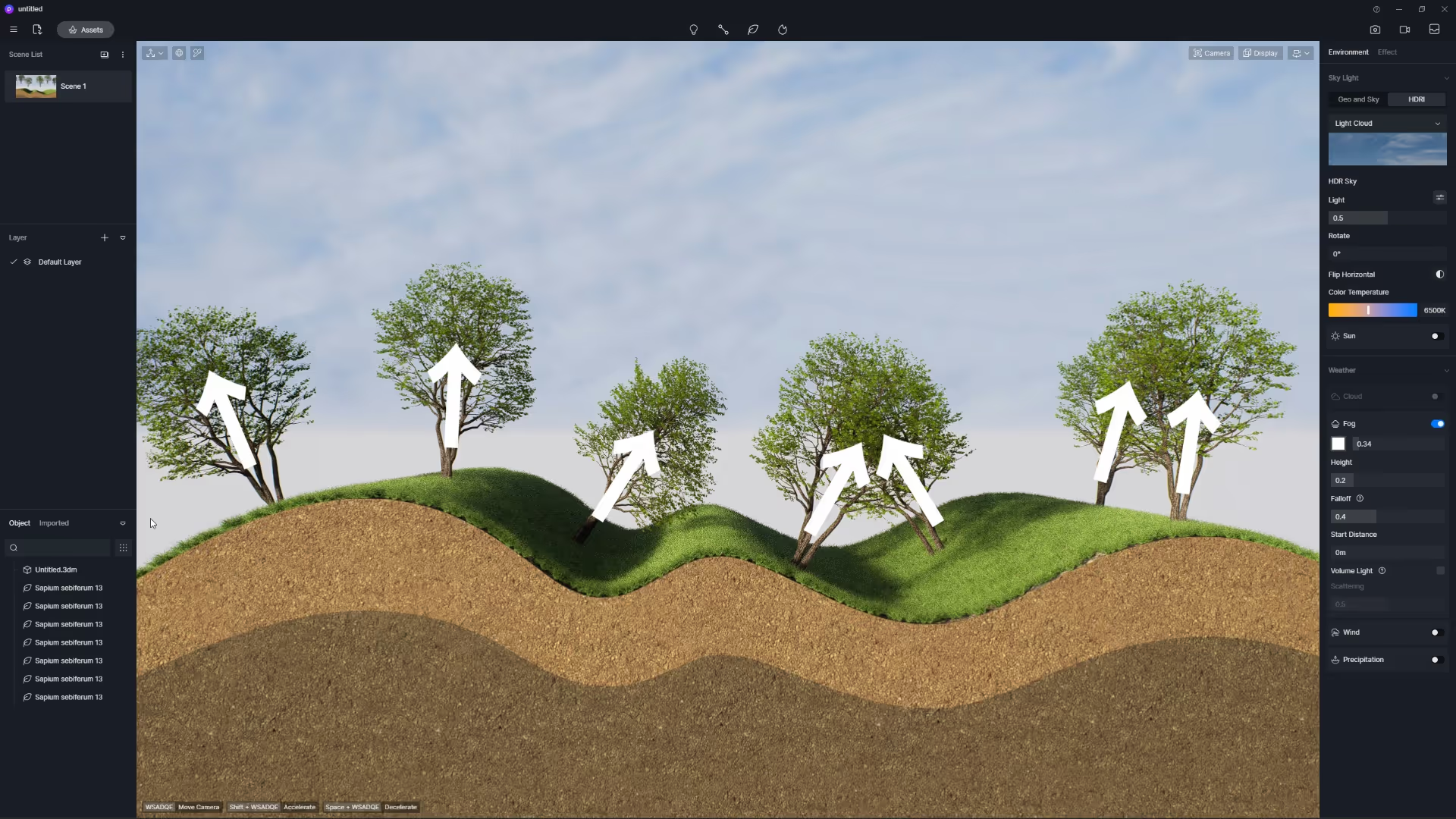
For models in the object list, you can now right-click on it to choose “Drop vertically” so that it lands vertically on the nearest object surface.
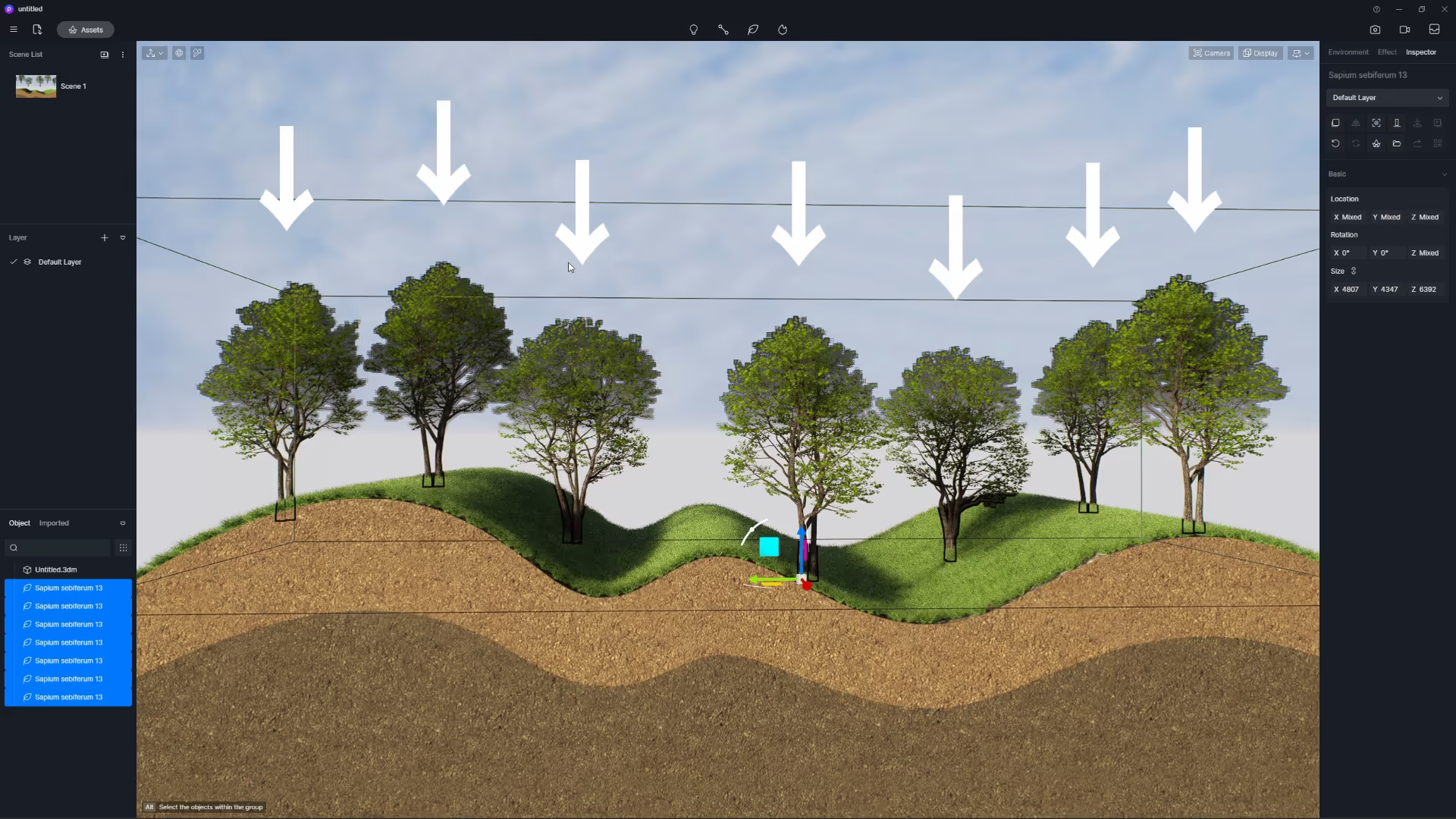
Check “Drop along the terrain” so when the model falls on the nearest model, it also rotates itself according to the normal of the model surface.
Camera Focal Length
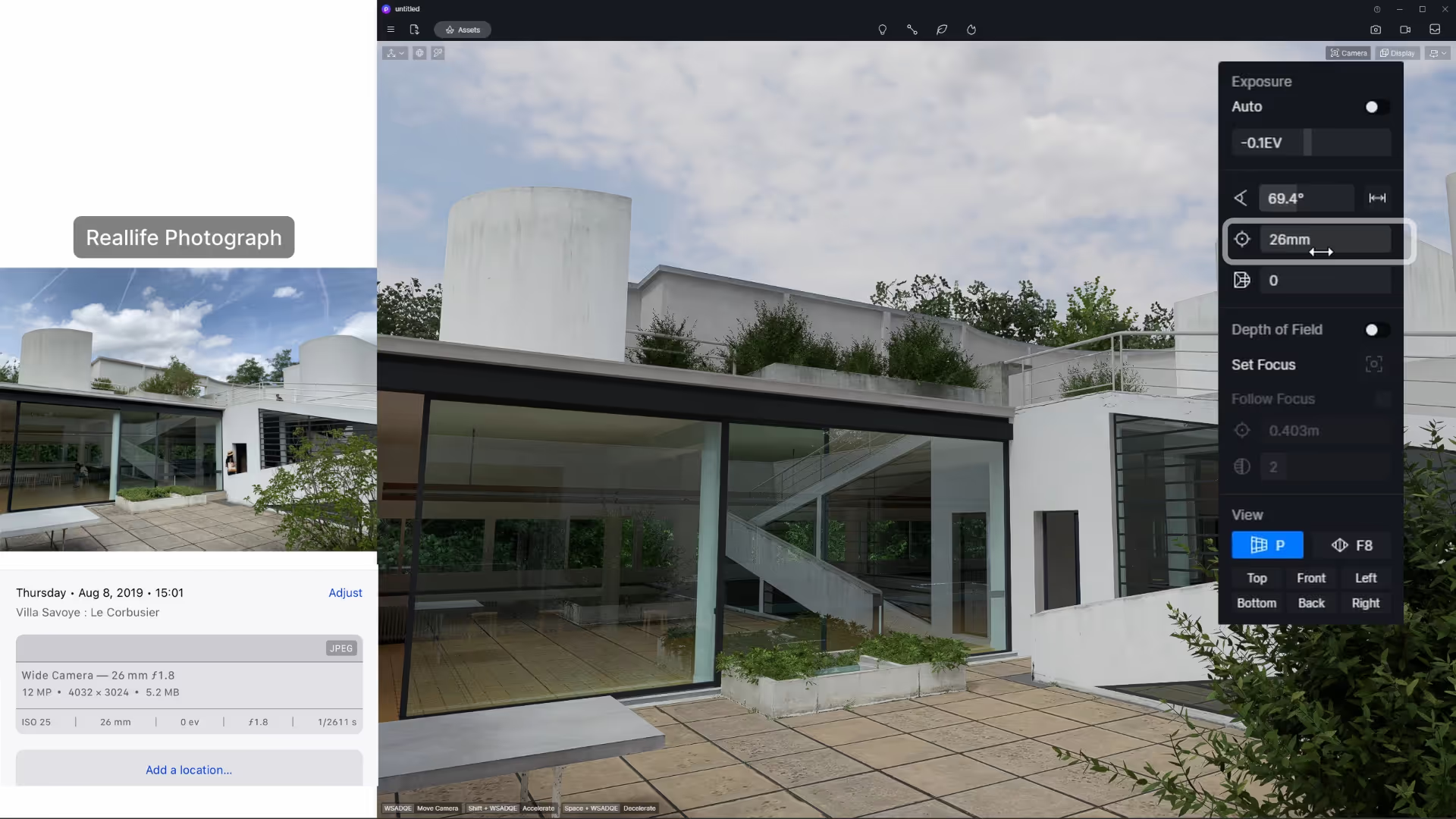
A Focal Length parameter is added under Field of View which can be used as the equivalent focal length of film in real life photography.
When matching a real camera and rendering camera setting, you can align the picture information by entering the corresponding focal length value in D5. This helps you get the same view in D5 as the reference photo.
Optimized Eraser Tool
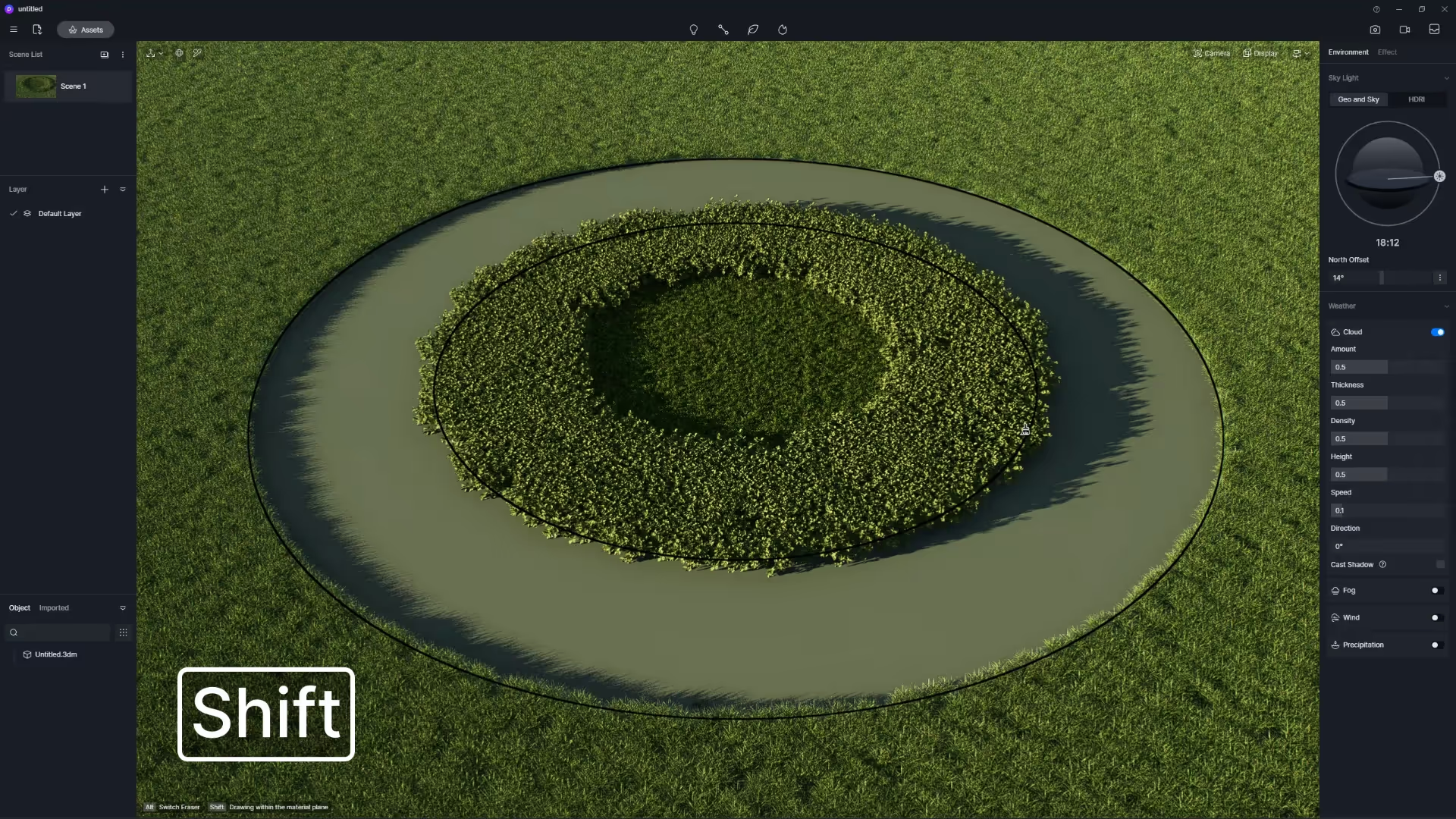
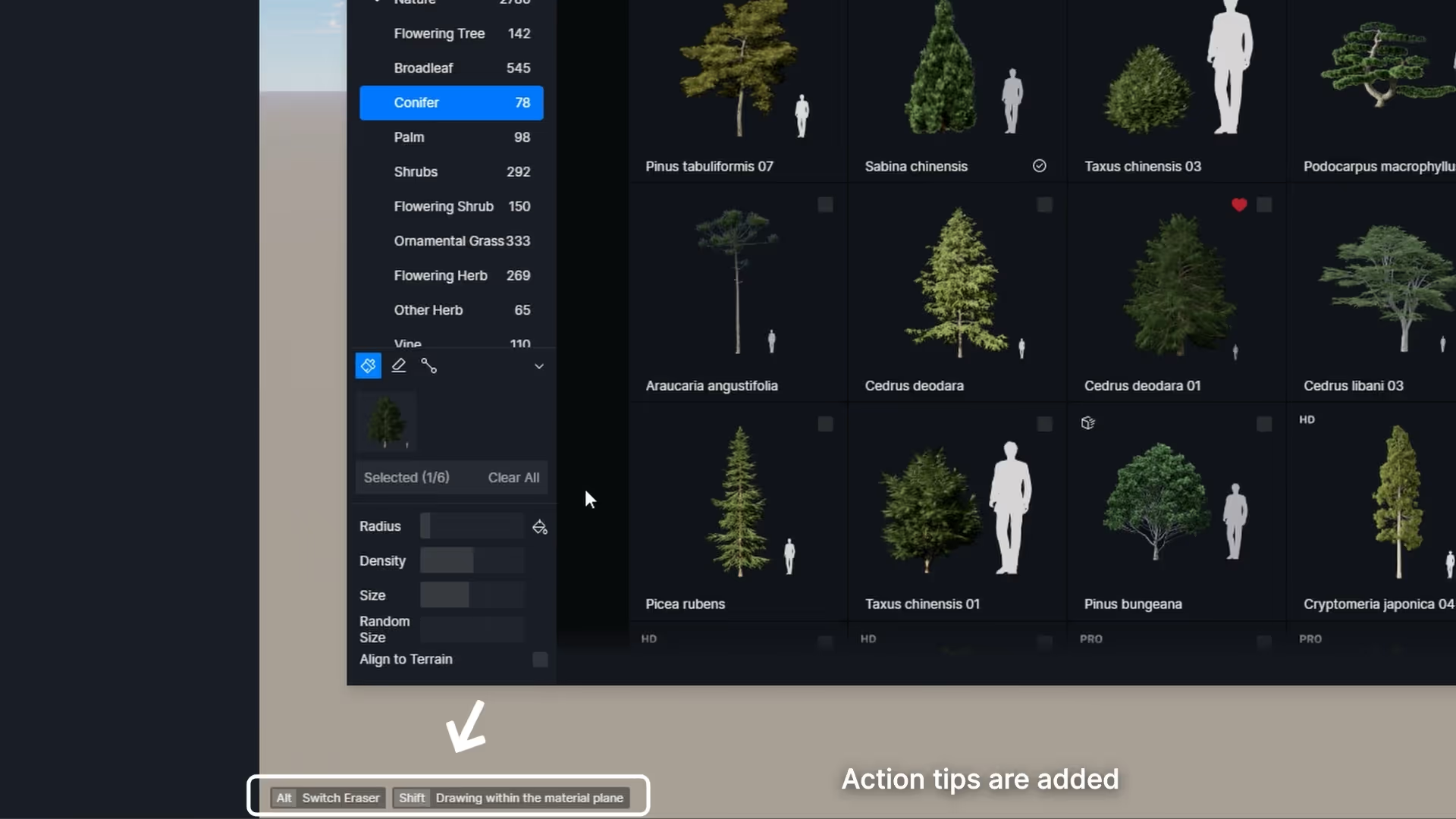
Using the eraser or clear tool, you can apply it to only a selected surface by holding the shortcut key Shift.
Action Tips
To make D5 even easier to get started with, Action tips are added to the lower left corner of the viewport. You can turn it on in Menu > View to see corresponding tips and shortcuts while rendering.
Clear Auto-saved Backups/Imported Models
Clearing auto-saved backups/imported models is supported in Menu > File > Clear data, to delete the backup files automatically saved and imported models (except for those already placed in the current project). This helps reduce project file size, making file storage and management easier.
D5 AutoClose after Rendering
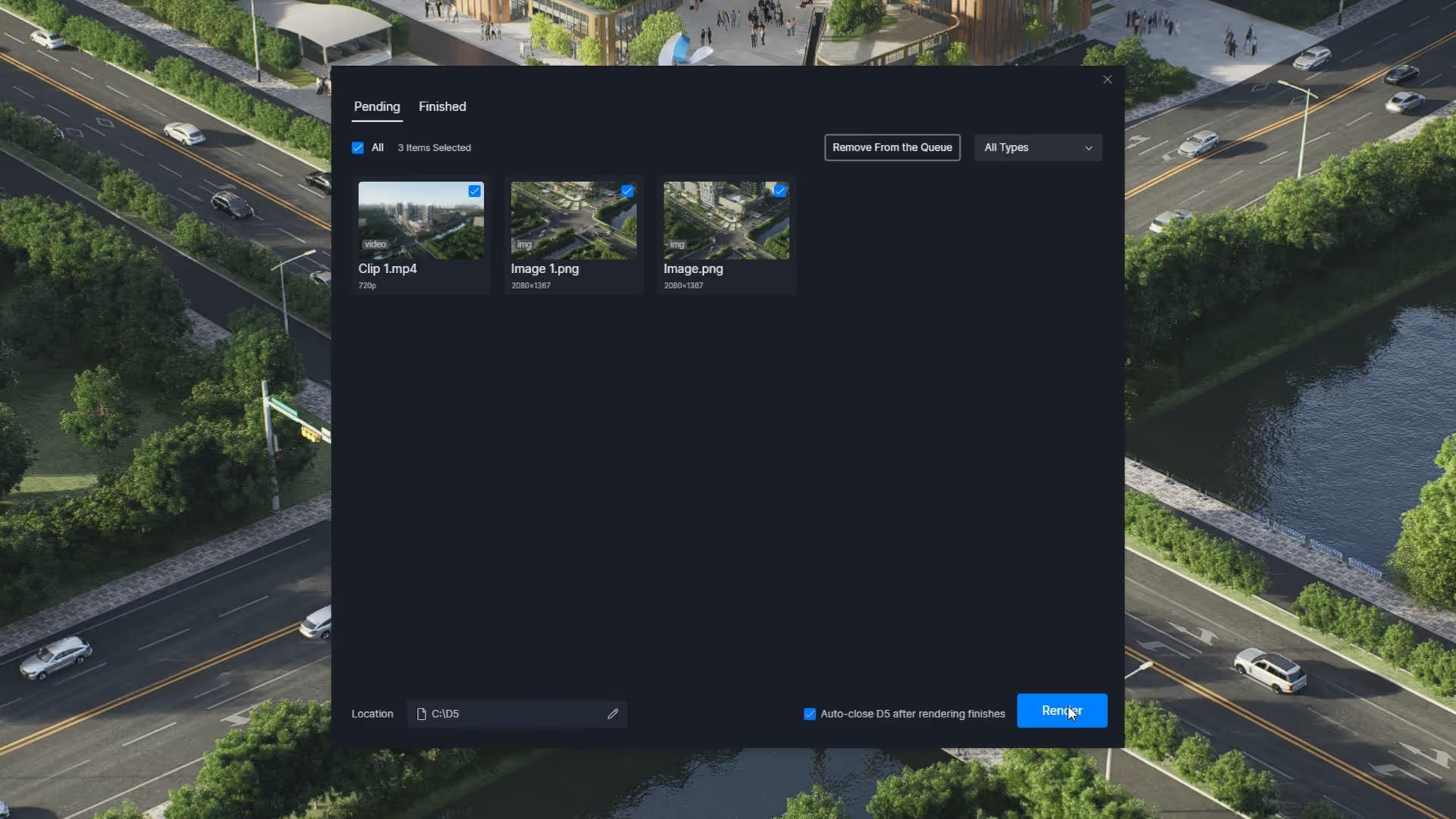
Another update to help you with resource management is the option in rendering queue to close D5 automatically when rendering is finished.
3 | New Assets in the D5 Asset Library
You can quickly find these new assets by searching “2.4” in the D5 Asset Library.
Vegetation Models
13 new Hedges, which have “single series” in their names, include Buxus megistophylla Levl., Camellia sasanqua Thunb., Ligustrum × vicaryi Rehder and Bambusa multiplex. You can use the scattering tool to quickly achieve a dense hedge effect.
37 new animated Macrophanerophytes include Yew, Metasequoia, Euphorbia, Cherry and other trees.

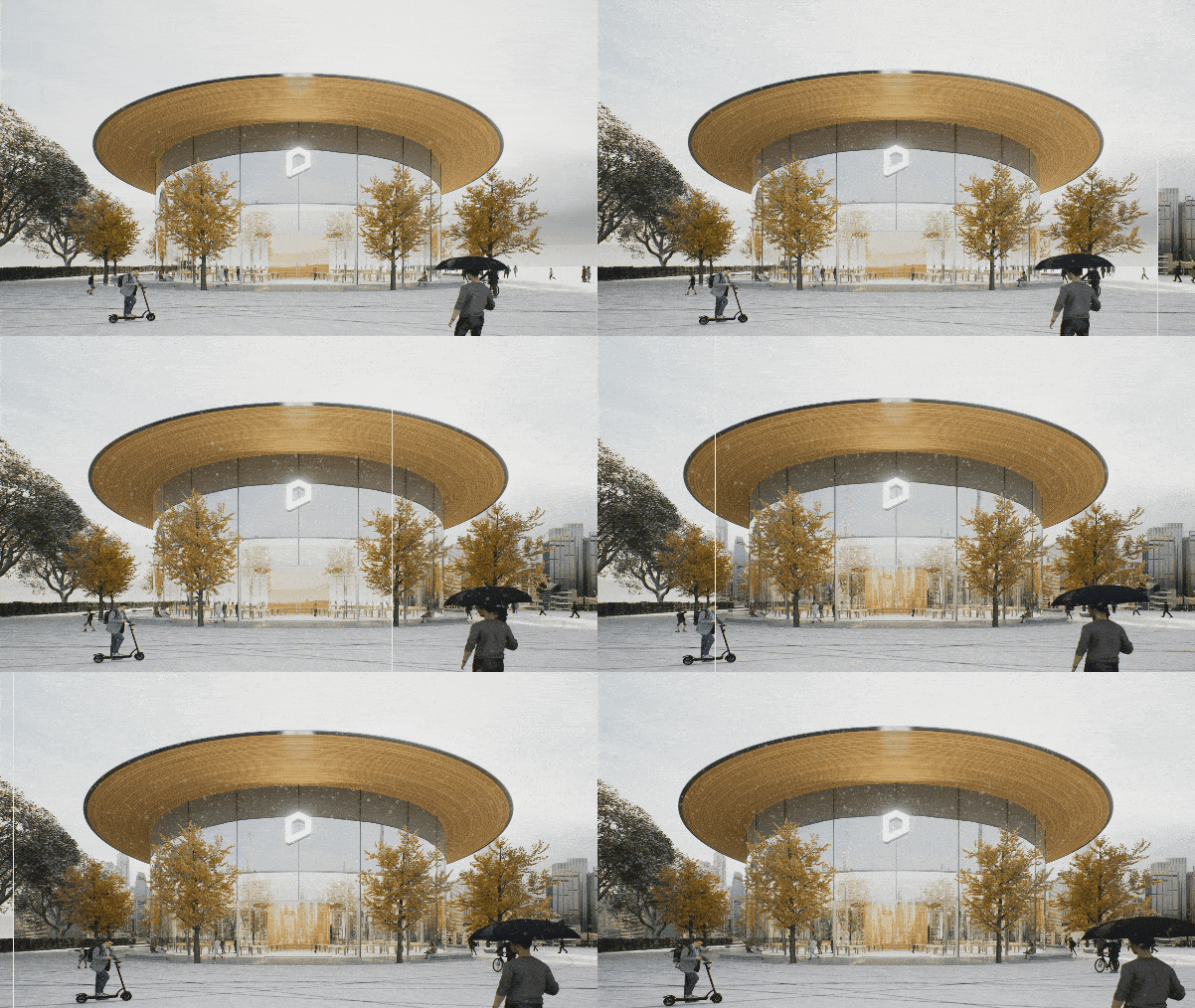
Backdrop Planes
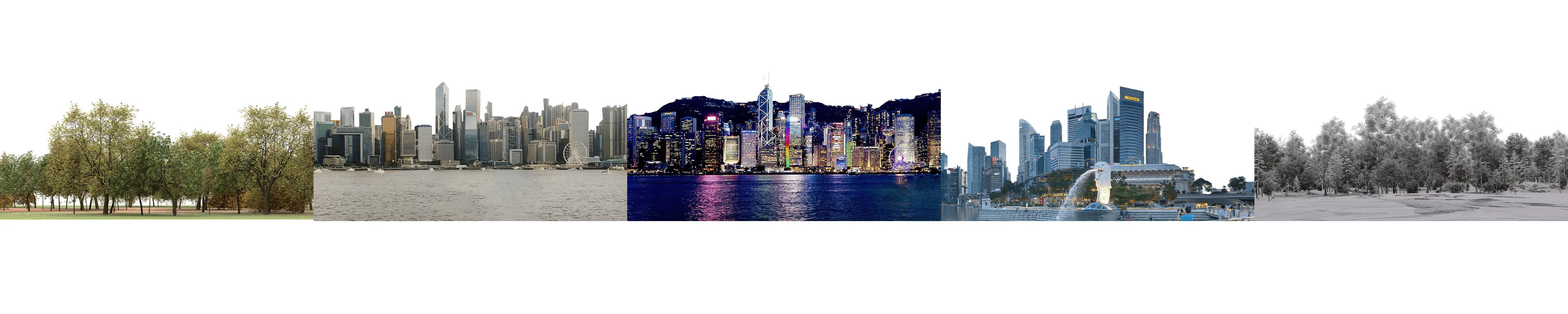
New Backdrop planes in Landscape category to decorate the distant skyline for urban, mountainous, and wooded contexts
Animated Water Particles
New animated water particles under Particles > Fluid including fountains and water flow particles with scale, reflection and color parameters enabled.
New “Low resource consumption” option for fountain particles. Turn it on to reduce resource consumption in both preview and output.

Subsurface Scattering Assets
New SSS assets include silica gel, jade, wax materials and jade Buddha, candle, fruit models.


Character Models
30 slightly moving characters that have small movements, waving hands for example, that are close to their posed gestures.
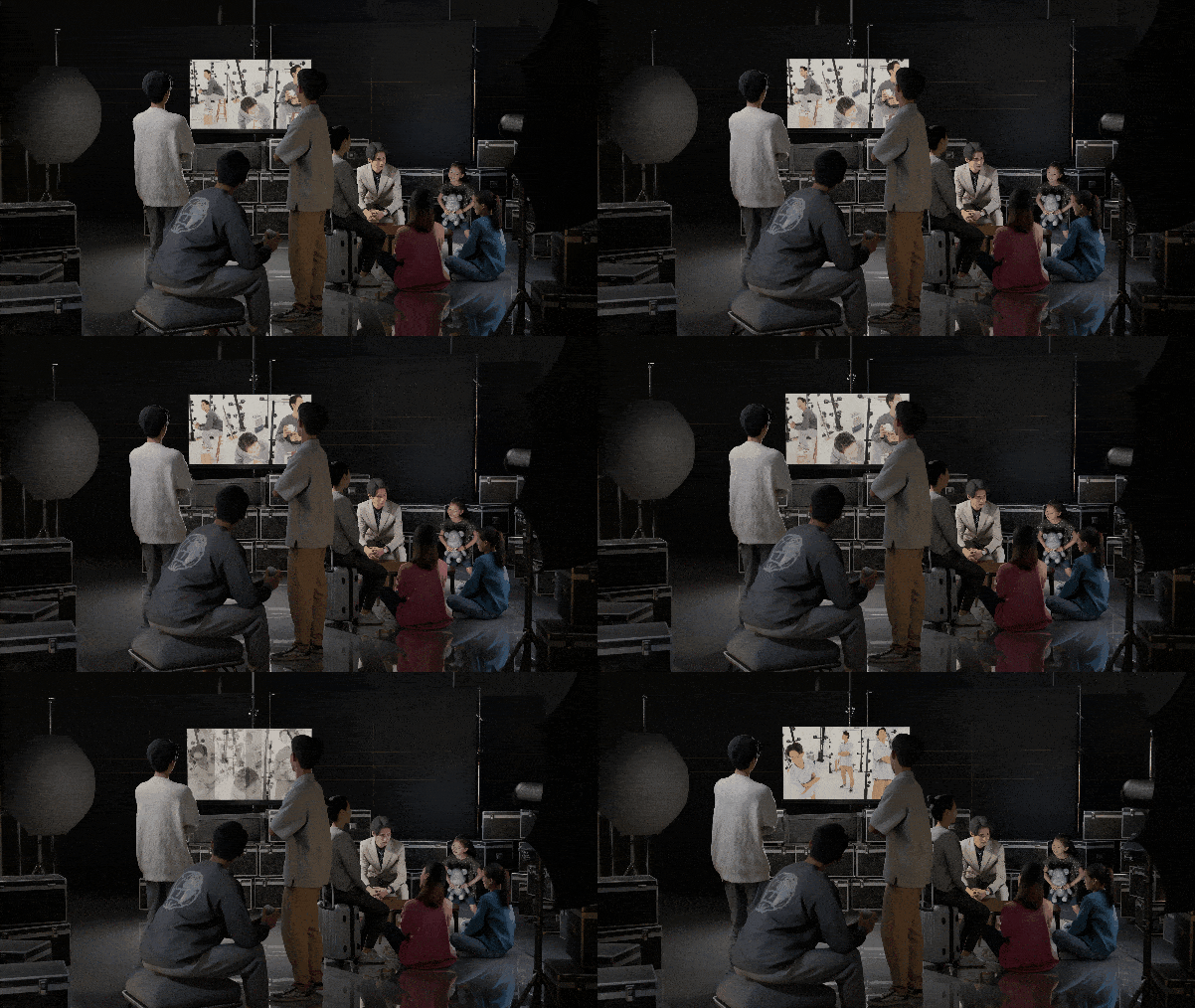
78 posed Asian characters and more characters from different regions are coming.
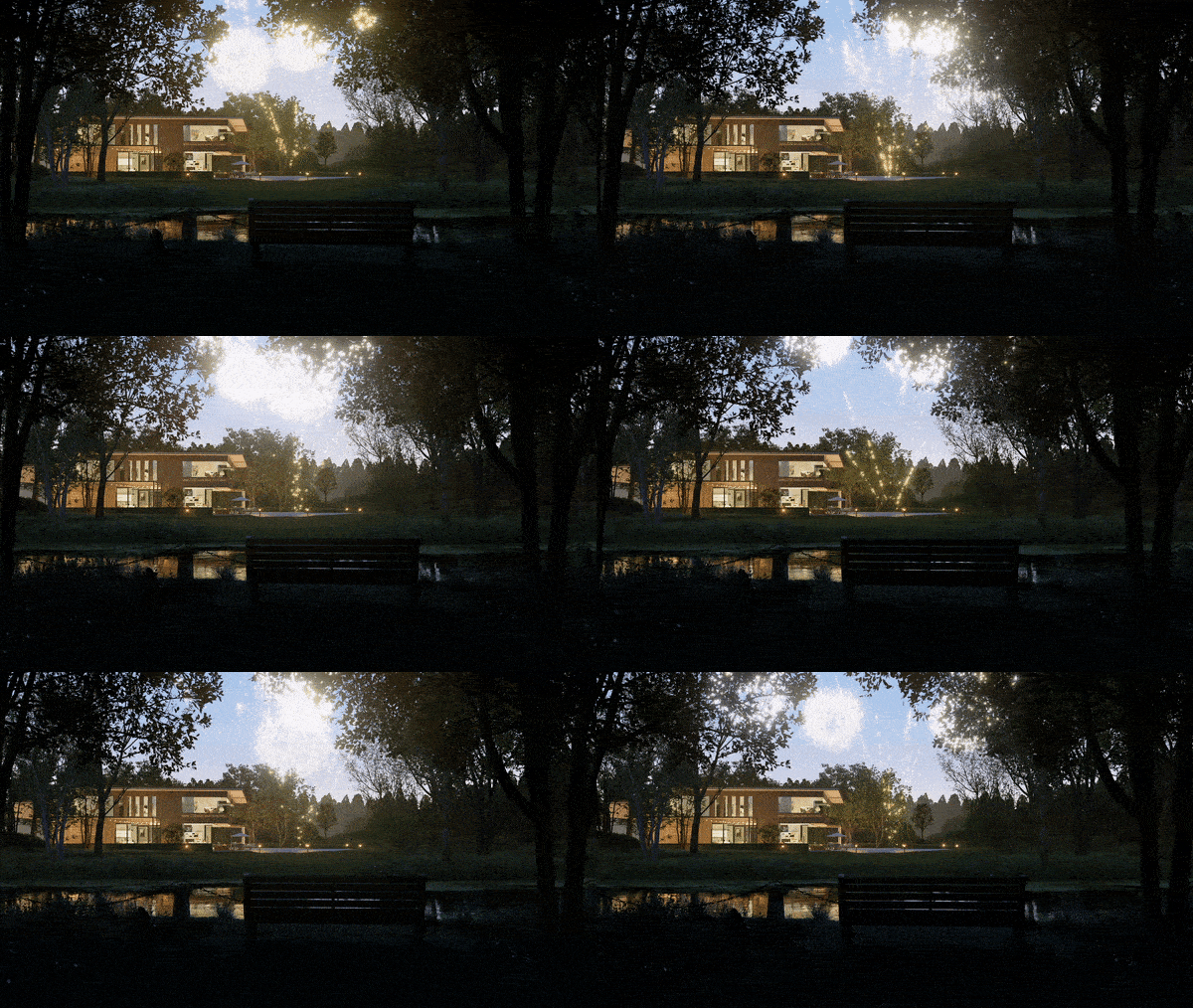
Holiday Assets
New Holiday assets — a special collection exclusive to D5 that includes firework particles, animated decorations, and holiday accessories.
Set off customizable 3D fireworks in D5 to light up the sky.
Animated vehicle Models
4 new animated vehicles include electric cars, subways and high speed rail.

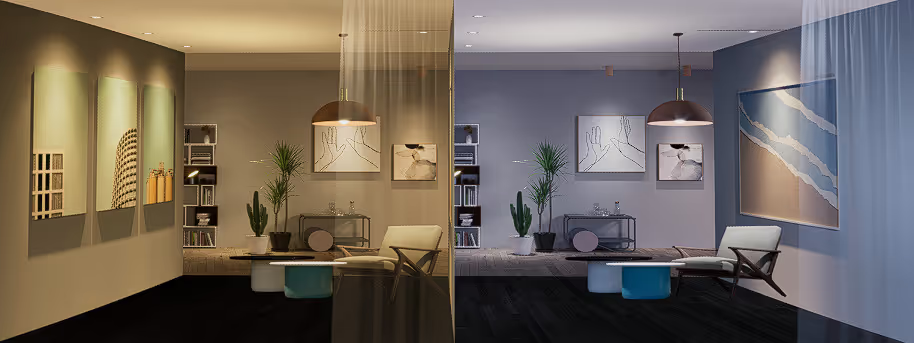
Interior Parallax Color Temperature Control
New color temperature control for Interior Parallax models to suit different vibes of the scenes.
To learn more about D5 Render 2.4 updates, please visit D5フォーラム.


 English
 Español
 Français
 한국어
한국어 日本語
日本語