최종 업데이트

2024년 7월 23일

읽는 시간

3분 읽기

공유

이 글에서

건축을 위한 사실적인 환경 조명을 위한 4가지 최고의 팁

Realistic environmental lighting is essential for architecture visualization as it allows architects and clients to accurately evaluate a building’s design in different lighting conditions. Lighting can significantly impact the appearance and mood of a space, and realistic lighting helps to convey the true feeling and ambiance of a building.

In this article, we’ll introduce 4 best practices to create realistic exterior environmental lighting.

Use Real-World Lighting Data

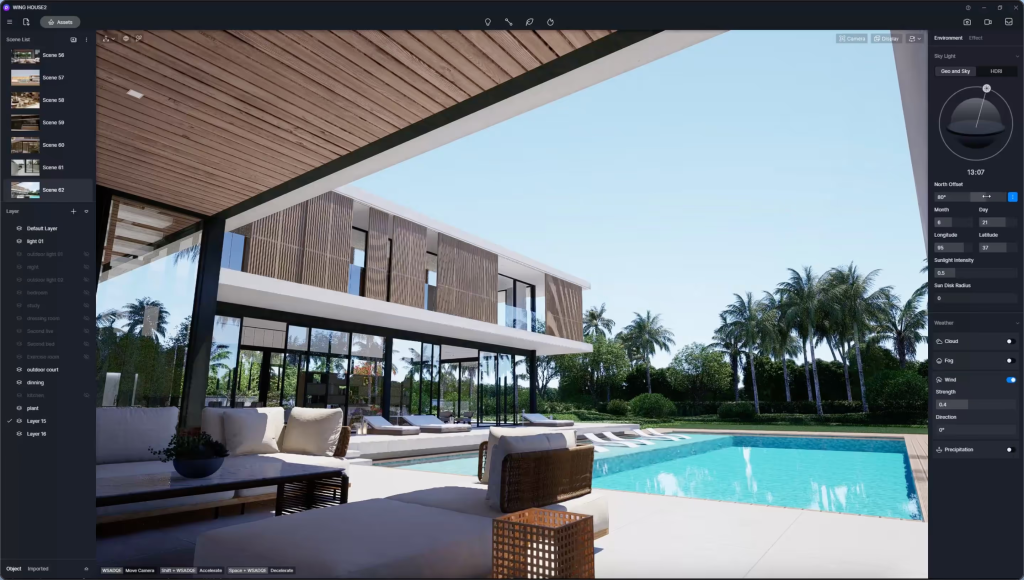
Use real-world lighting data such as the position of the sun, the intensity of daylight, and the direction of shadows to create accurate lighting simulations. It’s particularly easy to achieve with D5 Render’s geographic sky system.

건축을 위한 사실적인 환경 조명을 위한 4가지 최고의 팁

After setting the location, date and time, D5 will automatically reproduce the local lighting condition, which is a convenient way to create sunny days.

Pease note that time and north offset angle decide from which side the sun shines, thus casting shadows accordingly. It’s better to have a contrast between light and shade on the building.

Use Clouds to Create a Nice Background

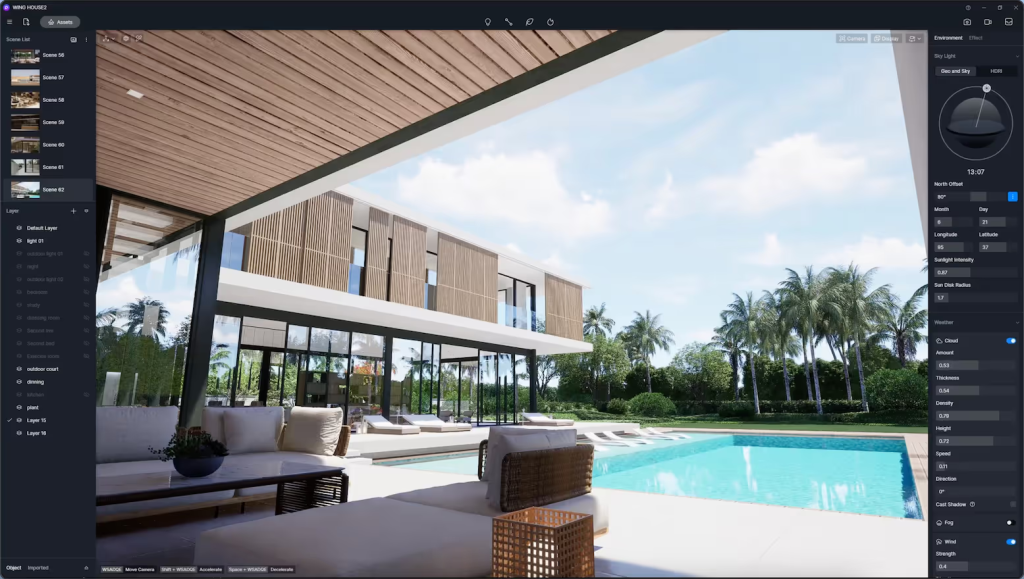
Imagine a serene sky with fluffy white clouds lazily drifting by, forming a picturesque scene that captures the imagination. Luckily, you can create life-like clouds in D5 with just one click.

After turning the ‘cloud’ option on, the sky will become rich and beautiful.

건축을 위한 사실적인 환경 조명을 위한 4가지 최고의 팁

Choose an Appropriate HDRI Map

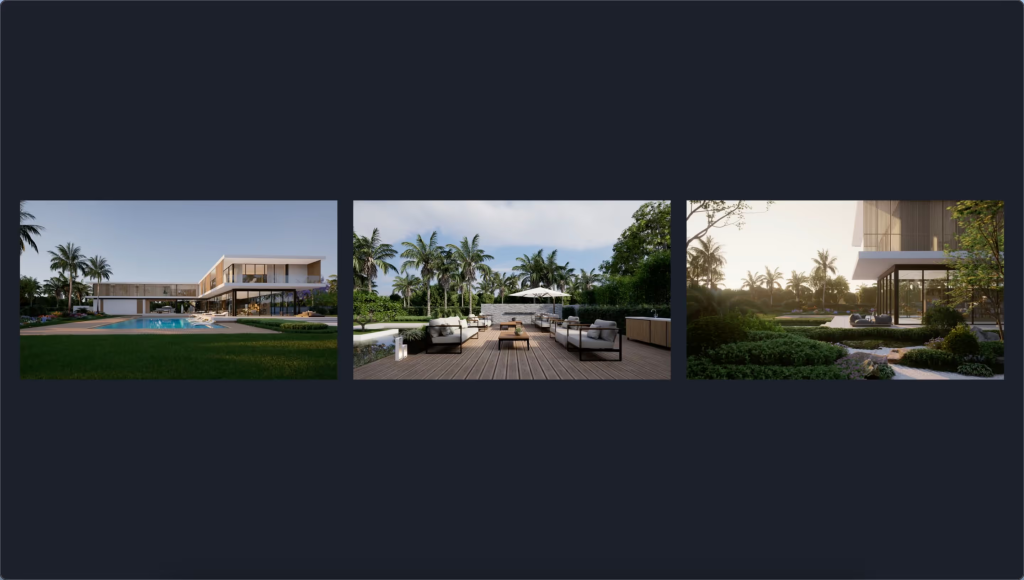
An appropriate HDRI is critical to creating different environmental lighting for a cloudy/twilight/night/… sky.

You can use the built-in HDRIs of D5 or import your own.

건축을 위한 사실적인 환경 조명을 위한 4가지 최고의 팁

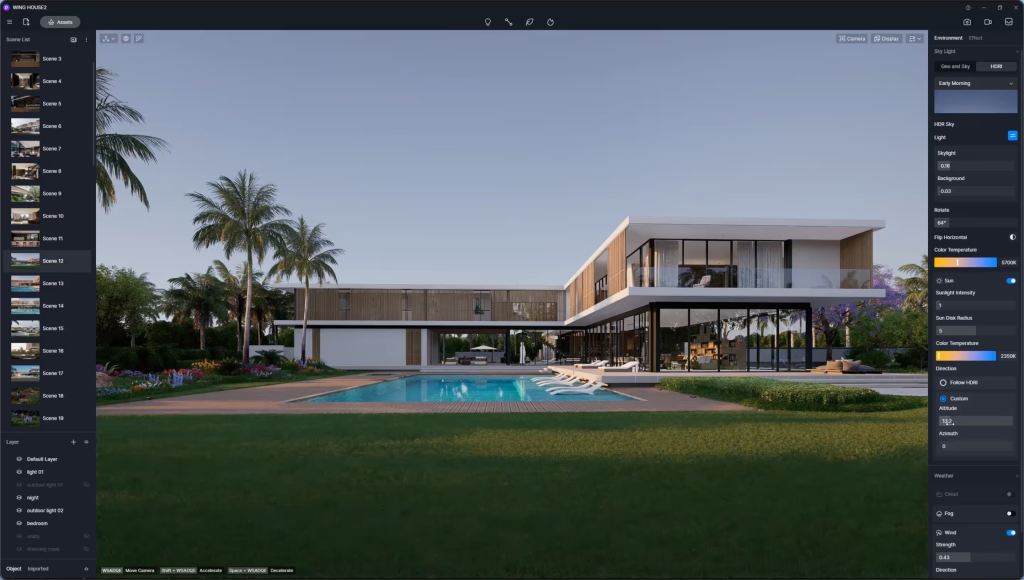
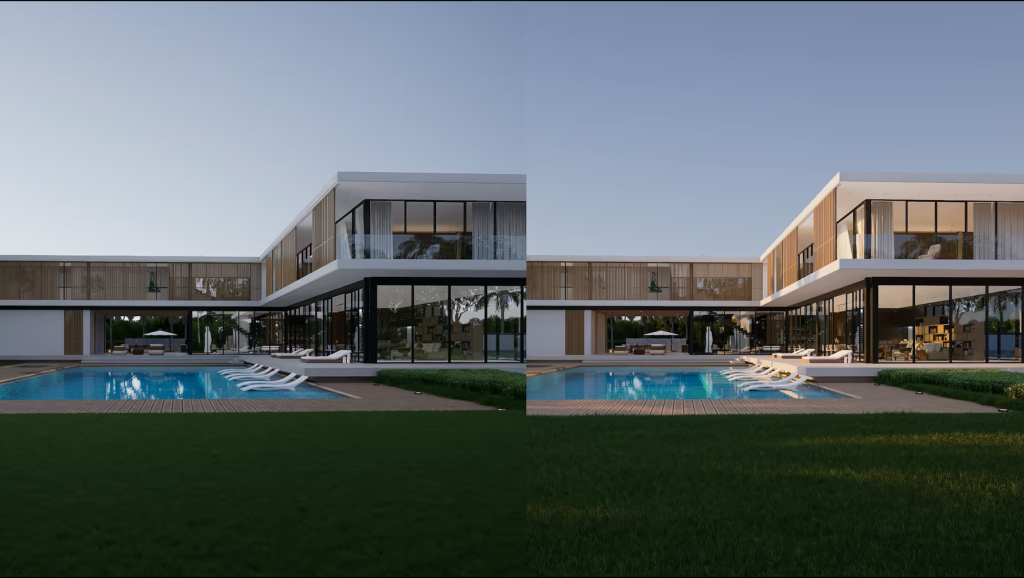
For example, if we want the sunset to spill over the building, choose a dim HDRI such as ‘early morning’ and turn down the skylight and background brightness.

건축을 위한 사실적인 환경 조명을 위한 4가지 최고의 팁

Set a Proper Sun for the HDRI

If you feel the HDRI’s preset sun is not an optimal choice to light up the scene, you can switch on the ‘sun’ option reinforce and customize the sunlight.

  • Sun Direction

Please keep in mind that a proper sun direction is critical. As we’ve said before, it’s better to rotate the HDRI and cast the sunlight from the building’s side. This way, the light and shade makes the building look more solid.

  • Sun Altitude

Another point many neglects is that the sun needs enough height to light up the foreground. Otherwise, the scene will look dim. So, make sure to adjust the sun’s altitude to a proper height.

건축을 위한 사실적인 환경 조명을 위한 4가지 최고의 팁

Different from traditional offline rendering engines that require experience with node settings, D5 Render’s real-time rendering feature allows users to quickly and easily adjust the environmental lighting in their 3D scenes. With real-time editing capabilities, users can experiment with different lighting setups and see the results instantly, saving time and enabling them to achieve the desired look and feel for their projects.

다음 항목도 참고하세요.

문의하기

일반 문의: contact@d5techs.com

마케팅: marketing@d5techs.com

팀 솔루션 문의: sales@d5techs.com

기술 지원: support@d5techs.com

업무 시간: 월요일~금요일, 10:00~18:00(GMT +8)