
As an architectural/interior/landscape designer, do you ever find yourself spending countless hours searching for the perfect models and materials during the visualization process? Well, fear not because with D5 Render’s built-in asset library, all of that can be a thing of the past!
And the best thing is D5 Asset Library is frequently updated!
La pregunta está vacía. Por favor, introduce un texto para traducirlo.
Key Takeaways on the D5 Asset Library
- La pregunta está vacía. Por favor, introduce un texto para traducirlo.Speed up scene building con D5 Render’s vast asset library, packed with high-quality models for architecture, interiors, and landscapes—no more wasting time searching.La pregunta está vacía. Por favor, introduce un texto para traducirlo.
- Bring designs to life effortlessly usando D5 Render’s animated models & particles, allowing you to create dynamic, professional animations with just a few clicks.La pregunta está vacía. Por favor, introduce un texto para traducirlo.
- Simplify material & terrain workflows—D5 Render offers intuitive real-time material adjustments and ready-to-use scatter templates for instant, realistic environments.
La pregunta está vacía. Por favor, introduce un texto para traducirlo.

Modelos
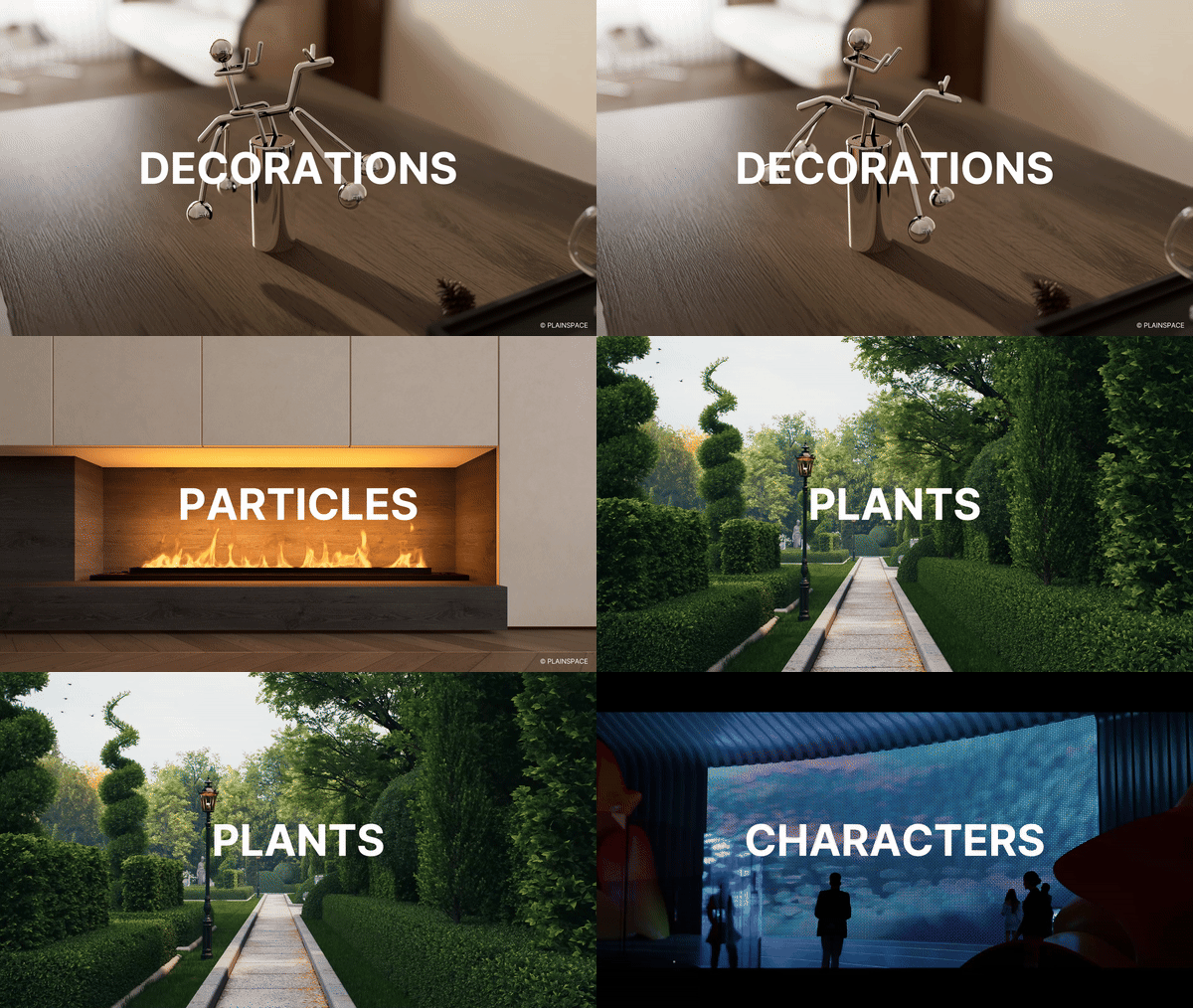
D5 Model Library is full of high-quality and up-to-date models that are perfect for architectural, landscape, and interior design projects. With its vast selection, filling up your scenes has never been faster!
Check the latest update for global plant models
La pregunta está vacía. Por favor, introduce un texto para traducirlo.
Modelos animados, partículas
What’s more, D5 Render helps designers bring their designs to life in animations that vividly convey the design concept and atmosphere.
With a wide range of high-precision dynamic models available at your fingertips, it’s easy to create stunning animations that showcase your design in all its glory.
Materiales
Unlike traditional rendering software that requires complex material nodes, adjusting materials in D5 is a breeze and you can see the changes in real-time.
But wait, it gets even better! D5 also offers a wide variety of high-quality materials that you can use right out of the box.
Terrain and Scatter Templates
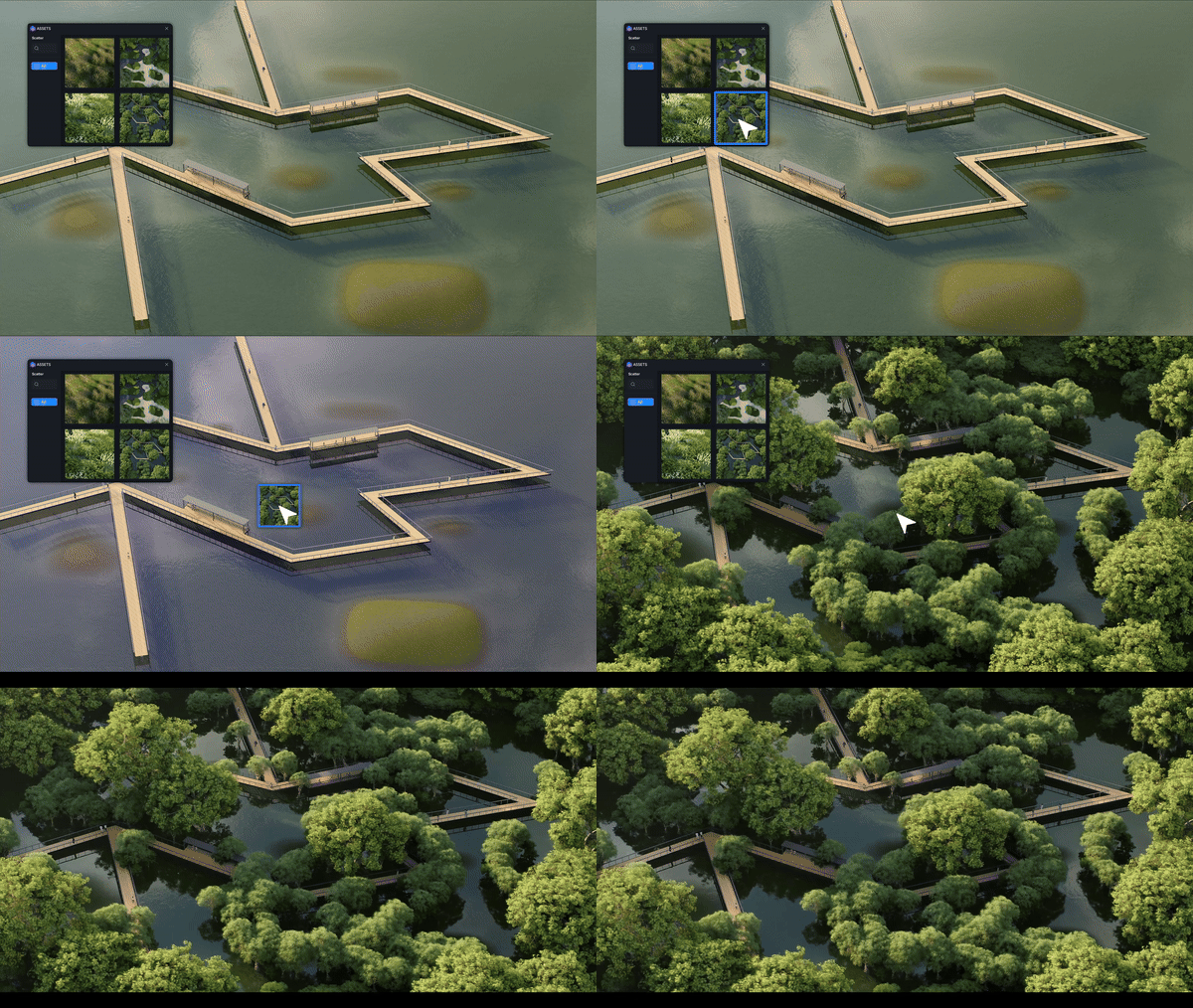
D5 Render meticulously incorporates dozens of terrain and scatter templates. Designers can drag their desired terrain template from the library and drop it to the ground. It will instantly form a realistic topography accordingly. The scatter templates help to effortlessly create lush and lifelike vegetation.
Conclusion on D5’s Asset library
Con D5 Biblioteca de activos, high-quality scene building is faster than ever. From realistic modelos y materiales to dynamic animaciones y terrain templates, everything you need is just a click away. Stop wasting time searching—start creating stunning renders in minutes. Try D5 today and speed up your workflow!
La pregunta está vacía. Por favor, introduce un texto para traducirlo.
Continue Reading on More About D5’s Asset Library
Best Free High-Quality SketchUp Textures in 2025 >
How to Create Perfect Blade of Grass with D5 Render? >
Top 10 Sustainable Building Materials | D5 Render Guide >
What is PBR: Your Guide to Realistic Rendering >
What’s real-time Subsurface Scattering and why you need it >
How to Render Glass Materials >
FAQs on Using D5 Render’s Asset Library
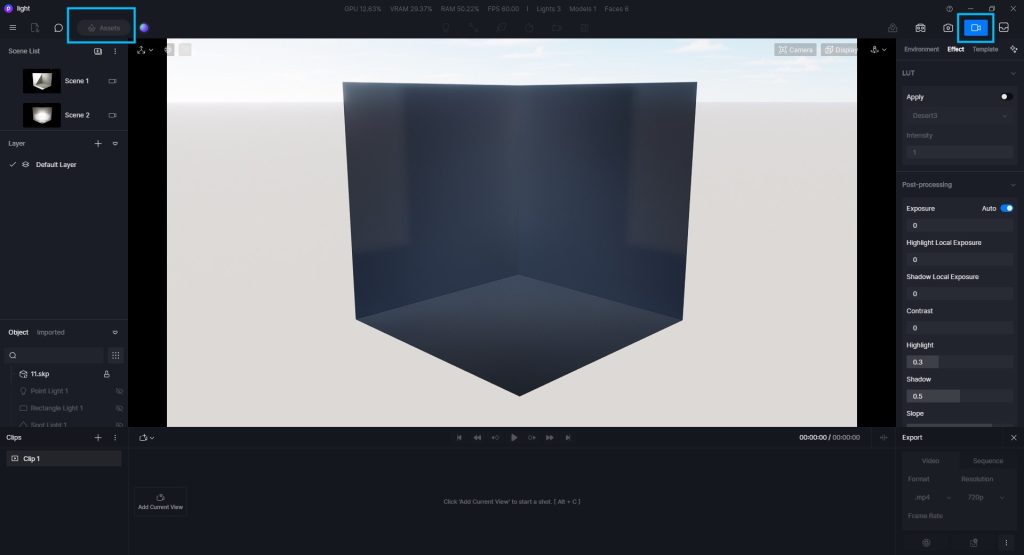
① Why is the button for the Assets grey and unclickable?
It is not supported to add models to the scene in render (image/video) mode. Just exit the rendering mode.
La pregunta está vacía. Por favor, introduce un texto para traducirlo.
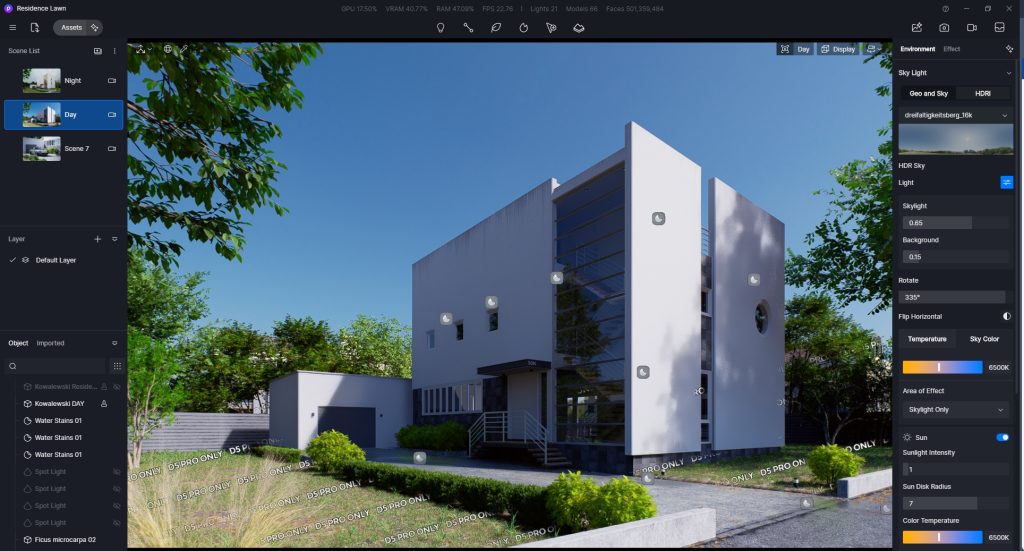
② Why are there watermarks/does it display D5 PRO ONLY on assets in the scene?
The watermarked assets are for D5 Pro version only.
Just log in to your Pro/Edu/Teams account to hide the watermarks on assets.
La pregunta está vacía. Por favor, introduce un texto para traducirlo.
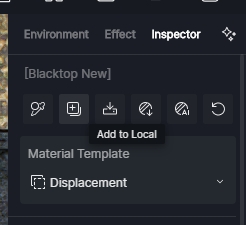
③ How to add materials to local?
After selecting a material, you can add the material to 「Local」 in the material inspector panel, under the material name.
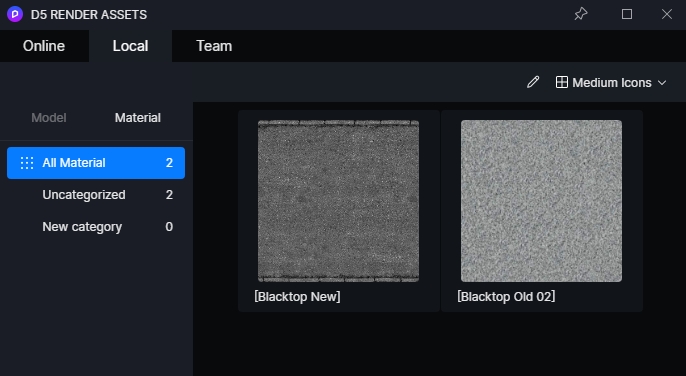
You can find the saved material in the “Material” drop-down menu in the “Assets” > “Local” tab of the navigation bar.


 English
 Español
 Français
 한국어
한국어 日本語
日本語