
D5 has superior graphic quality, strong interoperability between Rhino and Revit, and a much more streamlined material workflow compared to our previous setup.
—Sahej Bhatia, Senior Associate and Generative AI Specialist
Key Takeaways:
- Design workflows are shifting from linear phases to continuous, connected systems. Design, data, and visualization now evolve together instead of separately.
- Visualization has evolved into a decision-making tool, not just a final output. It supports early design thinking, communication, and alignment.
- Efficiency gains come from faster iteration, not just faster rendering. Teams can explore more options within the same timeframe.
- Future-ready practices rely on continuous learning and experimentation. Teams must adapt quickly as tools and workflows evolve.
- The goal is not better renders, but a more connected design workflow. Visualization becomes part of a larger system linking design, data, and teams.
Studio Overview
- Location: New York, USA (with offices in San Francisco, Boston, and Hong Kong)
- Team Size: ~150+ employees
- Studio Type: Architecture and urban design practice
- Project Types: Residential, mixed-use developments, hospitality, commercial office, cultural buildings, institutional, and urban masterplans
- Modeling Tools: Rhino, Revit
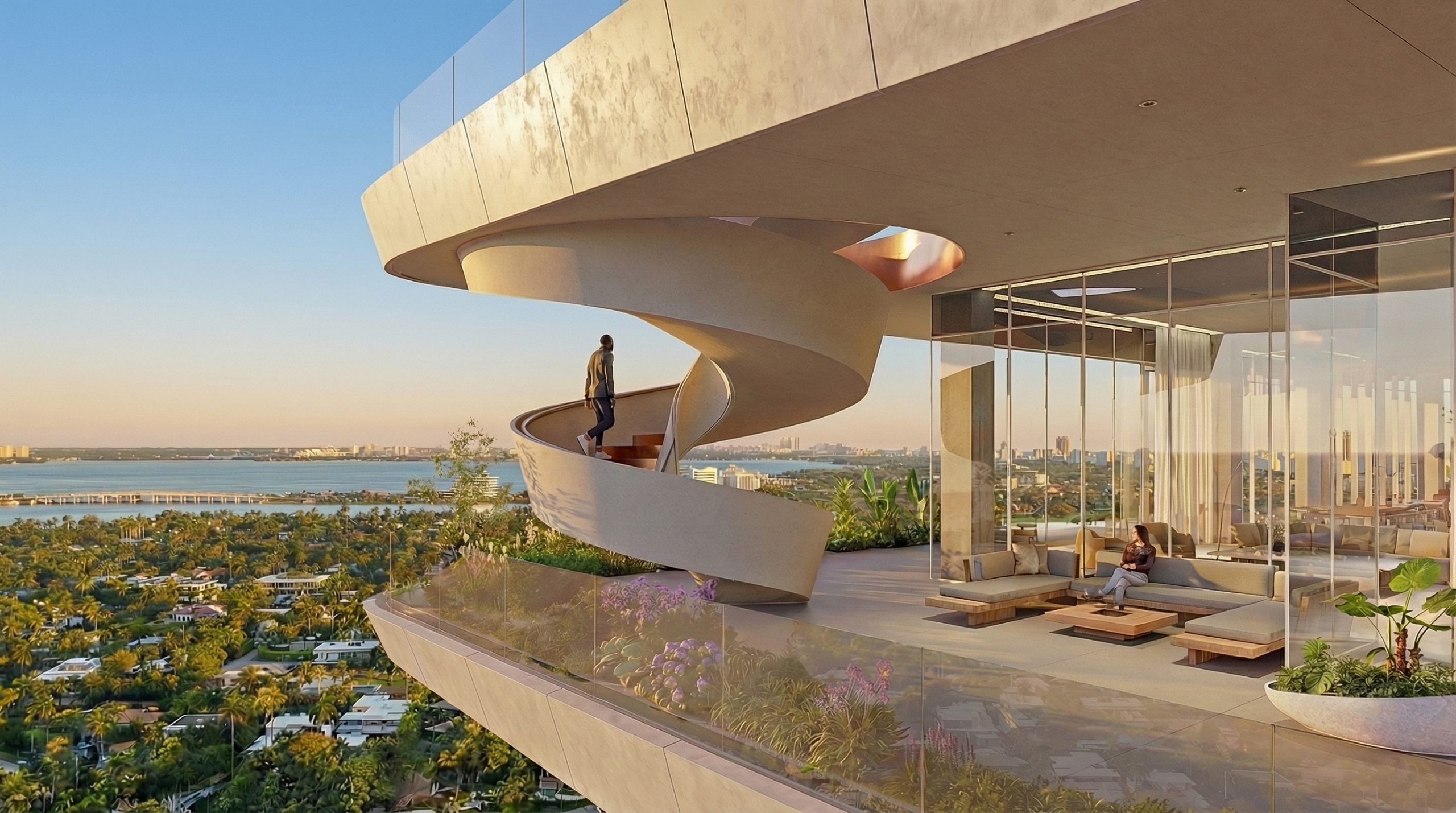
Architecture is evolving at a relentless pace. New tools emerge almost weekly, particularly across AI, computational design, and visualization — reshaping not only how buildings are represented, but how they are conceived and developed. What was considered advanced just months ago can quickly become outdated.
At Handel Architects, this shift is not something they react to later. It is something the practice engages with continuously. The team actively experiments with new technologies, refining workflows in real time to keep pace with a discipline that is becoming increasingly complex, interconnected, and fast-moving.
Rather than adopting tools in isolation, the firm is focused on a larger question: how can design exploration, Building information modelling, and visualization remain aligned as projects scale and teams grow?
It is from this question that Handel began rethinking its workflow — not as a sequence of disconnected phases, but as a more continuous and integrated system.

The Hidden Gap Between Design and Documentation
Like many large practices, Handel operates across multiple platforms, each serving a different purpose within the design process. Early-stage exploration often takes place in Rhino, where teams can iterate quickly on massing, facade systems, and formal ideas. As projects progress, Revit becomes the primary environment for organizing plans, calculating areas, and preparing documentation.
Individually, each tool performs its role well. Together, however, they introduce a persistent challenge.
Design and documentation often move at different paces, and occasionally may fall out of step. Facade studies developed in Rhino can drift from plan updates in Revit. Context models, materials, and visualization assets often live in separate files. As teams work in parallel, information is exchanged back and forth — but rarely in a way that feels fully synchronized.
Over time, this creates friction. Files become outdated. Iterations need to be rebuilt. Coordination requires additional effort. And perhaps most critically, teams can end up making decisions without full visibility into what others are doing.
Handel Architects evaluated the pain-points of process and with the advent of the numerous tools available developed a methodology and workflow to effectively align all parts of the project in a wholistic and coordinated approach.
A New Layer Between Tools
Rather than replacing existing tools, Handel began exploring how to better connect them.
Handel Began using the capabilities of D5 which allows input from multiple modelling programs in one location. Models from Rhino and Revit could be brought into a single scene, allowing teams to see how their contributions relate to one another in real time. This shift is subtle, but important. Visualization is no longer treated as a final output produced after design decisions are made. Instead, it becomes a working space — a place where design, context, and information are continuously aligned.
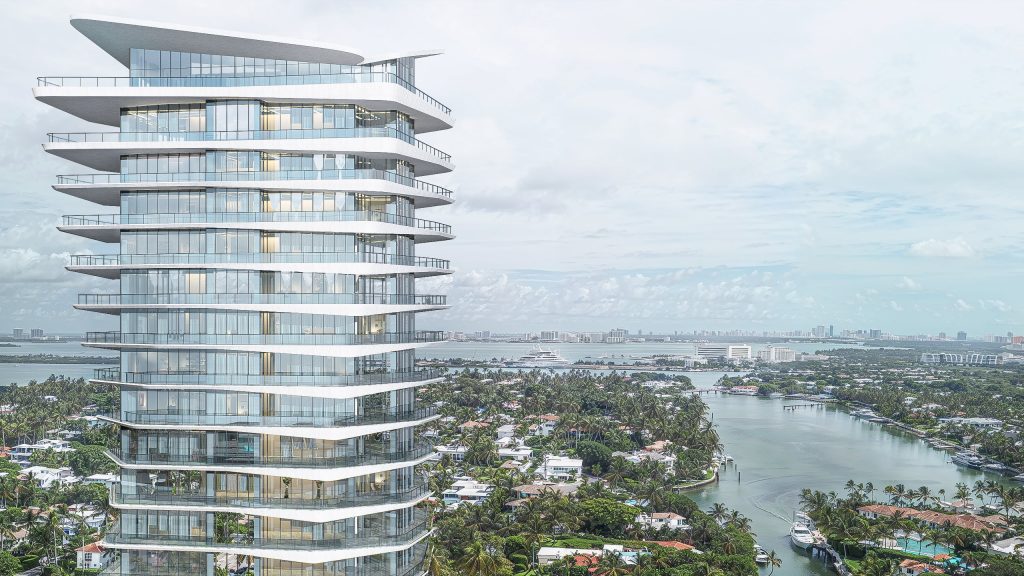

Beyond visual output, D5’s AI-assisted material workflows—such as texture upscaling and displacement generation—allow teams to enhance realism directly within the scene, reducing reliance on manual setup in modelling tools.
D5 has superior graphic quality, strong interoperability between Rhino and Revit, and a much more streamlined material workflow compared to our previous setup.
—Sahej Bhatia, Senior Associate and Generative AI Specialist
In practice, this allows multiple team members to contribute simultaneously. One designer may be developing facade iterations in Rhino, while another refines plans in Revit. Others may focus on interiors, amenities, or site context. Within D5, these elements can be combined into a shared scene, making the broader design visible as it evolves.
At the material level, the team keeps base assignments simple in Rhino or Revit and refines them in D5. Using AI-assisted features such as texture upscaling and displacement generation, materials are enhanced directly in the visualization environment—reducing manual setup and avoiding complex workflows in BIM tools while maintaining high visual quality. This allows designers to focus less on technical setup and more on iteration.
It’s not just about working faster. It’s about no longer working in isolation. You can stay focused on your own task, but you’re no longer disconnected from the rest of the project.
—Sahej Bhatia, Senior Associate at Handel Architects
Working in Parallel, Not in Sequence
This approach is especially valuable in large projects, where five to eight architects may work across planning, facade, interiors, and context simultaneously.
Within a shared visualization environment, these workflows can converge. Plan data from Revit and facade iterations from Rhino can be evaluated together, alongside context and spatial sequences.
Rather than reconciling differences later, teams can identify conflicts and opportunities as they emerge and adapt accordingly
Visualization as a Tool for Decision-Making

One of the most significant changes in this workflow is how early visualization is introduced.
Previously, view studies relied on external tools and approximation. With D5 and Cesium, they can begin earlier and with greater precision.
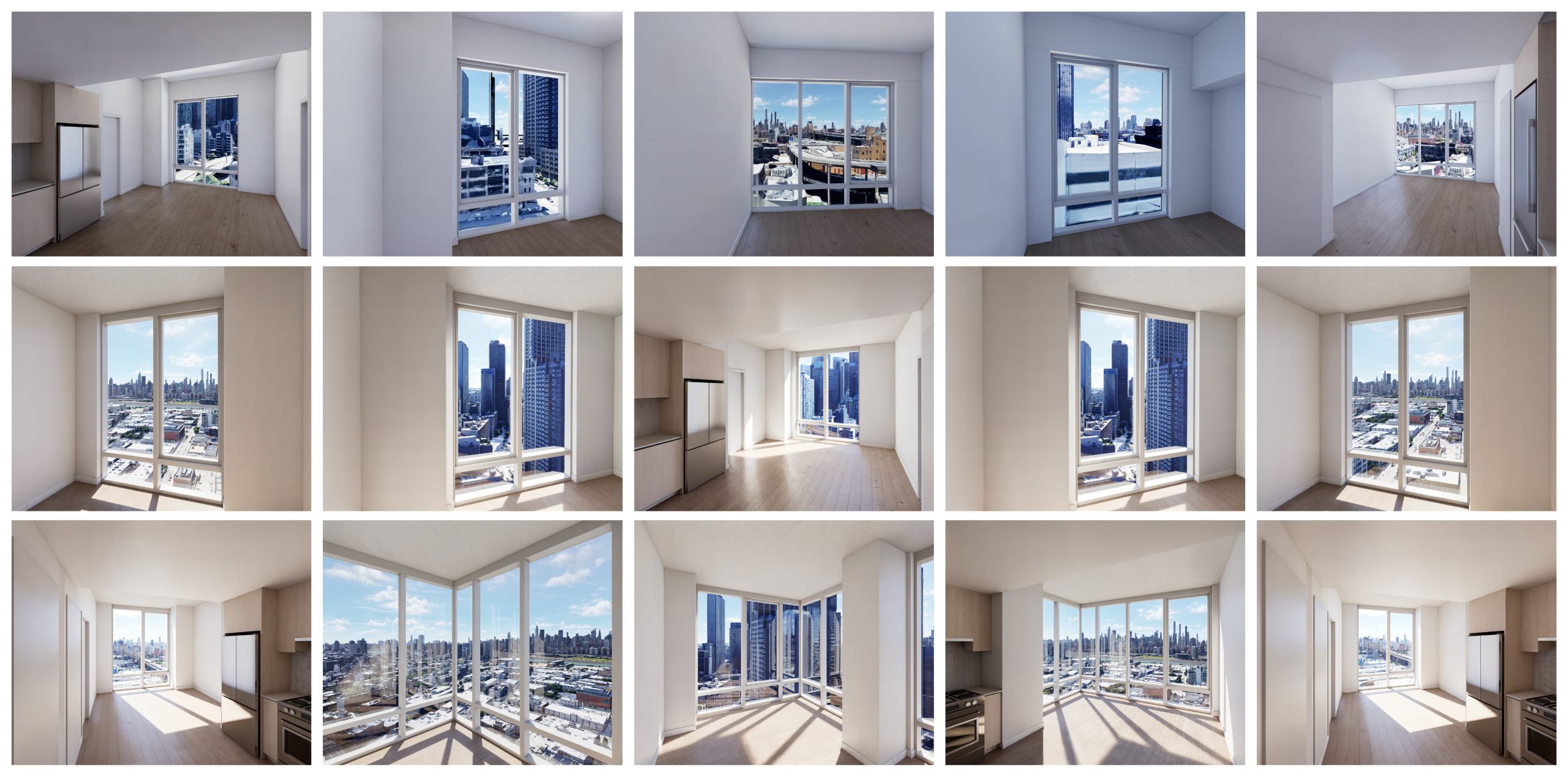
Designers can evaluate views directly within the model, from massing to unit-level perspectives, reducing guesswork and improving decision-making. At the same time, efficiency gains support iteration: interior workflows improved by up to 40%, while landscape population can be 90–100% faster.
Learn more: Stop Building Architecture Site Context from Scratch — Use These Automated Methods
Enabling Adoption: Infrastructure and Power Users
Introducing a real-time, graphically intensive workflow required more than a change in software — it required a change in infrastructure strategy. Rather than rolling D5 out uniformly across the office, Handel adopted a targeted approach, starting with a smaller group of visualization-heavy users with upgraded machines to test performance under real project conditions.
As Sahej explained, “We started with a smaller group of users who already had upgraded machines, and then expanded from there — focusing on the people doing the most visualization work to make sure the rollout was effective.”
As usage grew, the firm equipped key contributors — often two or three “power users” per team — with higher-spec hardware, ensuring that complex scenes and animation workflows could run efficiently without slowing down others.
At the same time, lighter workflows such as view studies remained accessible on standard machines, while the team explored shared high-performance setups for more demanding tasks. Combined with internal knowledge sharing and gradual rollout, this approach allowed Handel to adopt D5 without disrupting ongoing projects, balancing performance needs with practical implementation.
Also read: How to Create Interactive Presentations for Architecture with D5 Render
Building a Shared System
As collaboration increases, so does the need for structure.
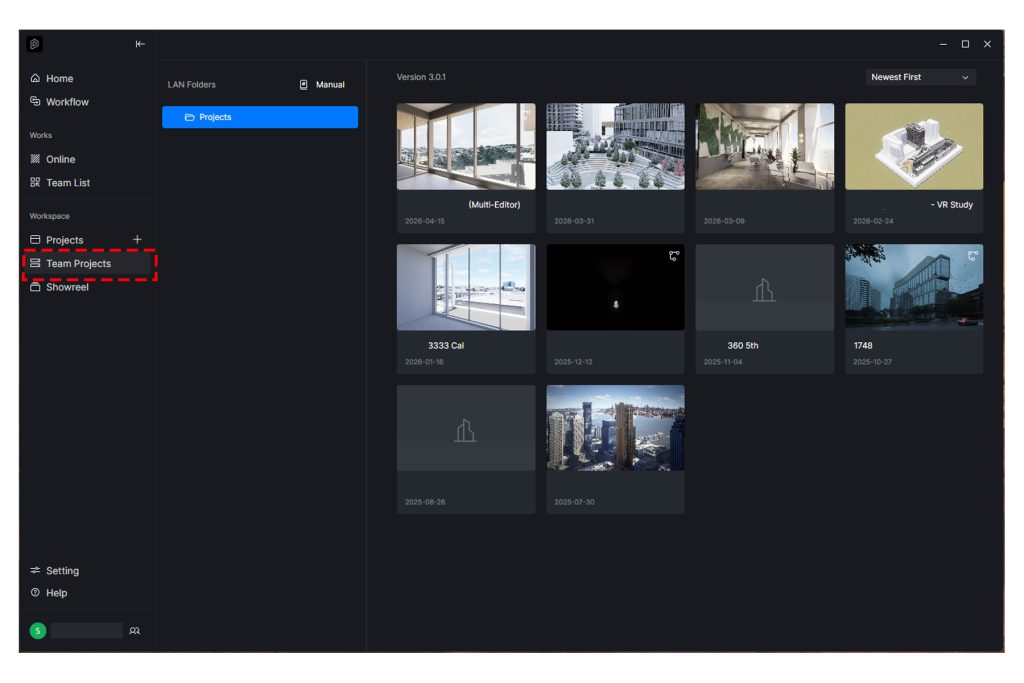
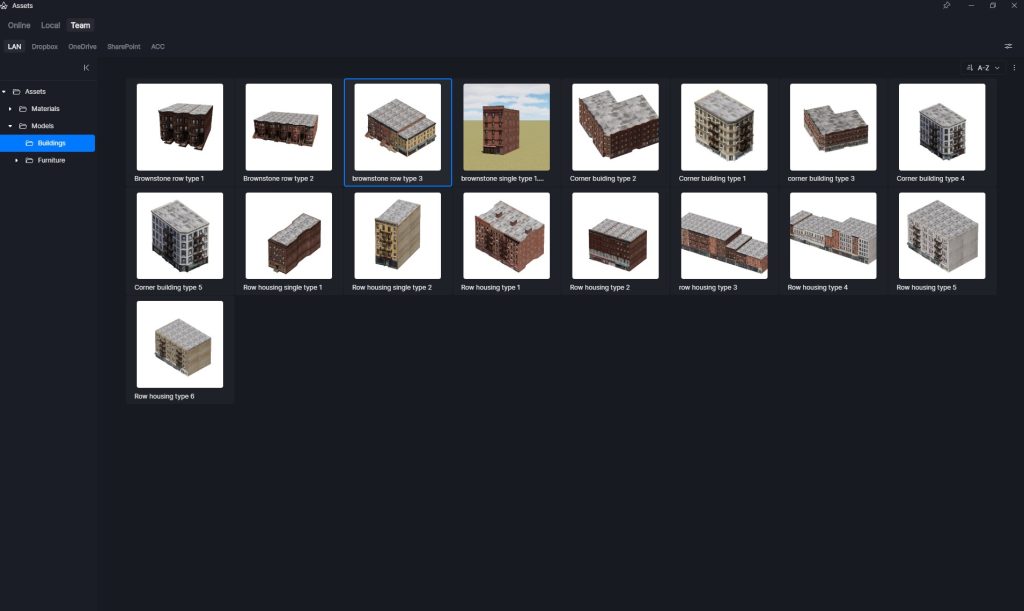
Handel has established internal guidelines for organizing shared scenes, using worksets and layers to manage contributions across teams. In parallel, Design Teams build shared asset libraries tailored to their context, including custom elements like New York brownstones, street entourage and furniture groupings, allowing other teams to build on a shared foundation rather than recreating work.
Learn More: Architecture Projects Taking Too Long Across Teams? Fix It with This Method
Toward a Continuous Workflow
While the workflow is still evolving, the direction is clear: a system where design, data, and visualization remain connected from concept through documentation.
This reflects a broader shift toward continuous learning, experimentation, and integration of emerging technologies.
In this context, D5 is not a standalone tool, but part of a larger ecosystem — helping bridge design and data while supporting a more collaborative, future-ready workflow. Handel aims to stay ahead of the curve to incorporate cutting edge technologies in our practise. The firm is excited to collaborate with the Folks at D5 Render to test new workflows, products and features. Looking forward to the next innovation.
Your Work Deserves the Spotlight
Has D5 transformed how you design, present, or collaborate? Turn your D5 Render project into a story that inspires designers around the world! Share your journey—and let the world see what’s possible.
By submitting your project, you could:
✅ Be featured in a global case study seen by thousands
✅ Co-host a D5 webinar and showcase your expertise
✅ Speak at official D5 events and elevate your industry presence
This is more than a feature—it’s your chance to grow your voice, build your brand, and inspire a global design community. Share your stories here.

 English
 Español
 Français
 한국어
한국어 日本語
日本語