
Key Takeaways:
- Visualization drives project momentum: High-quality, realistic imagery can reshape stakeholder perception and unlock progress on complex or controversial projects.
- Real-time rendering accelerates alignment: Integrating visualization early in the workflow enables teams and clients to evaluate design decisions live, reducing ambiguity and speeding up consensus.
- Visualization is becoming an operational layer: Rather than a final deliverable, rendering now functions as a continuous design tool—supporting concept exploration, collaboration, and communication across the project lifecycle.
Studio Overview
- Location: Dallas, Texas, USA (Headquarters), and additional offices in Fort Worth and Austin, Texas
- Team Size: 100+ employees (architecture, planning, and interior design professionals)
- Studio Type: Architecture, Interior Design, and Urban Planning practice
- Project Types: Mixed-use developments, Urban retail and hospitality, Residential and multifamily, Workplace and office environments, Planning and urban development projects
- Modeling Tools: SketchUp, Rhino, Bluebeam (for early planning diagrams)
At GFF, visualization is not a downstream deliverable — it is a strategic instrument shaping decisions from the earliest stages of design.
— Andrew Adkison, GFF Associate Principal and Director of AI

For GFF, adopting real-time visualization was less about upgrading software and more about managing perception and risk. In complex urban projects, where community response can shape a project’s future as much as the design itself, the firm realized that how architecture is seen can determine whether it moves forward at all. Visualization, therefore, needed to operate earlier in the process — not as marketing, but as a tool for decision-making and stakeholder confidence.
The shift did not begin as a search for speed. Instead, it emerged from a growing recognition that while tools such as Enscape and Lumion supported fast iteration, they imposed a ceiling on image quality. When projects demanded greater credibility—particularly those under public scrutiny—the firm often relied on external specialists. Internal workflows were efficient, but the visuals were not always persuasive.
A pivotal moment came during a confidential mixed-use development in Dallas. The project included a hotel tower, a residential tower, multi-story office components, and several restaurants on a dense urban site. Early presentations used Lumion’s sketch-like, watercolor aesthetic. While accurate, the images failed to resonate with the community. The challenge was not the architecture, but how it was being perceived.

The team rebuilt the scenes in D5 Render and refined the visual strategy. Materials were clarified, landscaping enriched, and lighting calibrated to convey atmosphere and scale more convincingly. Using curated presets and AI-assisted style transfer informed by reference imagery, the team produced photorealistic visuals that reframed the project.
The response shifted quickly. Conversations became more constructive, and the project regained momentum.
By revising the visual strategy, the team transformed stakeholder response — not by changing the narrative, but by clarifying it.
After that experience, D5 became embedded more broadly across the firm’s workflow. By refining how the project was visualized, the team changed how it was understood—not by altering the design, but by clarifying it.
From Early Planning to Concept Visualization
Projects at GFF often begin in planning, sometimes as simple diagrammatic blocks marked up in Bluebeam over a site plan. Once handed to the design team, models are developed immediately in SketchUp or Rhino. Within the first two to three weeks of concept development, renderings are already being generated in D5.
This early integration changes how ideas are tested. Rather than waiting for later phases to evaluate materiality, lighting, or spatial atmosphere, teams are able to assess those qualities while massing and program are still fluid. Visualization becomes part of exploration, not merely presentation.
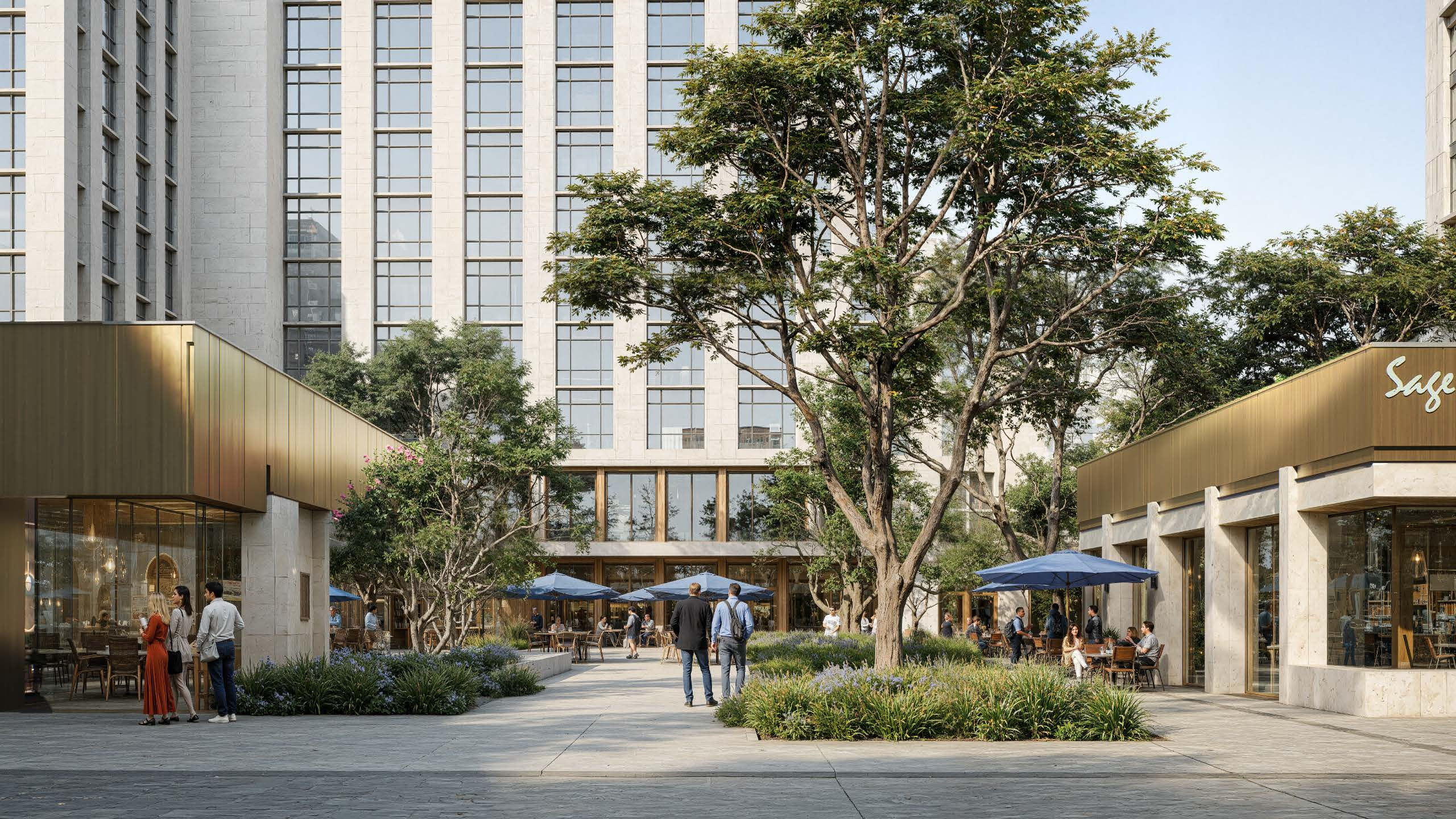
On complex developments, multiple architects work in parallel. For the Dallas mixed-use project, separate team members were responsible for the hotel, residential tower, retail components, and overall ground plane development, while planning specialists handled project data and calculations. Each discipline developed its own model, which was referenced into a master model for coordination.
We have had some success in which has been kind of a game changer having multiple people work in the same model at the same time.
Through D5 for Teams, team members worked simultaneously within structured worksets, maintaining clear boundaries while contributing to a unified visual environment.
Although the firm has not yet fully leveraged shared asset libraries across teams, the ability for multiple contributors to work within the same rendered environment has proven to be a significant operational improvement.
Also read: Work Smarter, Together with D5 Render
Real-Time Decision Making in Client Meetings
One of the most notable shifts has been in live client engagement. During presentations, the team frequently navigates the D5 model in full-screen mode while keeping the SketchUp or Rhino model open on a secondary screen. When clients propose adjustments—whether to material selection, façade articulation, or landscape treatment—those changes can be implemented directly in the modeling environment and synced immediately to the rendered view.
This live feedback loop compresses decision cycles. Discussions that once relied on abstract descriptions of materials in shaded or wireframe views now unfold within a realistic, fully lit environment. Textured stone, metal panels, or wood finishes can be evaluated experientially rather than conceptually. For clients who struggle to interpret technical models, this clarity reduces ambiguity and accelerates alignment.
Also read: D5 Rhino LiveSync: Effortless Real-Time Rendering Workflow
Maintaining Visual Consistency
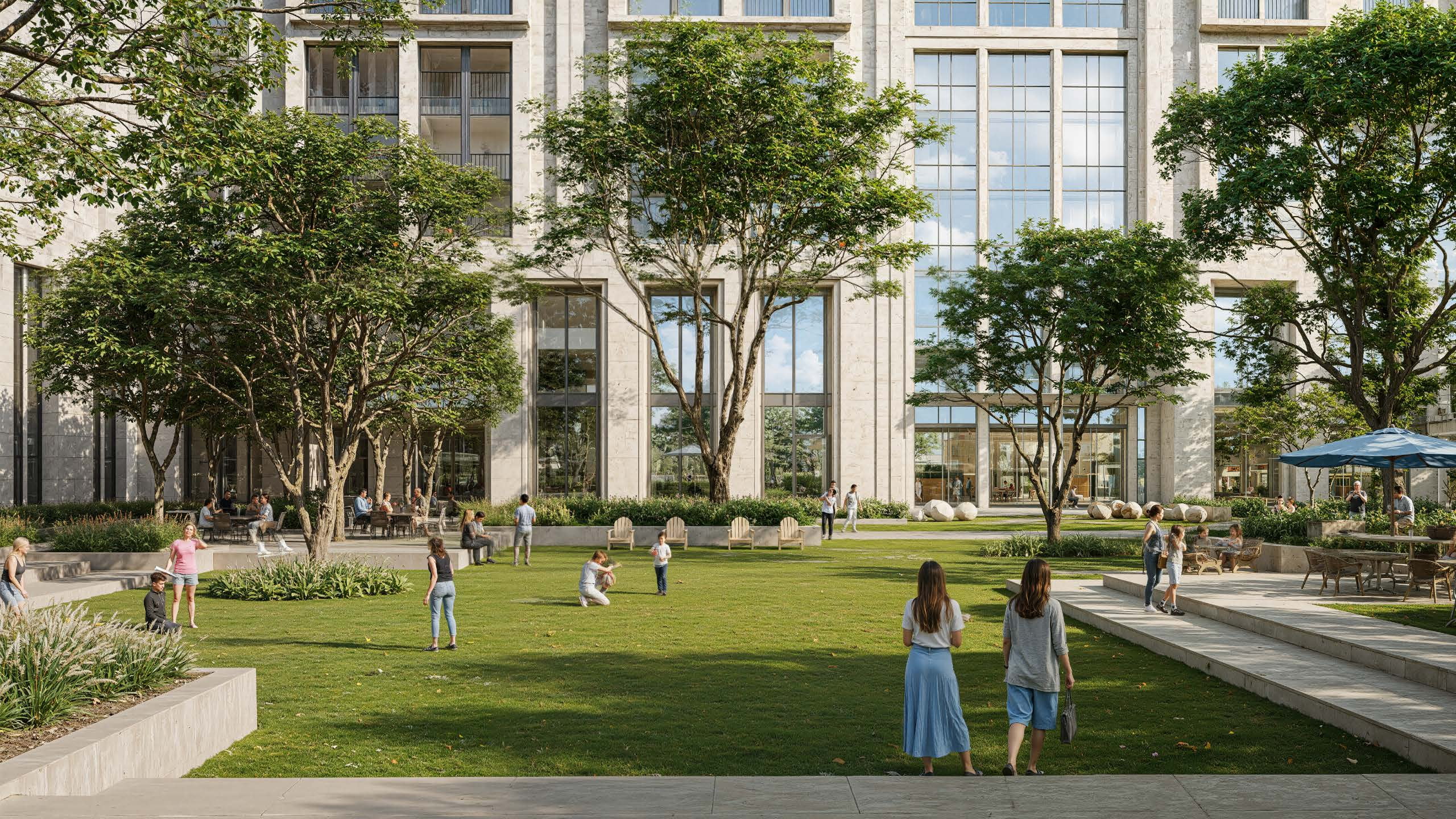
With multiple architects contributing to shared projects, visual consistency requires oversight. Image quality at GFF is carefully monitored, particularly when using AI Style Transfer. To maintain consistency across views, the team carefully selects reference imagery for the AI Style Transfer “Realistic” option that closely matches the intended material palettes and lighting conditions.
The team routinely exports render channels, allowing for targeted post-production adjustments. When using AI Enhancer, materials may occasionally be modified more than intended. In those cases, masking and compositing techniques are used to refine the final output. This process reflects the team’s understanding that achieving higher realism requires careful curation rather than complete automation.
Also read: AI Enhancer for Architects: Elevating Render Quality with AI-Powered Precision
Lowering Barriers with D5 Lite
At the same time, lowering the barrier to participation remains an important goal. While senior team members continue to rely on the full capabilities of D5 for final output, D5 Lite functions as a bridge that supports gradual adoption across the team. Through D5 Lite, designers who prefer to stay within SketchUp can place entourage and proxies using D5-compatible assets directly inside their modeling environment. These elements transfer seamlessly into the full D5 scene, allowing team members who are less familiar with the rendering interface to still contribute meaningfully to the visual setup while maintaining consistency with the project’s rendering workflow.
Learn more: Master D5 Lite in 10 Minutes! How to use AI and real-time render in Lite

Adoption and Learning Curve
The transition to D5 was not disruptive. Designers already familiar with Enscape or Lumion found the interface intuitive and comparable. The shift was described as straightforward, with minimal resistance from staff.
One unexpected outcome has been the democratization of rendering quality. Designers who previously did not specialize in high-end visualization are now able to produce significantly stronger imagery. While the firm still outsources select final marketing visuals, a larger share of progress updates and milestone renderings are now created internally.
Time, Cost, and Practical Constraints
The move to D5 has not reduced rendering time. In some cases, the process requires more effort, particularly when refining AI outputs or compositing images for accuracy. The firm views this as an acceptable trade-off for higher visual quality.
Within the practice, the rollout of D5 has also required thoughtful coordination. Rather than switching every project at once, teams have adopted the platform progressively while ongoing work continues in existing tools. Some designers are already using D5 as their primary visualization environment, while others transition as new projects begin. This phased approach allows the firm to maintain project continuity while gradually expanding the role of real-time rendering across the studio.
Visualization as an Operational Layer
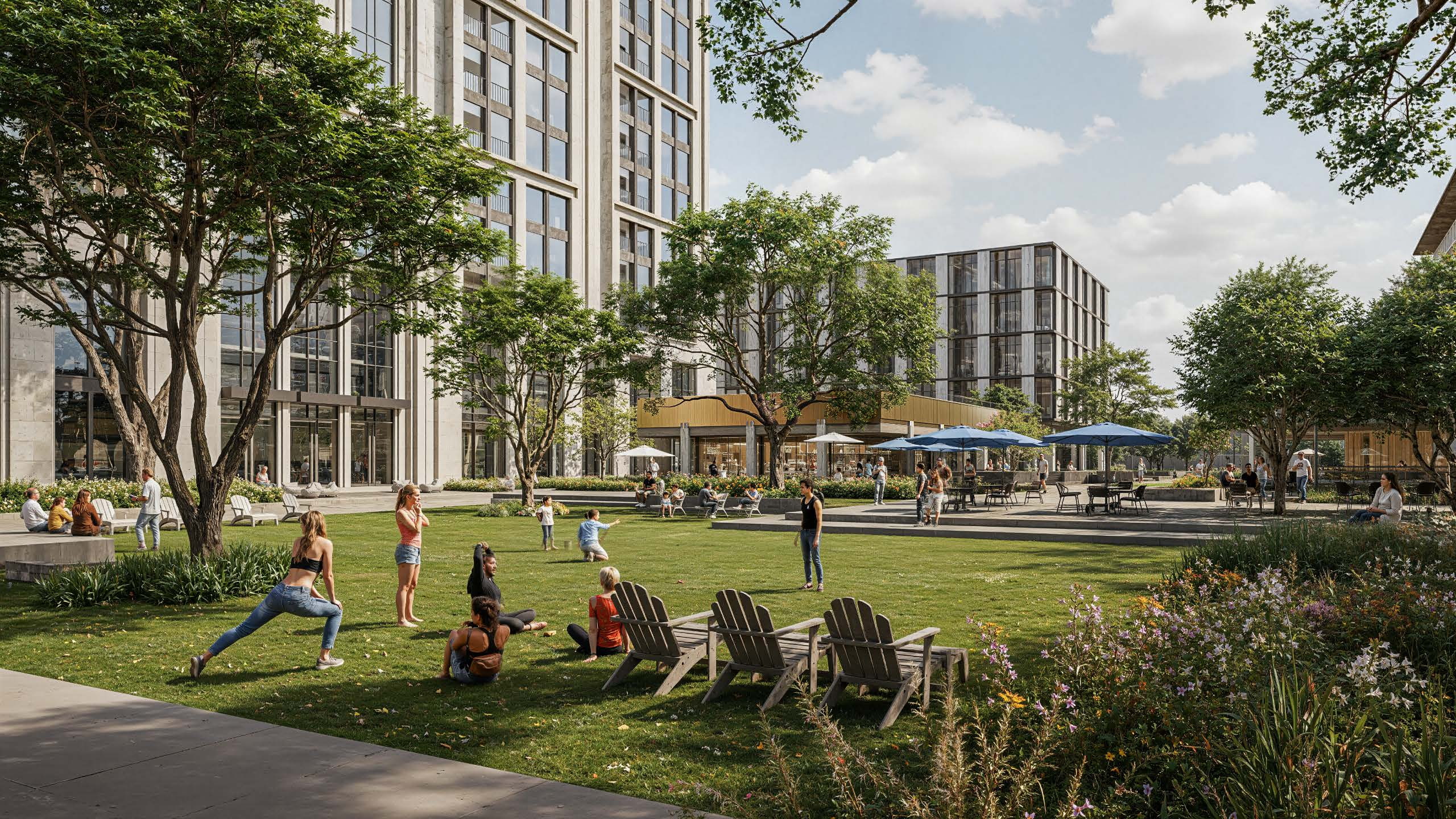
At GFF, the integration of D5 has not been framed as a pursuit of efficiency alone. Rendering may take slightly longer. Licensing may require strategic allocation. Yet the firm has observed measurable improvements in stakeholder response, internal alignment, and the ability to communicate design intent with clarity.
Visualization now operates less as a separate deliverable and more as an operational layer embedded within the design process itself. From early concept exploration to live client collaboration, real-time rendering supports a shared understanding of architecture in development.
In an environment where perception can influence project momentum as much as design quality, that clarity has proven to be a decisive advantage.

 English
 Español
 Français
 한국어
한국어 日本語
日本語