
Ask any architect or interior designer about the most frustrating part of their workflow, and you’ll often hear it’s not the modeling phase itself. Instead, it’s the time spent hunting for the right furniture, managing asset placement, and troubleshooting material issues. You can model an entire floor plan in two hours, but easily spend the rest of your day sourcing assets and optimizing their appearance.
In 2026, professionals increasingly expect asset libraries to deliver render-ready models without requiring cleanup or manual texture reconnection. Real-time rendering is now the standard, and architects expect their asset libraries to keep pace. But with so many platforms available, how do you identify which one truly meets your workflow needs?
This guide breaks down what actually matters in a top-tier asset platform today, reviews the most popular 3D asset libraries on the market, and explores how integrated solutions like D5 Works are changing the way architects visualize spaces.
Key Takeaways on 3D Assets for Spatial Design
- Top 3D asset libraries—including Quixel, TurboSquid, and 3D Sky—each excel in specific areas, but traditional workflows carry hidden time costs.
- Modern workflows require render-ready models that integrate seamlessly into your engine without requiring optimization or material adjustments.
- D5 Works — a curated 3D asset platform for spatial design—streamlines this by embedding an AEC-ready library directly into the D5 environment.
- This integrated approach reduces per-asset setup time from roughly 40 minutes to under 4 minutes—saving significant time on larger projects.

What Actually Makes a Great 3D Asset Library in 2026?
Before we look at specific platforms, let’s establish what actually matters. A professional-grade asset library in 2026 needs to deliver on three fronts:
- Performance-Optimized Geometry: Assets should render smoothly without bogging down your viewport, even when you’re placing multiples in a scene. Nobody wants their software crawling when you’re iterating on a design.
- Render-Ready Assets: Downloading a model without proper materials is essentially pointless. Assets need to come with pre-configured PBR textures—diffuse, normal, and roughness maps—so they integrate seamlessly the moment you place them. No reconnecting, no guessing.
- Seamless Workflow Integration: The best libraries work directly inside your rendering software. No exporting files, no format conversions, no manually reconnecting textures. Search, drag, done.
- Intuitive Search and Categorization: A massive catalog is useless if you can’t easily find what you need. The best 3D asset libraries organize content based on real architectural workflows. With assets categorized by spatial design logic, finding the exact model takes seconds—no endless scrolling required.
The Most Popular 3D Asset Libraries: A Closer Look
With those criteria in mind, here’s how the platforms most AEC professionals are actually using stack up against modern workflow demands.
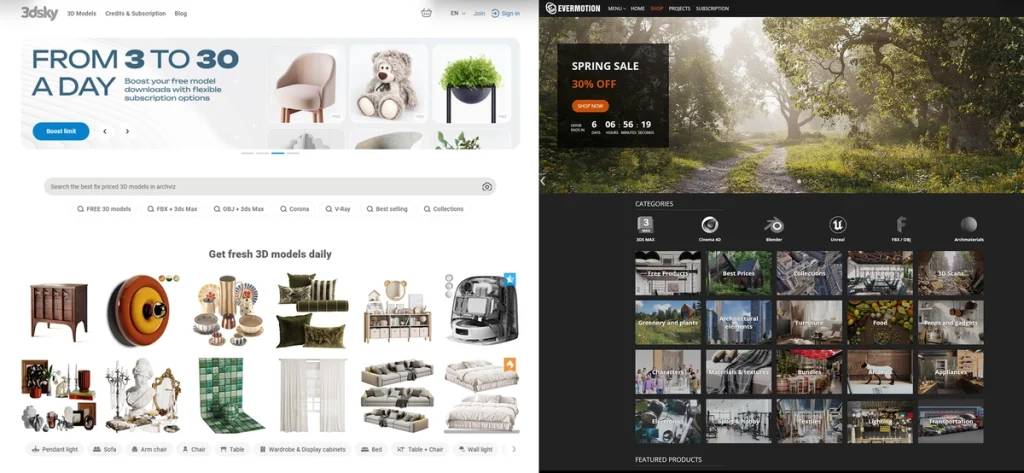
① 3D Sky/ Evermotion (The Traditional Giants)
These platforms are famous for their massive catalogs, especially for high-end interior furniture.
- The Pros: If you need a specific designer piece—especially European or luxury brands—these libraries have unmatched depth. They’ve been the go-to for interior visualization professionals for years, and for good reason. The breadth is genuinely impressive.
- The Cons: The real challenge is workflow integration. Because these models are built for offline renderers like V-Ray or Corona, they tend to be high-poly. When you import them into real-time engines, you often hit missing textures or scaling issues. You’ll typically need to invest extra time optimizing them for real-time rendering—which defeats the purpose of grabbing an asset quickly.
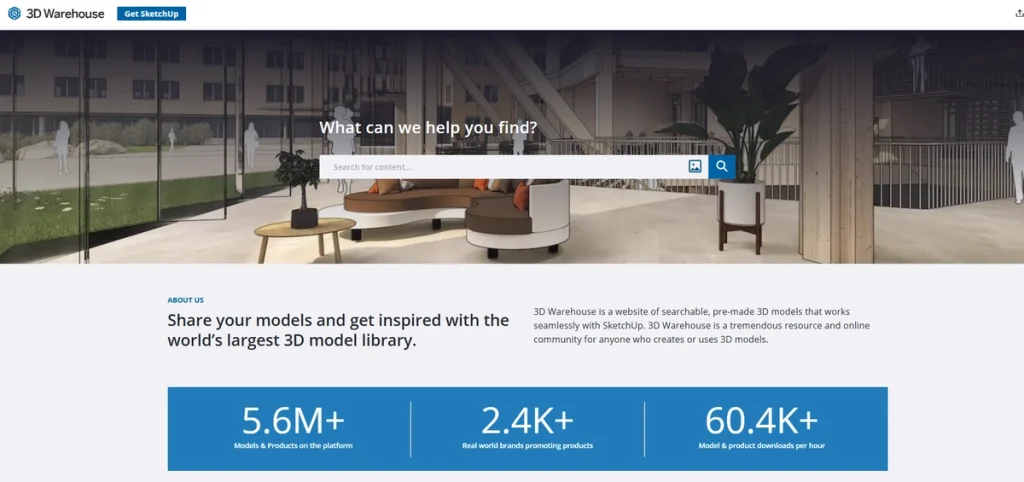
② SketchUp 3D Warehouse (The Free Option)
- The Pros: It’s free, massive, and directly integrated into SketchUp. For early-stage massing or rapid prototyping, it’s invaluable—especially if you’re a student or solo practitioner watching your budget.
- The Cons: Quality is all over the place. Since it’s entirely user-generated with no quality control, you’ll encounter reversed faces, oversized file sizes, and materials that don’t hold up in final renders. For early concepts, great. For final presentations? You’ll need to source higher-quality assets elsewhere.
③ D5 Works (The Integrated Game-Changer)
By now, a pattern is emerging: platforms like 3D Sky deliver quality but demand heavy prep work, while 3D Warehouse offers instant access at the expense of production-ready polish. D5 Works is built to close that gap—combining the visual fidelity of traditional libraries with the frictionless, in-app workflow of native tools.
Unlike general-purpose marketplaces, D5 Works focuses exclusively on architecture, interiors, and landscapes—built directly into D5 Launcher to eliminate context-switching entirely.
The Pros:
- Natively Integrated, Zero Friction: Because D5 Works lives inside D5 Launcher, there’s no bouncing between browser tabs, file converters, or material editors. You stay in one environment from concept to final frame. It’s the kind of seamless workflow that older platforms simply weren’t designed to support.
- Curated for AEC Professionals: Every asset is vetted for architectural workflows—no gaming props or VFX elements that don’t belong in spatial design. With tens of thousands of high-fidelity models and a cloud-synced “My List” for your go-to assets, you get the breadth of premium marketplaces with the consistency and performance you actually need on deadline.
- True Drag-and-Drop Workflow: Search for an asset, preview it with a live thumbnail to check scale, and drag it directly into your D5 Render scene—or sync it seamlessly to your modeling software like SketchUp. Every model arrives optimized and render-ready: proper topology, pre-calibrated PBR materials, and correct units. No reconnecting textures. No fixing reversed faces. No wasted hours on cleanup.
- Engineered for Real-Time Performance: High-poly models from traditional libraries can choke your viewport the moment you place multiples. D5 Works assets are optimized specifically for real-time engines. Whether you’re placing a single hero piece or scattering thousands of trees across a landscape, your viewport stays responsive and your feedback stays instant.
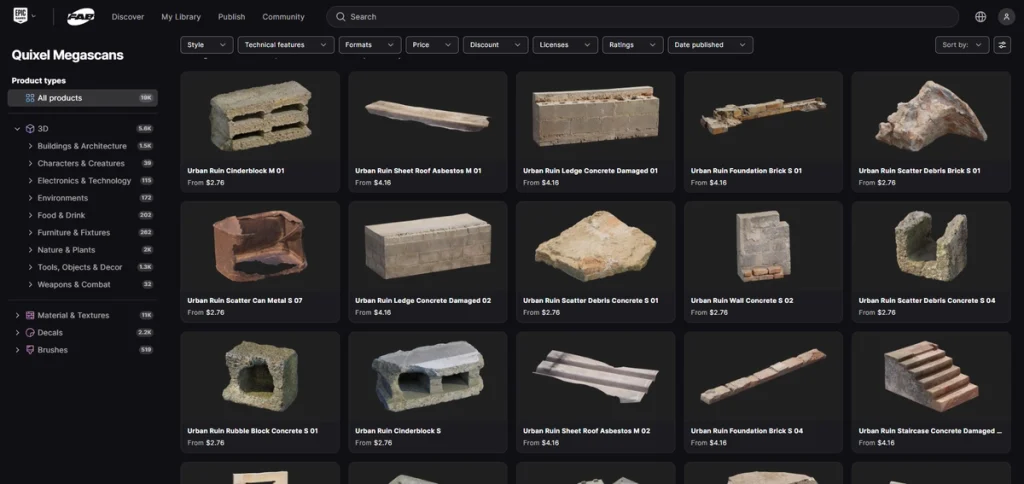
③ Quixel Megascans (The Hyper-Realistic Choice)
- The Pros: If you’re building natural environments—forests, cliffs, or terrain—Quixel offers some of the most photorealistic scanned assets available. The detail fidelity is exceptional.
- The Cons: It’s built primarily for gaming and VFX. For spatial designers, that means the library’s focus on natural environments leaves you needing to supplement with architectural-specific assets—furniture, fixtures, and human figures. It’s not a complete solution for interior or architectural work on its own. Furthermore, bringing these high-poly scans into real-time engines often involves tedious manual material re-linking and format conversion.
? Pro-Tip: Many D5 Render users bypass this bottleneck using the community-developed “Quixel Bridge to D5 Tool.” This utility automatically converts Megascans into optimized native .d5a files with PBR materials perfectly mapped, saving you the hassle of manual setup.
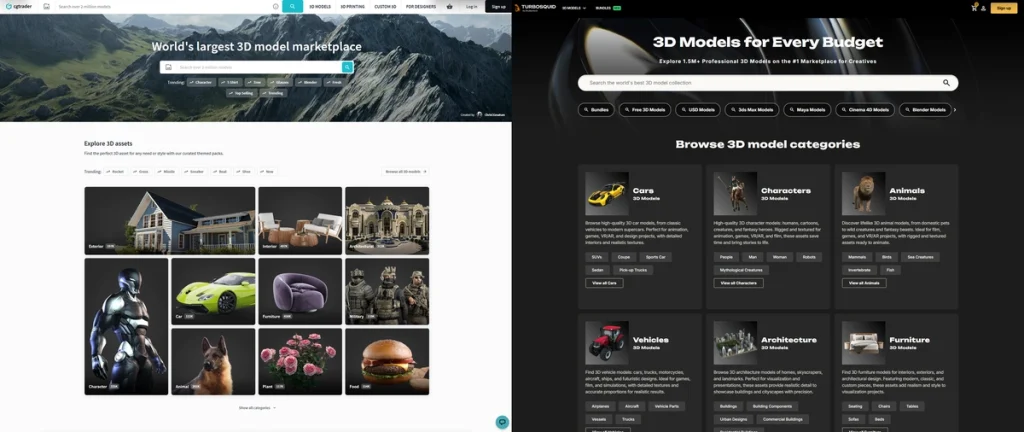
② TurboSquid/ CGTrader (The Premium Marketplaces)
- The Pros: When you need something specific—a branded piece of furniture, a niche lighting fixture, or a custom centerpiece—these marketplaces offer incredible variety. They’re the ultimate à la carte option for specialized models.
- The Cons: Costs add up quickly since you’re paying per model, which isn’t ideal for larger projects. Plus, because assets come from thousands of independent artists, material quality and geometry vary significantly. You might still need to optimize for real-time rendering regardless of what you buy.
The Real Cost: Traditional Workflow vs. D5 Works
For architecture firms and freelance designers, time isn’t just money—it’s the difference between winning a pitch and hitting your deadline. Let’s break down what that actually looks like.
The Traditional Workflow
- Search multiple marketplaces for the right lounge chair (~10 mins)
- Download, unzip, and import the file (~3 mins)
- Discover missing textures or incorrect scale (~10 mins)
- Track down texture maps and manually rebuild PBR materials (~20 mins)
⏰ Total: 40 mins per asset
The D5 Works Workflow
- Open D5 Works directly inside D5 Launcher (~30 seconds)
- Search for your model in the built-in library (~2 mins)
- Drag and drop it into your scene—materials already applied (~30 seconds)
⏰ Total: Roughly 3-4 minutes
| Efficiency Metric | Traditional Workflow | D5 Works Integrated Workflow | Productivity Gain |
|---|---|---|---|
| Sourcing & Importing | ~13 Minutes | ~3 Minutes | ~5x Faster |
| Material Troubleshooting | ~27 Minutes | 0 Minutes | Zero Missing Textures |
| Total Setup Time | ~40 Minutes | ~3-4 Minutes | 10x-13x Time Reduction |
| Key Business Impact | Risk of missed deadlines | Faster iterations, stronger pitches | More time designing |
That’s not a marginal improvement—it’s roughly a 10-13x time reduction. And when you’re placing multiple assets for a single interior render, those minutes compound quickly. This is where D5 Works shifts from being just another asset library to becoming a genuine time-saver. Faster iteration means more design options explored. More options explored means stronger client presentations. And stronger presentations mean you’re not scrambling to meet deadlines. Less time troubleshooting assets means more time actually designing spaces.
Conclusion: Stop Hunting for Assets, Start Designing
Your job is to design compelling spaces, not play IT support for broken materials. While traditional marketplaces have their uses, the endless cycle of downloading, fixing, and re-texturing kills your momentum. It’s time to move beyond the fragmented pipeline.
By adopting an integrated workflow with D5 Works, you get a comprehensive, render-ready 3D asset collection built right into your engine. No more hunting for missing textures. No more wondering if materials will break during iteration. Just search, place, and design.
Ready to reclaim those hours? Open D5 Works now and see how much faster your workflow can be.
More 3D Asset Tips for Interior & Architectural Design >>
D5 Works is Here: Your Curated Hub for AEC-Ready 3D Models >
Best Free High-Quality SketchUp Textures in 2025 >
How to Create Perfect Blade of Grass with D5 Render? >
Top 10 Sustainable Building Materials | D5 Render Guide >
What is PBR: Your Guide to Realistic Rendering >
What’s real-time Subsurface Scattering and why you need it >
How to Render Glass Materials >
3D Assets FAQ: Solving the Top Workflow Pain Points in 2026
The most effective way to speed up your workflow is to minimize the time spent hunting for assets and manually fixing materials. Today, fragmented asset management is the biggest bottleneck. Transitioning to an integrated ecosystem like D5 solves this. Its built-in library, D5 Works, provides render-ready models you can drag and drop directly into your scene, cutting per-asset setup time from roughly 40 minutes to under 4 minutes.
Downloaded models often lose their texture paths when transferred between different modeling software and rendering engines. The most reliable solution is to use a renderer with a natively integrated asset library. Libraries like D5 Works embed pre-calibrated PBR materials directly into the assets. This ensures zero missing textures and eliminates the need for manual reconnection the moment you place them into either D5 Render or D5 Lite.
Marketplaces like 3D Sky and TurboSquid offer extensive catalogs, but their models often require tedious manual optimization for real-time engines. For a more efficient workflow, many visualization experts are shifting toward integrated solutions like D5 Works. Built specifically for AEC professionals, it offers tens of thousands of curated, render-ready furniture pieces, plants, and materials natively within D5 Render, completely eliminating the fragmented search and import process.
Yes, the industry is increasingly shifting toward integrated workflows to save time on asset management. D5 Render is a leading example of this approach, featuring D5 Works—a massive built-in library curated specifically for architecture and interiors. This setup gives designers instant access to optimized, real-world scale assets directly inside the rendering viewport, eliminating the need to pay per model on third-party sites.
Viewport lag is typically caused by importing unoptimized, high-poly geometry from traditional offline libraries. The most effective solution is to use assets engineered specifically for real-time engines. Because the D5 Works library is natively optimized for D5 Render and D5 Lite, designers can scatter thousands of trees or place complex furniture pieces while maintaining a fluid and highly responsive viewport.
While 3D Warehouse is excellent for early-stage massing, its inconsistent quality and lack of PBR materials often fall short for final presentations. A highly effective alternative is syncing your SketchUp model directly to D5 Lite or D5 Render and populating the scene using D5 Works. This workflow provides premium, render-ready architectural assets that look photorealistic instantly, all without bloating your original SketchUp file size.
Buying a-la-carte models on premium platforms often costs $20+ per asset, quickly draining budgets. A smarter strategy is using an integrated ecosystem like D5 Render. Its extensive built-in library covers most everyday visualization needs directly within your software. For highly specific items, D5 Works features affordable, high-quality models uploaded by the creator community. This allows you to stop overspending on basics and strategically save your budget for the specialized assets you truly need, all within one platform.
While Quixel Megascans provides exceptional photorealistic nature assets, importing them into real-time engines often requires tedious manual material setup. To streamline this workflow, many designers utilize the community-built “Quixel Bridge to D5” tool, available on the D5 Forum. This utility automatically converts Megascans into optimized, native .d5a files with fully mapped PBR materials, allowing them to seamlessly integrate high-end environment assets into their D5 Render scenes.


 English
 Español
 Français
 한국어
한국어 日本語
日本語