
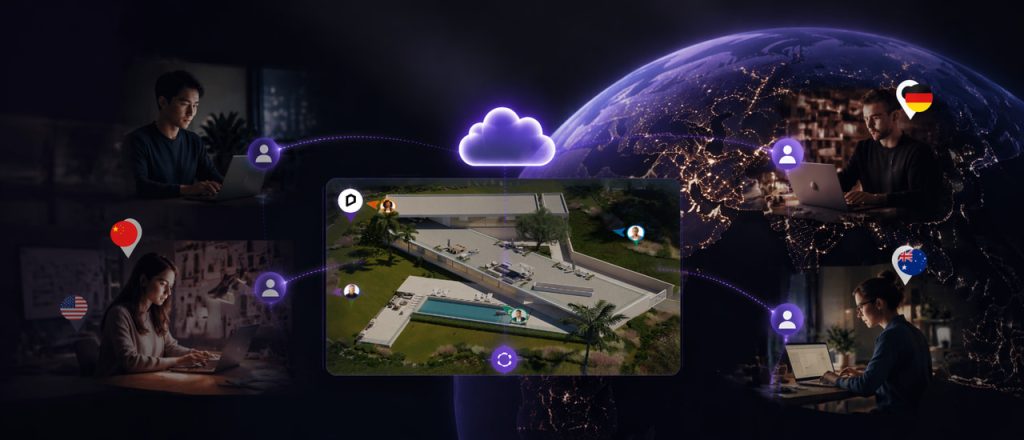
Here's a scenario that sounds painfully familiar: you finish a material pass at 11 PM, export the model, upload it to the NAS, and Slack your counterpart in the next office. The next morning, you open the file only to find they've been working off yesterday's export—the one before you fixed the lighting. Back and forth, the handoff loop—export, wait, re-import, mismatch—eats days out of every design cycle.
The problem isn't that your team is spread across different time zones. The problem is that your workflow was never designed for distance. Cloud collaboration in architecture has often meant either leaning on heavy shared infrastructure or accepting asynchronous chaos. D5 3.1 takes a different approach: keeping the creative flow inside the modeling environment with D5 Lite, then moving the project—not a pile of orphaned files—to the cloud. These two moves form a single continuous workflow, not separate features.
Key Takeaways on Cloud Collaboration for Remote Architecture Teams
- Remote architecture teams bridge time zones when they break the handoff loop—in-model visualization plus cloud-based project sharing, instead of NAS folders and exported files.
- D5 Lite embeds real-time visualization directly in SketchUp—alongside beta versions for Rhino and Revit in D5 3.1—so material and lighting decisions stay inside the modeling context.
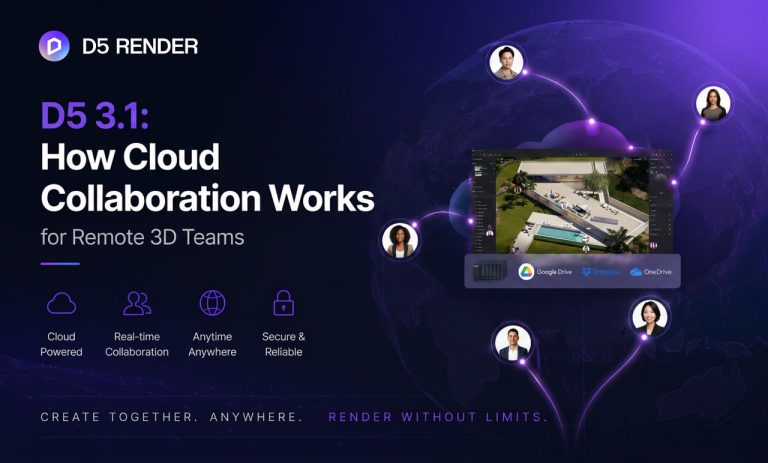
- Cloud Collaboration in D5 3.1 lets distributed teams work on the same D5 project across any distance—one person saves, the team gets notified, and the latest version is ready when they reopen.
- The connected workflow is intentional—fast iteration inside the model (Lite), then cloud-based alignment for async handoffs. D5 Render provides the full delivery control when you need it.

The Real Bottleneck Isn't Distance—It's the Handoff
Distributed architecture teams are not new. What's new is the expectation that work should move at the speed of conversation, not at the speed of file transfer. The common response has been to throw more infrastructure at the problem—VPNs, NAS setups, sync folders. Those tools move bytes around. What often needs to move is context.
When a designer in one city applies a material and a colleague overnight needs to see it in the same environment, the gap isn't only latency. It's that materials, lighting, and geometry can live in separate places until someone forces them together. The handoff loop—export → transfer → re-import → check → "that's not what I meant" → repeat—isn't just about communication—it's a fundamental workflow problem.
Cloud collaboration in architecture only helps when the project travels with the team—not when files bounce through personal folders and one-off exports.
Keep the Thinking Inside the Model (D5 Lite)
Most design tools treat visualization as a downstream activity. You model, then you export to see what it looks like, then you go back and adjust. That round-trip breaks momentum. It also breaks context: the material that looked right in a separate renderer can feel wrong once you're back in the model with the section cut and the structural grid.
D5 Lite flips that sequence. Built into multiple modeling tools like SketchUp, with beta versions for Rhino and Revit, it brings real-time material and lighting feedback inside the modeling viewport. You adjust glass in Rhino—you see it change in place. No exporting. No separate "wait for the queue" moment just to read the look. Parameters can stay in the modeling-file context (.3dm, .rvt, .skp), so decisions don't get orphaned when you close the session.
The "Lite" in the name signals the role: ideation and rapid iteration—speed over polish. When you're testing three facade treatments in an afternoon, the last thing you need is another export dance. Lite keeps you in the flow. And when you want to explore a completely different direction, AI Mode generates options from your prompt—right inside the same viewport—so you can test ideas without leaving the model.
When a study is ready for cinematic stills, animation, or fuller presentation control, work can sync into D5 Render—without treating the modeling tool as a disposable stepping stone. And when the project needs to cross time zones, that same cloud-native foundation enables seamless handoff via D5 Cloud Collaboration.

Move the project to the cloud (D5 3.1's Cloud Collaboration)
This is where the workflow scales beyond a single machine. D5 3.1's Cloud Collaboration is worth reading carefully for what it doesn't try to be. It doesn't offer real-time multiplayer editing in one shared viewport. That's a deliberate tradeoff—and it matches how most distributed studios actually pass work across time zones.
What it does remove is the dependency on local office network limitations. Instead of sharing only through an office NAS or a VPN tunnel, the D5 project lives in the cloud. One team member saves. Teammates get a notification. When they reopen the project, they're looking at the latest version. Asynchronous team collaboration is now cloud-based, enabling work across any distance without a shared office network.
That matters most for async collaboration. Teams can wrap a pass at the end of their day, save the shared project, and let another office pick it up on the next shift without the "did you get the latest?" chase.
→ To see how this fits into the broader 3.1 update, check out our D5 3.1 overview
One Continuous Story: In-Model Iteration → Cloud Handoff
Think of this not as two separate features, but as a single, unified workflow. The logic is straightforward: iterate fast where you model, then hand off seamlessly when the team picks up. D5 Lite keeps your design decisions embedded in context; Cloud Collaboration ensures the latest version is always a click away. When you need final-quality delivery—stills, animation, richer presentation control—D5 Render completes the story—not as a cloud-based add-on, but as the production side of the stack.
The thread that connects both: distance stops being the friction point. Work moves from ideation to shared project alignment without the export → upload → re-import loop.
Who This Is For
- Design leads tired of tracking file versions across email and Slack threads.
- BIM directors who want visualization closer to core modeling environments (including Revit beta workflows)—not only as an export-heavy parallel track.
- IT leads evaluating whether project access still depends on local NAS and shared office-network assumptions.
- Workflow decision-makers choosing design collaboration tools that match how architecture teams actually pass the baton—especially async collaboration across time zones.
If your firm already runs on overnight handoffs, D5 3.1's approach is built for that rhythm. It doesn't force simultaneous co-editing onto a workflow that doesn't need it. It makes the existing async flow cleaner: working where you model and sharing where the team is.
Start With the Connected Workflow
If your team is spending more time managing handoffs than making design decisions, try the path as a whole.
Start your free D5 Teams trial to see Cloud Collaboration in action on a shared project. Or start with D5 Lite for in-model real-time visualization; the cloud layer is there when your project needs to travel.
FAQ on Cloud Collaboration in D5 3.1
A NAS folder still assumes office-network gravity: paths, permissions, and the endless "who mounted what" admin. D5 3.1's Cloud Collaboration puts the shared D5 project in the cloud so editors across offices and time zones aren't limited by a local NAS setup. After a save, teammates can reopen and pull the latest version—enabling clearer async collaboration than chasing renamed folders.
No. It's built for asynchronous workflows: one person saves, others get a notification and open the latest version. That matches how most distributed architecture teams actually work across time zones—where overlapping "everyone in one viewport" schedules are the exception, not the default.
No. D5 Lite is for ideation and rapid iteration inside the modeling environment. When the design is ready for final production—high-quality stills, animations, interactive walkthroughs—the project can move into D5 Render for fuller delivery control.
Often both. Design leads feel the handoff pain first—wrong versions, lost context, slow overnight reviews. IT leads evaluate whether access still depends on local NAS and office-network assumptions. Cloud collaboration in architecture takes hold when those needs converge on one shared D5 project.
One team member saves to the cloud-based D5 project. Teammates receive a notification. When they reopen, they get the latest version—without rebuilding the scene from a chaotic chat thread of exported files.
Start with the bottleneck that costs the most time. If the export → re-import loop for material testing is the main time sink, D5 Lite addresses that directly. If version confusion across offices is worse, Cloud Collaboration targets that first. Either way, the other piece is ready when you need it.
Download D5 3.1 from the official site. For the connected-workflow framing, read the D5 3.1 overview. If you're primarily in SketchUp, Rhino, or Revit, start with D5 Lite for in-model visualization, then enable Cloud Collaboration for the project when the team needs to hand off across time zones.
Explore More D5 3.1 Features
Introducing D5 Lite: AI Rendering & Instant Visualization for SketchUp
D5 Lite for Rhino Is Here: Real-Time Rhino Rendering Without Export
D5 3.1 Is Here: Elevate Your Design Presentation Workflow
Unlock Effortless Design Collaboration on ArchViz Projects with D5 for Teams
D5 Rhino LiveSync: Effortless Real-Time Rendering Workflow
SketchUp Tutorial 2026: Turbocharge Your Workflow with D5 Lite
How to Create Interactive Presentations for Architecture with D5 Render
 English
 Español
 Français
 한국어
한국어 日本語
日本語