
If you've ever watched an architecture project drag on for weeks simply because one person was waiting on another's updated file — or worse, dealing with someone accidentally overwriting your carefully placed elements — you know exactly how frustrating that feels. I work with architects, designers, and visualization studios every day here at D5, and I've seen that pain point more times than I can count. The good news is, D5 for Teams really changes things. With smart worksets and a straightforward setup, your whole team can jump into the same project simultaneously, each focusing on their part without stepping on anyone else's toes.
This isn't some theoretical idea. It's the practical approach I recommend to studios tired of scattered files and version chaos. And when you combine it with D5's All-in-One workflow, the entire pipeline becomes significantly more efficient. You get real-time speed, high fidelity, and minimal friction from the earliest concepts all the way to final delivery — no more jumping between different tools or losing quality in translation.
Let's walk through how it actually works in practice, step by step, the way I've helped teams set it up on real projects.
Key Takeaways for Frictionless Design Collaboration
- Parallel Design Collaboration: D5 for Teams turns file-chasing chaos into true parallel progress, so every ArchViz specialist can work in their own zone while the project stays perfectly synced.
- Flexible Worksets: Worksets in D5 for Teams adapt exactly to how your studio actually works instead of forcing you into someone else's rigid structure.
- Pro Moves That Matter: Performance Mode and per-workset layer visibility keep viewports responsive and your screen free of clutter, no matter how heavy your ArchViz scene gets.
- All-in-One Power: Pairing worksets with D5's All-in-One workflow removes tool-hopping and material headaches, giving you one real-time engine from early concepts to final renders.

Start with a Shared Team Library
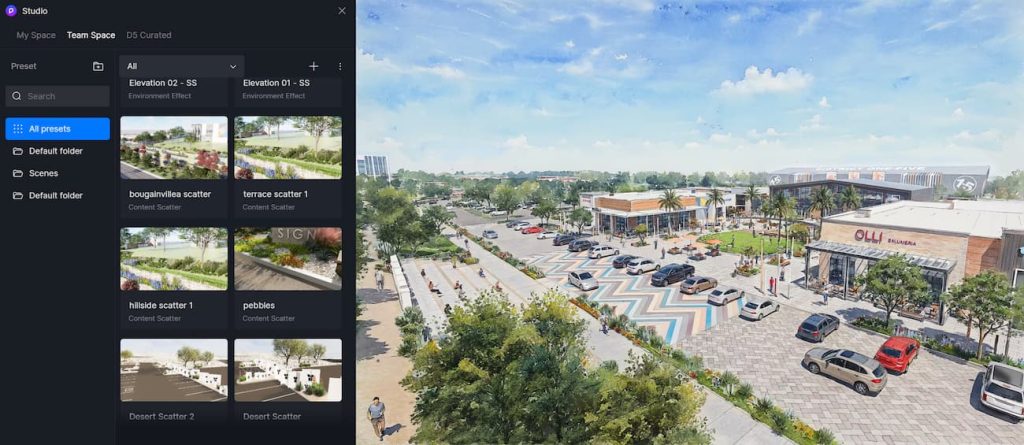
Everything kicks off with one reliable place for your files. As the team admin, you simply set up a shared Windows folder or NAS drive — whatever your studio is already comfortable with. Then open D5 Launcher, go to Settings, and point it there. Once that's done, any project you save into that folder automatically shows up in the Team Projects section for everyone on the team.
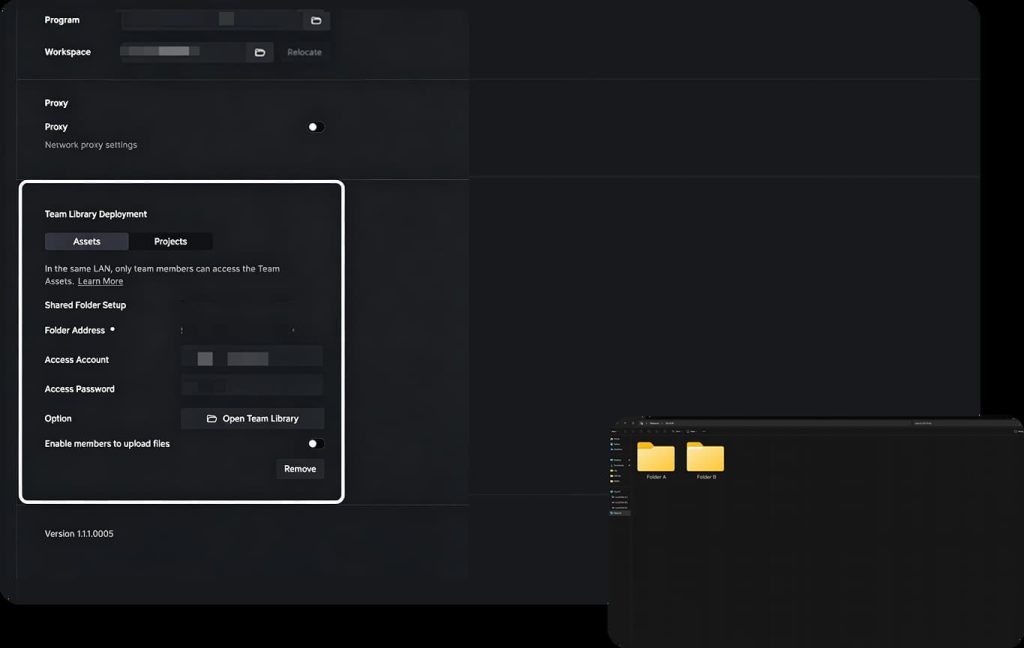
Inside the asset library, you'll notice a new Team tab filled with all the shared .D5A models and .D5M materials. If your crew prefers working with cloud storage, you can easily link the same library to Dropbox, OneDrive, or whichever you already use. Suddenly those endless "Can you send me the latest version?" emails disappear. Everyone pulls from the exact same assets, stays consistent, and actually spends their time designing instead of hunting for files.
I've seen this simple step alone save studios hours every week.
Set Up Your Design Collaboration with Multi-Editor Convert
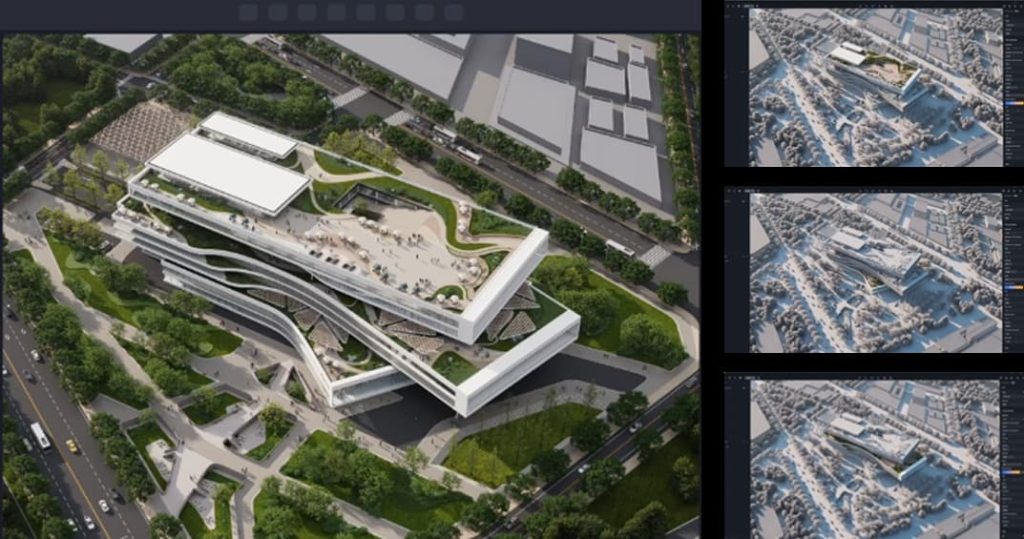
This is where D5 for Teams really shines. Open your scene, head to File -> Multi-Editor Convert, and D5 breaks the project into independent worksets. Think of them as private workspaces that live inside one shared file.
The process is pretty straightforward:
- Click Assign and D5 drops every model into a default workset.
- Create and rename custom worksets to fit your team — "Building," "Landscape," "Interior Styling," "Lighting," whatever makes sense.
- Drag the relevant models from the resource list into the right workset.
- Hit Save and Convert Project.
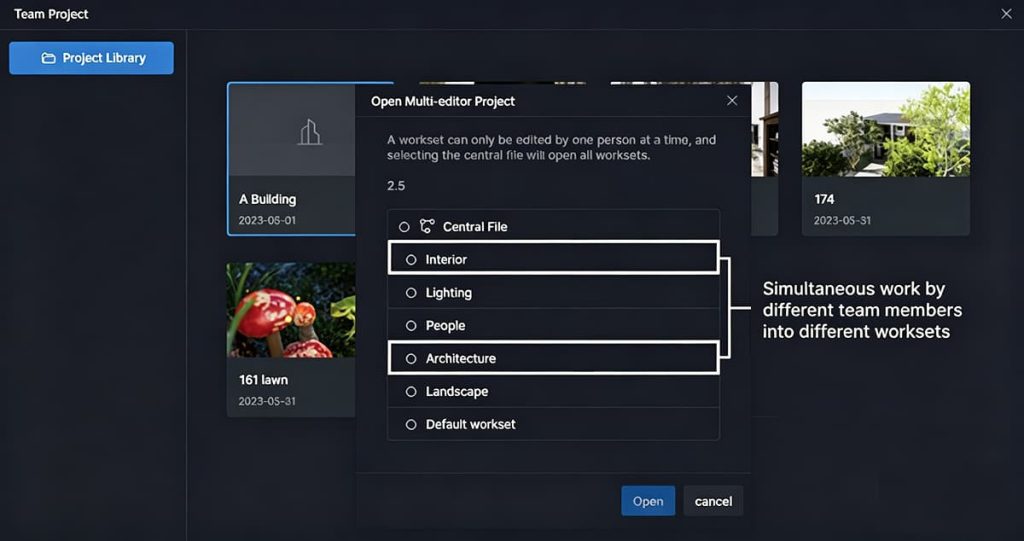
Now each team member opens only their assigned workset. They can't accidentally move someone else's geometry or tweak materials they shouldn't touch. Their changes save locally and sync back to the Central File automatically. Whenever you want, just open the Central File and you see the full, up-to-date scene — no manual merging headaches.
Real-World Design Collaboration Splits That Actually Work
The beauty of worksets in D5 for Teams is how flexible they are. They adapt to how your studio really works, not the other way around.
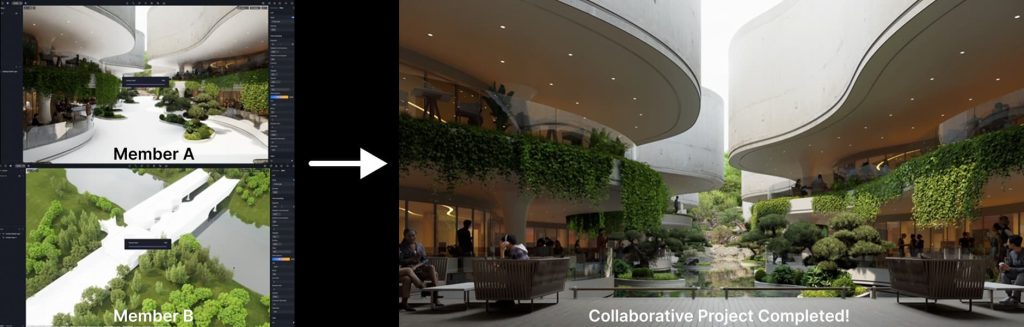
On a recent villa project I helped a small ArchViz studio set up, we imported the main building and surrounding context separately from the modeling software. After the conversion, the architect took ownership of the "Building" workset while the landscape designer handled "Context." One side refined massing and materials; the other adjusted terrain and planting. They worked in parallel — no waiting, no conflicts. When both saved, the Central File updated seamlessly.
Interior projects benefit hugely too. Put the main model in a "Styling" workset and all your light sources — IES files, spots, emissive materials — into a separate "Lighting" workset. The stylist can play with furniture, fabrics, and colors while the lighting person sculpts mood and shadows at the same time. Open the Central File afterward and you see the combined result instantly.
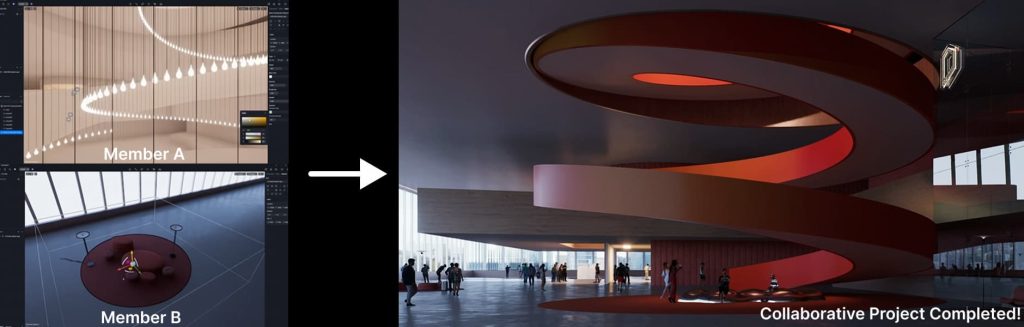
We've done similar splits on multi-story offices (by floors), handed scene population to one group and animation camera paths to another, or even created a dedicated workset for final post-processing and color grading. The trick is picking divisions that let each specialist stay deep in their zone of expertise.
Every team works differently. If you want to see exactly how D5 for Teams can fit into your current setup without the guesswork, [Request a Demo]. Our team will walk you through real project setups and answer any technical questions you have.
Pro Tips That Keep Everyone Moving Fast
A couple of small features make daily workflow noticeably better.
First, enable Performance Mode for your workset. Anything outside your assigned area turns into clean white proxy models. Your viewport stays responsive, navigation feels smooth, and you stay focused without the whole heavy scene bogging you down.
Second, take advantage of layer visibility per workset. If the landscape artist adds hundreds of new trees but doesn't want them cluttering my lighting tests, they simply move those trees to a new layer and set it to "Visible in this workset only." Everyone's screen stays clean, no visual noise.
When the pieces are finished, open the Central File, review how it all comes together, and — if it looks good — convert the project back to a normal scene. That's it.
Why D5's All-in-One Workflow Elevates Design Collaboration
What I personally love most — and I see it click for studios every single day — is how D5's All-in-One workflow simply untangles the whole pipeline. It's highly effective for AEC design because it stops that constant tool-hopping. By pulling design, rendering, and asset management into one unified ecosystem and letting AI-powered features handle the grunt work, those old friction points that used to slow us all down are largely eliminated.
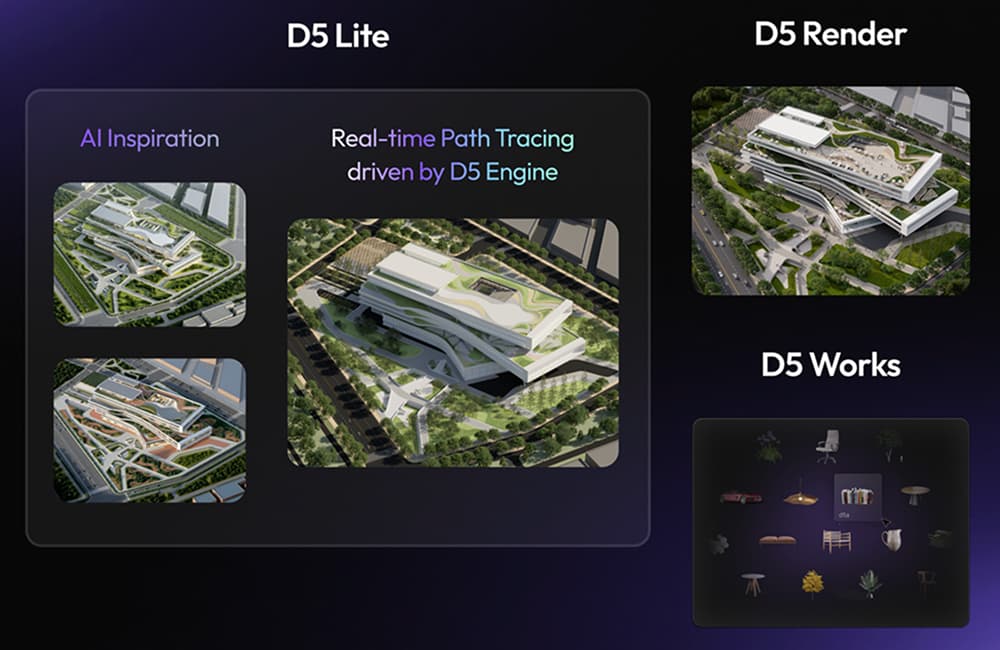
You stay inside this cohesive environment the whole way — from early concepts to final renders. No exporting to another renderer, no material conversion surprises, no "it looked different in the other software" moments. Architects, visualizers, and even clients can jump in, see changes live, and give feedback without ever leaving D5. Fewer tools to learn, fewer licenses to manage, and one consistent source of truth for the entire creative process. That's why projects that once stretched on for weeks now wrap up days ahead of schedule, with less stress and a much smoother review process.
Real Studios Are Already Seeing the Difference
Don't just take my word for it — I see this shift happening in studios of all sizes. At AO Architects (a 325-person practice with 17 US studios), architects, visualizers, and landscape designers now work in parallel on one master scene. Shared libraries keep everything consistent, cutting concept-to-approval cycles from weeks to days while clients give live feedback. "Speed matters, but the real value is in the quality of the conversation," says Design Partner Richard Clarke, IV, AIA.
Kimmel Design Studio (a 45-person firm in Maryland) finally moved away from sequential hand-offs. Multi-editor worksets let their team refine lighting, textures, furniture, and cameras at the same time. "Before, it was like a relay race — one person would finish their part and then hand it off," says Senior Architect Eric. "Now we can all be working on different aspects at the same time. It's like we're all in the same room, even when we're not."
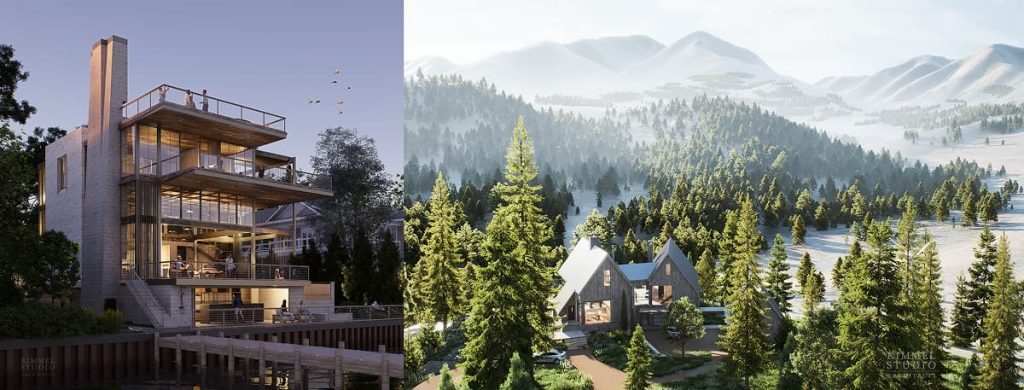
These real-world examples show exactly why pairing D5 for Teams' smart worksets with the All-in-One workflow isn't just a minor upgrade—it fundamentally removes the friction from ArchViz collaboration.
Ready to Take the Friction Out of Design Collaboration?
The best part? Once you run a quick pilot project through Multi-Editor Convert, the whole workflow just clicks. You stop chasing files and start focusing on the actual creative work. Everyone stays in their lane, things move in parallel, and suddenly the project feels lighter — faster, clearer, and a lot more enjoyable to work on.
If your studio is still handling team collaboration the way we all did years ago — constantly swapping massive files and waiting for manual syncs — it's definitely time for a change. Give D5 for Teams a quick try. Set up the Team Library, run a simple conversion, and see how much more fluid it feels to actually work together in real time. You can download D5 here to experience that shift for yourself.
Want to see how this works for your specific team setup? Grab a personalized demo by filling out the form below, and let our experts walk you through a custom workflow tailored to your studio.
Explore More on Team Design Collaboration >>
Discover All D5 for Teams Features for ArchViz Workflows
Real-time Collaborative 3D Design & Visualization for Architects
How Shared Visualization Aligns Complex Architecture Design Teams
FAQs on Design Collaboration in ArchViz
The most efficient way is using a parallel workflow system rather than constantly swapping files. D5 for Teams lets you divide a single project into independent"worksets." One artist can light the interior while another builds the landscape simultaneously. Everything syncs back to a Central File automatically, eliminating wait times.
A clean workflow removes tool-hopping and file handoffs. Instead of disjointed software, look for an All-in-One platform. With D5 for Teams, your studio sets up a shared Team Library (via NAS or cloud), and the entire pipeline — from design and material tweaking to final renders — happens in one real-time engine. It keeps everyone on the exact same page.
File overwriting usually happens when teams rely on manual syncs. To fix this, you need a system with dedicated workspaces. Using the Multi-Editor Convert feature in D5 for Teams, project managers can assign specific geometries to specific team members. You can only edit your assigned zone, making accidental overwrites impossible while changes sync safely.
Break it down by expertise to minimize conflicts. A proven method in D5 for Teams is splitting the scene into logical worksets: "Main Building," "Landscape Context," "Interior Styling," and "Lighting." This allows the architect to adjust massing while the stylist works on furniture. Everyone stays deep in their zone without causing conflicts in the master file.
Heavy collaborative scenes require smart viewport management. If your team uses D5 for Teams, they can enable Performance Mode. This turns any geometry outside a user's specific assigned workset into lightweight proxy models. Your screen stays clean, navigation remains highly responsive, and your hardware isn't bogged down by the rest of the team's data.
Cut out the export and rendering wait times. An All-in-One workflow like D5 Render allows your team to make design changes, adjust materials, and see real-time updates instantly. Because the rendering engine and design environment are unified, you can literally jump into the scene with clients and give feedback live, saving weeks of back-and-forth.
 English
 Español
 Français
 한국어
한국어 日本語
日本語