
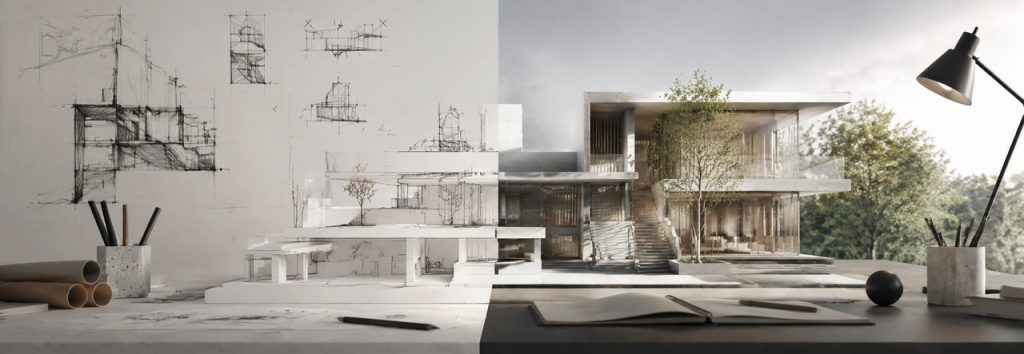
Every semester around crit week, we see the same thing on social media: a desk shot at 3 AM, a half-rendered model on screen, and a caption that reads: “Why does glass take 45 minutes per frame?” The commenters are all nodding along.
That workflow made sense a few years ago. It doesn’t anymore. Real-time rendering and AI in D5 Render have made the overnight render session largely avoidable—but most architecture students are still running the old playbook. So let’s walk through the 7 most common visualization mistakes architecture students make—and how to sidestep them entirely.
Key Takeaways on Architecture Visualization for Students
- When you’re racing against a deadline, iteration speed matters just as much as the final output.
- D5’s built-in AI tools match scene atmosphere, recommend assets, and generate PBR materials from reference photos in minutes, giving you rapid design options.
- A connected workflow integrates your modeling software directly into the D5 ecosystem (D5 Lite, D5 Render, and D5 Works)—eliminating endless file juggling.
- The D5 Education Version is free for full-time students on renewable 180-day terms—enough for studio crits, competitions, and portfolio work.

Mistake 1: Waiting Hours for Renders That Still Feel Stiff
Be honest—when you think “quality rendering,” does your brain go straight to “I need to wait hours for this to finish?” That outdated approach usually means burning the midnight oil on a view that still feels flat—simply because the camera, materials, and sun angle were never tested in real time.
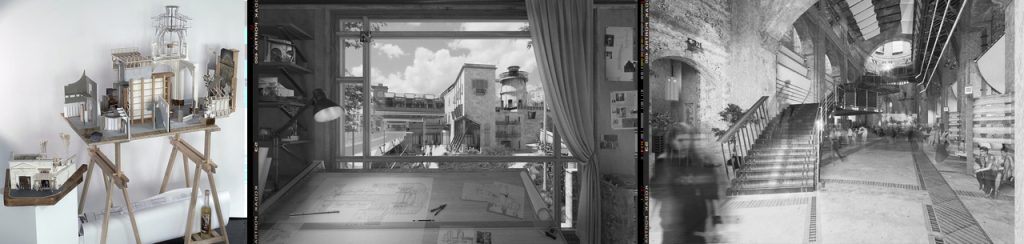
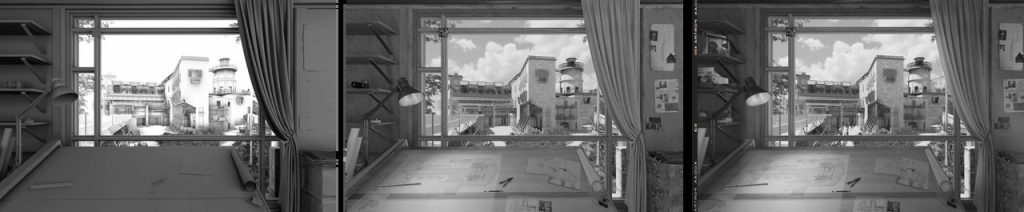
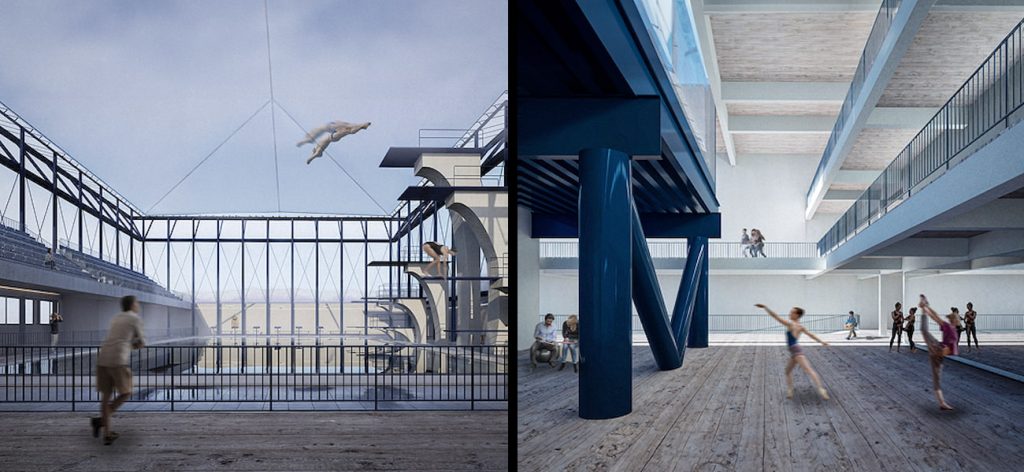
Dominik Los placed second at RIBA Eye Line 2025 for “The Exquisite Corpse of St. Vitus.” Facing a tight deadline with no time for offline passes, he locked the view and used D5 Render‘s real-time preview to tweak lighting, textures, and composition on the fly, right inside the viewport. This saved him from wrestling with static pixels in Photoshop later.
✅ How to avoid it:
- Keep D5 Render’s real-time path tracing on for design-phase views, and lock two or three primary camera angles before you polish the whole model.
- When you need a cleaner preview before export, switch to Accumulate Mode in D5 Render.
- Reserve final high-resolution exports only for hero shots that demand print-ready resolution.
Mistake 2: Relying on a Disconnected Workflow
You’re constantly bouncing between a modeling tool, a renderer, and maybe Photoshop. You might even open a standalone AI tool for a specific task. Your computer ends up filled with dozens of exported files. A single design change means re-exporting everything when your modeling and visualization workflows live in disconnected apps.
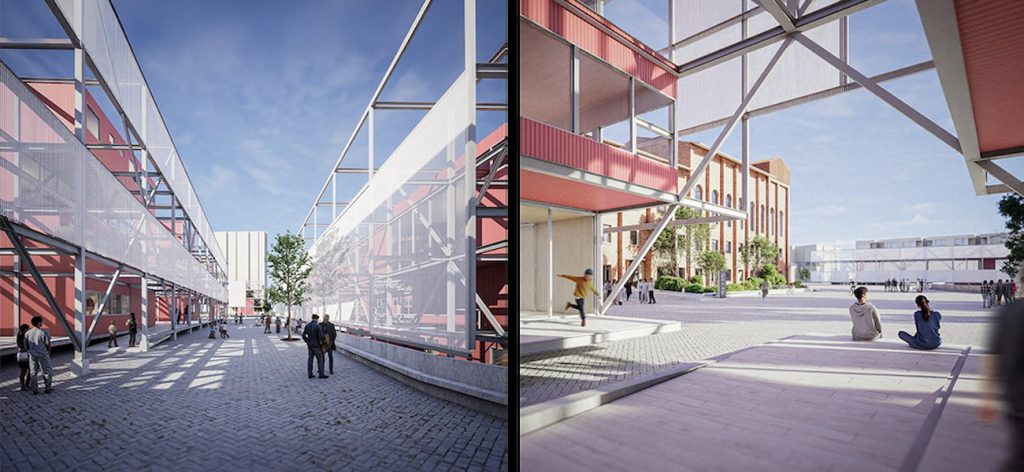
Sidney, a D5 Campus Ambassador at Universidad Finis Terrae (UFT) and now a D5 Educator, saw this firsthand. In his fourth-year studio, he was juggling multiple tools and struggling to iterate fast. Consolidating his workflow into D5 Render changed that. With native assets and real-time feedback immediately available, he could adjust camera height, material scale, and atmosphere dynamically within the same session.
✅ A Better Workflow:
- Keep modeling and rendering in one pipeline. For example, continue modeling in SketchUp, while D5 Lite follows along—updating materials, tweaking lighting, and fine-tuning settings in real time.
- When a crit or competition calls for higher output quality, move your scene to D5 Render in one click for that final polish.

Mistake 3: Ignoring Real-Time Visualization for Early Design
You may spend weeks building a model, only to open a renderer for the first time the day before the deadline. It’s a learning curve most of us go through in our early studio years.
Here’s why: Many students still treat visualization as a final step. They stick to basic massing models or white boxes, finalize the plan, and only think about renders the night before submission. By postponing visualization, you’re essentially flying blind—guessing at proportions, how daylight hits your spaces, and material contrast.
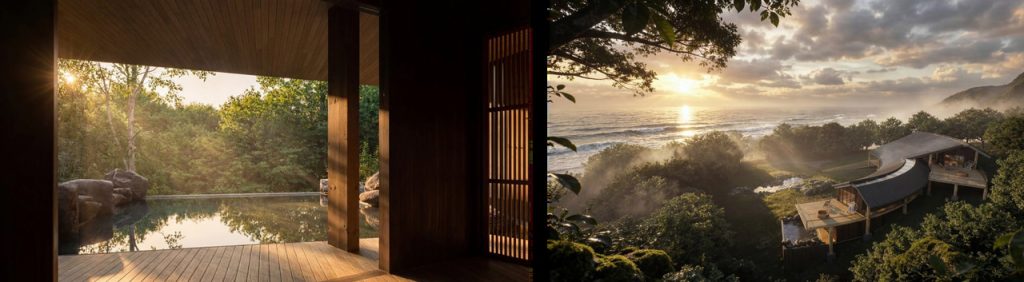
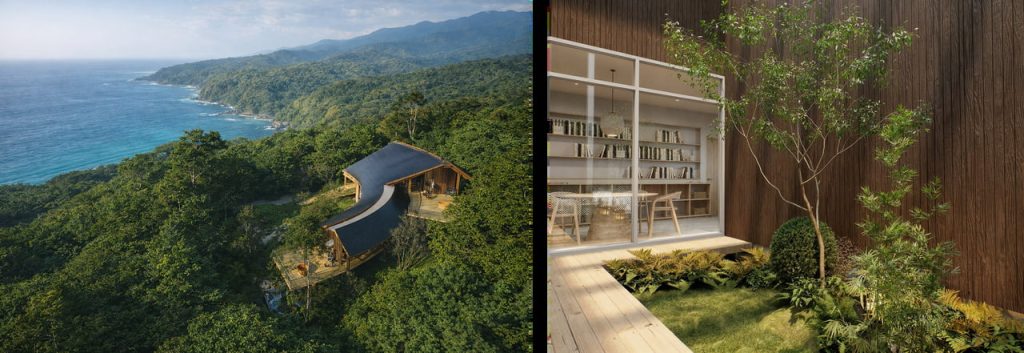
Isadora Helena Nogueira, an architecture student at Universidade Federal da Paraíba, usually visualizes her work while she’s still modeling—testing light, fog, and camera angles in parallel, rather than leaving it all for the final, frantic hours. This parallel workflow helped her win multiple student competitions.
✅ How to Break the Habit:
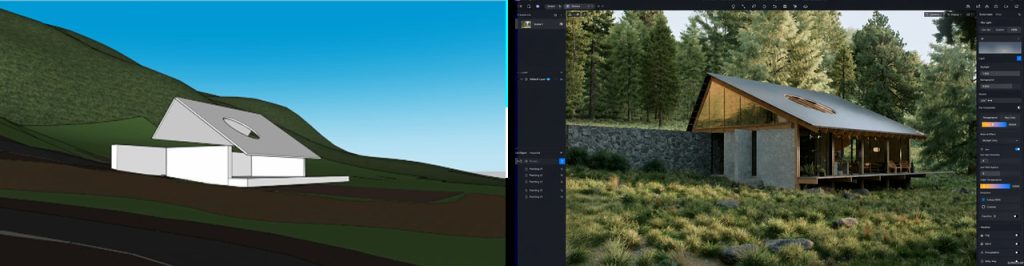
- Bring visualization into your early concept stage. Even a rough block model looks good with the right sky and sun angle.
- Use D5 Lite for real-time path-traced visualization the moment you add massing or a material.
- Walk around your design, adjust lighting, swap textures, and evaluate spatial volumes dynamically.
Mistake 4: Over-Reliance on Basic Software
SketchUp, manual materials, basic renders, heavy Photoshop—that pipeline still works, but it’s too slow for what studio crits and competitions expect in 2026. Many stick with what their school taught them because it’s familiar. But the gap becomes obvious when classmates generate multiple mood options while you’re still manually tweaking a single HDRI map.
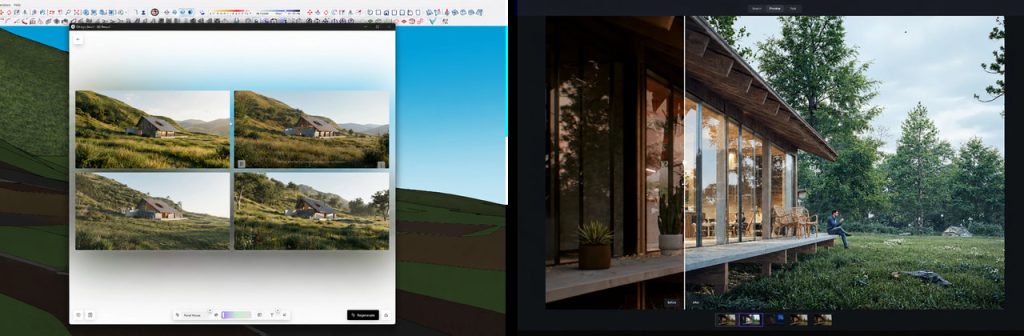
If you’ve ever spent an afternoon placing trees one by one,Show It Better‘s recent walkthrough will resonate with you. In “The AI Tools That Are Actually Changing How I Design in D5,” the host runs a single project through an integrated D5 AI workflow. He conducts mood tests in D5 Lite while modeling, and uses D5’s integrated AI tools to set up scenes and refine materials on the fly—all without ever opening Photoshop.
✅ The quickest wins for students:
- Need to quickly communicate a vibe to your professor? In D5 Lite, AI Generation Mode can turn a rough viewport capture into a styled image in seconds.
- If you have a reference photo, AI Atmosphere Match instantly applies its mood to your scene.
- Only have a project brief? D5 Render’s AI Scene Match generates a reference look from your description and maps lighting and atmosphere to your scene, ready for manual fine-tuning.
👉 Explore more of D5’s built-in AI features
Mistake 5: Weak Presentations Lacking Atmosphere and Lighting
Crit juries notice quickly when a space feels empty—when the light does nothing for the story, or the materials don’t match the climate in your drawings. Weak presentations often show a correct model under flat, neutral lighting—technically accurate but lacking character. The architecture is clear, but the space itself feels lifeless.
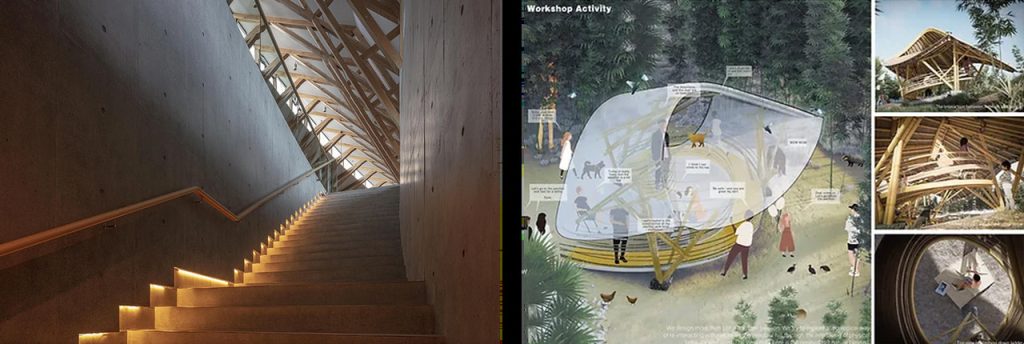
Yunfei Xie, whose team won the International Bamboo Pavilion Design Competition, put it simply: the key to their entry wasn’t just rendering quality—it was atmosphere. They achieved this by balancing warm interior lighting against the cool blue hour, introducing contrasting color temperatures, and using light to emphasize human activity and spatial narrative.
✅ Pro Tip for Lighting & Atmosphere:
- Treat atmosphere as a design decision, not an afterthought.
- Instead of guessing, adjust the sky, fog, and exposure in D5 Render while actively navigating through the scene.
- Bloom, LUTs, White Balance, and other post-processing effects live in D5 Render’s Effect panel—handy when you want to dial in the mood right in the viewport, instead of fixing it in Photoshop later.
Mistake 6: Relying Solely on Polished Renders in Your Portfolio
Here’s a pattern we see every year: talented students submitting portfolios that don’t do their work justice. Projects are shown mostly as polished finals with little process visible, and too many entries rely on identical presentation layouts.
✅ Portfolio Best Practices:
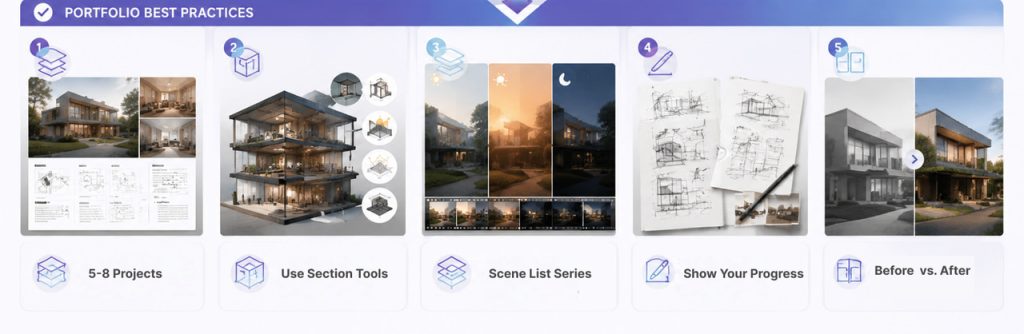
- Curate 5–8 projects, each with research, a brief project introduction, diagrams, and 2–3 standout final renders.
- Use D5 Render’s Section Tools to create cutaway images that reveal your structural thinking, lighting strategy, and spatial organization—often more useful than a standard perspective render.
- Save day, night, and sunset setups in D5 Render’s Scene List to batch-export a cohesive “series” for your portfolio spread—far more impressive than scattered single shots.
- Don’t over-polish early sketches—juries want to see your process, not just the shiny final frame.
- Show a before-and-after comparison—place a quick test render next to your final render to demonstrate your ability to iterate and refine.
Mistake 7: Subscribing to Multiple Platforms and Buying Scattered Assets
As a student, you might easily fall into the multi-subscription trap: signing up for a 7-day free trial of one renderer, only to find you need a different tool for high-quality outputs, or another for AI features. Before you know it, you’re subscribed to 4 or 5 tools.
Another trap is buying paid models from scattered 3D asset sites—only to struggle with incompatible formats, missing textures, and models that look great in the preview but fall flat in your scene. The result is often increased subscription costs, endless re-exports, and unused paid assets sitting in forgotten folders.
✅ How to avoid it:
- Consolidate your workflow. Instead of balancing different subscriptions, a single D5 account gives you your real-time sync (Lite), the final output engine (Render), and a massive AEC-specific model library (Works) all in one place.
- The D5 Education Version is free. It gives you access to most D5 core features plus the D5 Works asset library—built specifically for AEC spaces.
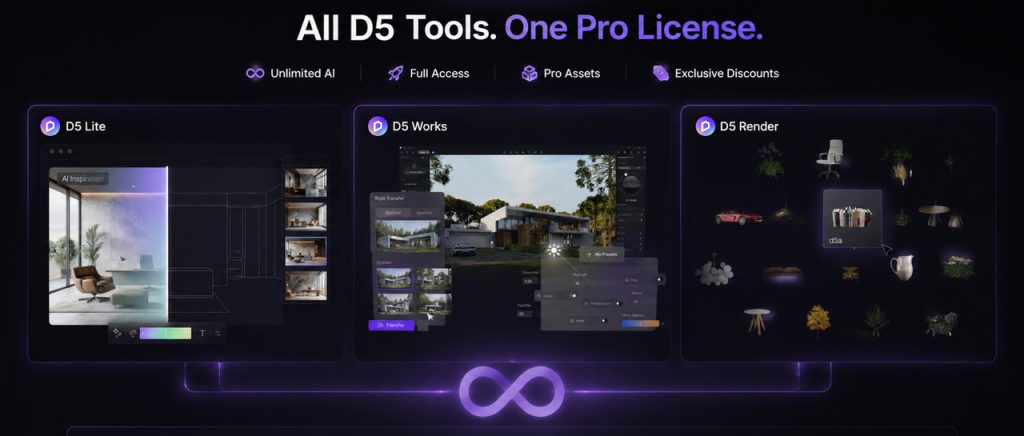
- If you later need more power, D5 Pro provides a single license for the entire ecosystem: D5 Render, D5 Lite, and full D5 Works library access.
The Bottom Line: Start Visualizing Earlier
None of these seven mistakes are about a lack of talent. They’re about process. And that’s the easiest thing to change, especially with free educational access. If your current workflow has you jumping between multiple tools to get one good frame, try keeping modeling, rendering, and AI in one D5 pipeline—and it might save you a few all-nighters before graduation.
🎁 Bonus for architecture students: We’ve curated the D5 Scene Express library—over 300 ready-to-edit scene templates (architecture, urban, interior, landscape, cinematic, and more). Open, tweak, and render in minutes. These scenes save time—and they double as references for how professional architectural visuals are structured.
Continue Reading: More Architecture Visualization Tips
Beyond the Basics: Master Photorealistic ArchViz via D5’s Render Template
D5 Render + Autodesk Education: Building the Ultimate Student Design Toolkit
Mastering Displacement Maps: Achieve True Depth in D5 Render
Ditch Manual Setup: D5 Render AI Scene Generation for ArchViz
Essential SketchUp Interior Rendering Tips You Need!
What Is an AI Agent? How D5 Render Automates Landscape Design
FAQ on Architecture Visualization for Students
Yes. The D5 Education Version is free if you’re a full-time student, valid for renewable 180-day terms. You get most of D5’s core features—enough for studio work, competitions, and a first portfolio pass.
Start with whatever works best with your studio’s primary modeler—whether that’s SketchUp, Rhino, or Revit. You want a real-time renderer you can keep open while designing, rather than an offline engine saved only for the final deadline.
D5 fits that workflow perfectly. Use D5 Lite for quick, early previews as you model, then seamlessly transition to D5 Render when you need higher output quality or advanced AI tools. No re-exporting required when your design changes.
Yes—for most student work. D5 Render‘s real-time path tracing delivers the quality you need for studio crits, competitions, and portfolio layouts. Because the viewport updates instantly, you can avoid last-minute, panicked fixes by catching design flaws much earlier in your workflow.
Absolutely. While traditional engines used to be the go-to for ultra-high-resolution, print-ready outputs, D5 Render now handles both real-time iteration and 16K final exports. For most student workflows, D5 Render is the better default.
If you have a reference image, start with D5 Render’s AI Atmosphere Match for a fast first pass. If you’re starting from scratch, use the AI Scene Match feature to describe your desired look. It generates and applies a matched atmosphere quickly—leaving you to just make minor tweaks in the Environment and Effect panels.
For local fixes—one lamp too hot, one corner too dark—adjust a Spotlight with one of the built-in IES profiles, and watch the shadows soften in the viewport.
Yes—with transparency. AI tools speed up exploration, and competitions increasingly expect efficient workflows under tight time constraints. But you need to check AI-generated materials for correct scaling, and ensure AI-placed assets make spatial sense. A floating chair or an out-of-scale PBR texture will kill your credibility.
Real-time path tracing runs best on high-end NVIDIA RTX GPUs with enough VRAM for your scene size. But D5 is optimized to work well even on mid-range RTX cards like the RTX 4060. If your hardware is on the modest side, keep models lightweight, and focus on still images before tackling heavy animations or 4K exports. You can do a lot with a decent laptop and smart scene management.
Real-time path tracing runs best on high-end NVIDIA RTX GPUs with enough VRAM for your scene size. But D5 is optimized to work well even on mid-range RTX cards like the RTX 4060. If your hardware is on the modest side, keep models lightweight, and focus on still images before tackling heavy animations or 4K exports. You can do a lot with a decent laptop and smart scene management.
Aim for depth over volume: a handful of well-documented projects beats a dozen shallow ones. Per project, lead with diagrams and one process frame, then 2 or 3 finals that show different times of day or seasons. Juries read intent faster when each spread tells a story—not when every page is just another isolated, polished perspective.

 English
 Español
 Français
 한국어
한국어 日本語
日本語