

You stumble across what looks like the perfect rendering tool. Real-time ray tracing, deep material control, tight CAD sync—it ticks every box. Then you land on its pricing page. You see the base price. It seems reasonable. Then you scroll down, and that’s when the fine print starts piling up. Want to use it across your modeling tools? That’s a separate license. Premium assets? A separate subscription. Client-ready walkthroughs without a watermark? Higher tier. AI credits? Limited. By the time you add it all up, your budget has ballooned compared to what you had in mind.
That’s how most visualization tools still work. D5 takes a different approach—one subscription covers most of what others split across separate licenses. This guide breaks down the real cost of the D5 workflow in 2026: not just plan tiers, but hardware, learning time, and the one question that really matters: is D5 worth your money?
Key Takeaways on Render Pricing
- The price listed on the pricing page is only the starting point—not the final cost. Your GPU, learning time, and license type still determine what you really spend.
- If you’re still comparing tools, the free D5 Community is the best place to start: run your own file, see how it feels on your machine, then decide on a paid tier.
- The Pro version is a natural fit for solo commercial work; the Teams version starts to make sense when multiple people share the same scene and need shared libraries.
- If you’re a student or faculty member, apply for D5 for Education early—you’ll get far fewer restrictions than Community across a full term.
- Most users find value in faster turnarounds and fewer outsourced hero renders, not in chasing the lowest monthly fee.

The Four Plans: D5 Subscription Tiers at a Glance
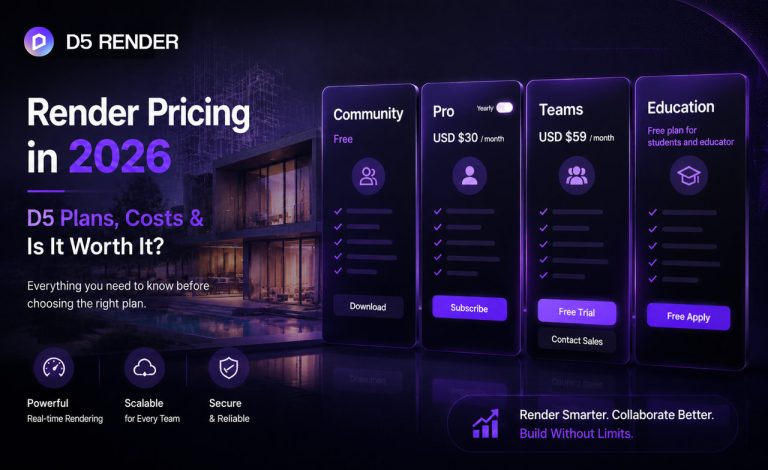
D5 breaks its rendering suite into four main licensing tiers, each targeting a different use case—from zero‑cost learning to full‑studio collaboration. Here’s how they stack up:
| Subscription Plan | Price (2026) | Commercial use | Best for |
|---|---|---|---|
| D5 Community | Free | No | Learning, personal projects, evaluation |
| D5 Pro | $38/mo · $360/yr (~$30/mo effective) | Yes | Freelancers, solo viz specialists |
| D5 for Teams | $75/seat/mo · $708/seat/yr (~$59/seat/mo effective) | Yes | Studios with 2+ seats |
| D5 for Education | Free (verified) | No | Students, faculty, schools |
The sticker price doesn’t tell you everything. Some feature differences matter more depending on the deliverables you actually produce.
| D5 Features | D5 Community | D5 Pro | D5 for Teams |
|---|---|---|---|
| Image & panorama | Up to 16K | Up to 16K | Up to 16K |
| Video | Up to 4K | Up to 4K | Up to 8K |
| Official assets | 2,100+ | 16,000+ | 16,000+ |
| AI Agent | Limited | Unlimited | Unlimited |
| AI features (15+) | 50 trial credits | Unlimited | Unlimited |
| Panorama / Spatial tours | Only 1 tour | Unlimited | Unlimited |
| Showreel | Only 1 project | Unlimited | Unlimited |
| Cloud space | Limited | 10 GB | 100 GB |
| Team collaboration | — | — | Multi-editor, comments, team libraries |
Note: By “unlimited”, the usage is unrestricted for all typical professional needs. In the rare event of extreme, resource-abusive activity, service limitations may apply to maintain overall system integrity.
View the full D5 subscription plan comparison →
Plan 1: D5 Community: Free Render That Actually Lets You Learn
D5 Community doesn’t cost a cent—and it’s remarkably capable. You get real-time path tracing, Geo Sky and weather, PBR materials, and full post-processing. That’s more than enough to get a feel for how D5 handles light and materials without spending anything upfront.
But the Community version is non-commercial—client work requires a Pro license. It also lacks tools for urban master plans, terrain-heavy landscapes, custom lighting setups, or phased animation. In practice, Community is great for learning and evaluating, but when you need complex scenes or client-ready output, Pro steps in.
Here’s what it’s great for: learning the workflow, testing your hardware before you commit, building a portfolio, or handling lighter visualization needs like quick design studies or internal reviews.
Plan 2: D5 Pro: One License, Full Design Workflow
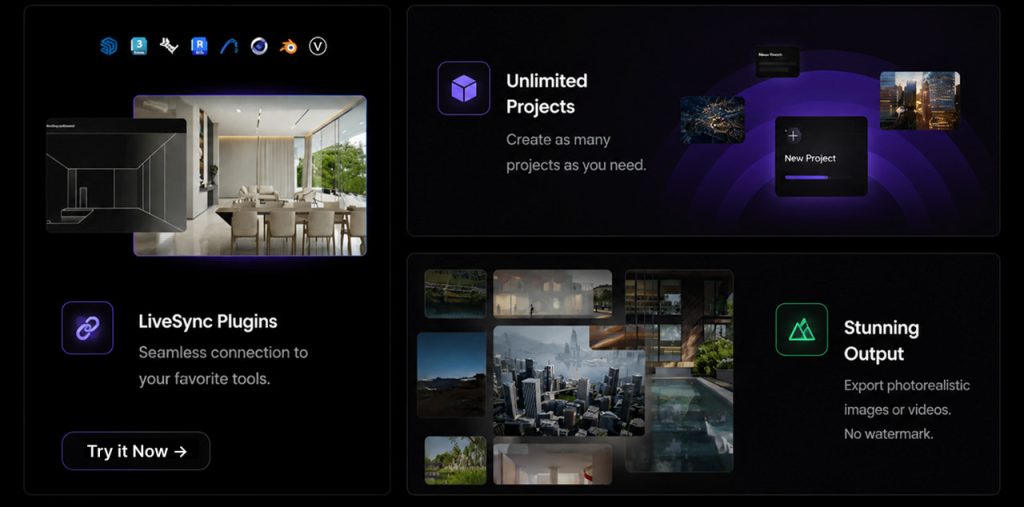
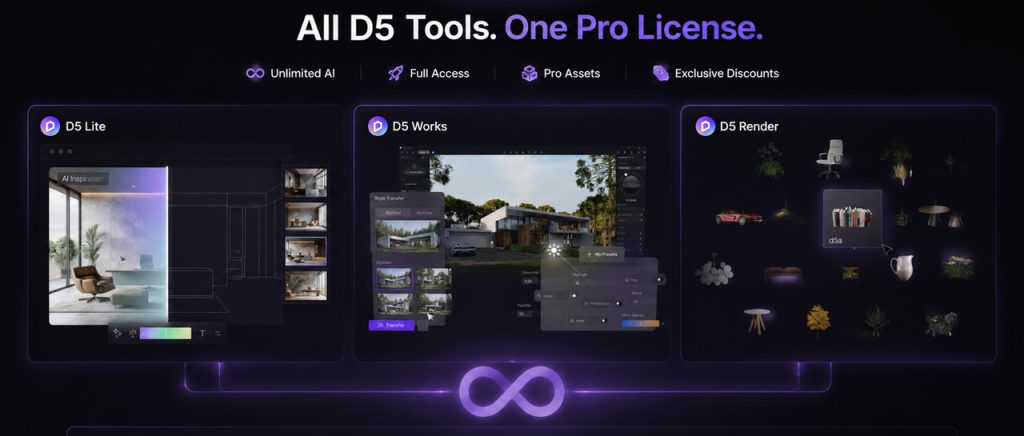
This is where the conversation shifts from “can I run it?”to “can I build a business around it?” At $360/year, you’re not just buying a renderer—you’re buying back time. You get D5 Render for final-quality output, D5 Lite for early-stage modeling and design iteration, and D5 Works for AEC-specific assets—all in one subscription.
What You Can Actually Ship
Pro covers what most clients expect in deliverables: 16K stills and panoramas, 4K video, frame sequence rendering, VR, unlimited Panorama and Spatial tours, and full Showreel with password-protected links, custom hotspots, floor plans, watermark control, and comment permissions. On smaller jobs, that alone can replace a separate web-walkthrough service—one less vendor to manage and one less monthly bill.
Assets and Scene Building
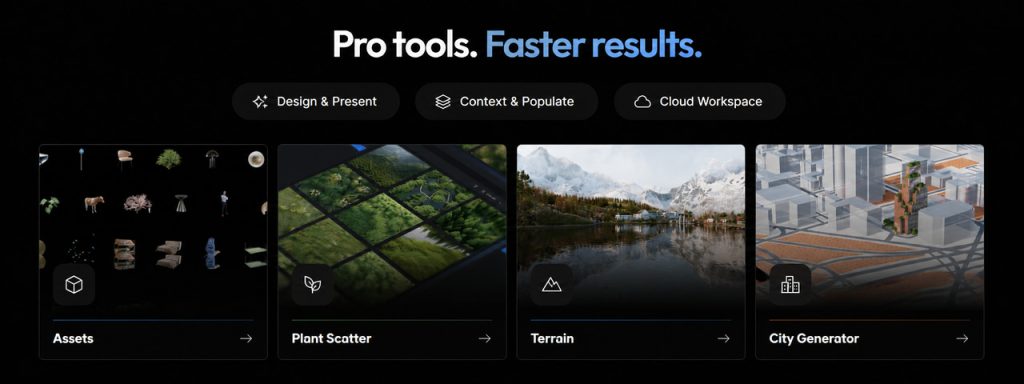
The jump from 2,100 to 16,000+ official models isn’t just about quantity—it’s about saving time. Fewer trips to third-party sites, fewer licensing headaches. D5 Pro also adds Terrain and Ocean, City Generator, Cesium integration, Scatter, and more—the kind of tools you reach for on landscape, urban, and animation-heavy projects.
AI Without Credit Anxiety
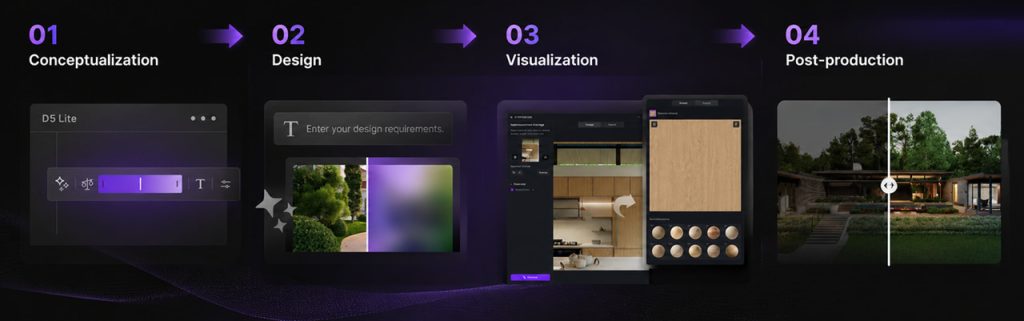
The Community plan comes with 50 AI trial credits; D5 Pro removes those caps entirely. That means 15+ built-in AI features—AI Scene Match, AI PBR Material Snap, SmartPlanting, and more—all inside the viewport, all unlimited. No counting credits, no pausing to decide if an iteration is worth it. You just keep working. For many commercial artists, that’s where Pro earns its keep.
Who Pro is for: Freelancers and solo viz artists doing paid 3D visualization work—interiors, exteriors, landscapes—who want one subscription with a unified asset library and client-ready tours, without juggling separate AI tools, a renderer, and editing software.
A quick tip: Annual Pro at $360 beats the monthly $38 by $96—enough to cover a few premium D5 Works assets with your Pro discount.
Plan 3: D5 for Teams: Per-Seat Pricing & Studio Features
D5 for Teams includes everything in Pro and adds member access control, multi-editor scene editing, project comments, a data dashboard, team asset library, team presets, and 100 GB cloud space (versus 10 GB on Pro).
Teams also raises output to 8K video—the key resolution difference between Pro and Teams. Image and panorama caps stay at 16K across paid tiers.
Who Teams is for: Architecture and design firms with dedicated visualization staff who pass scenes back and forth, standardize materials, and deliver 8K animation or large Showreel programs.
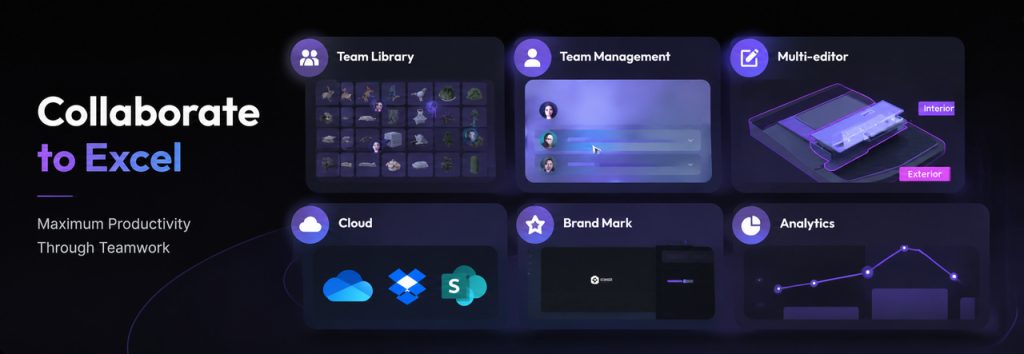
A quick tip: Pro seats can upgrade to Teams; active team admins can invite members. Contact [email protected] for migration details if you’re in the middle of a subscription cycle.
Plan 4: D5 for Education: Free Pro-Level Access
For verified students and educators, D5 for Education is available at no cost. It includes most Pro-level features and assets—the same real-time ray tracing, a 16,000+ asset library, and most Pro-level AI tools, with no watermarks on deliverables. You learn on the professional engine, and your coursework achieves a professional, portfolio-ready standard.
This is a fixed-seat license (one designated machine), valid for 180 days and renewable. Apply inside D5 Launcher with a school email; review takes up to seven working days. Institutions needing lab deployments can explore tiered Computer Lab licensing.
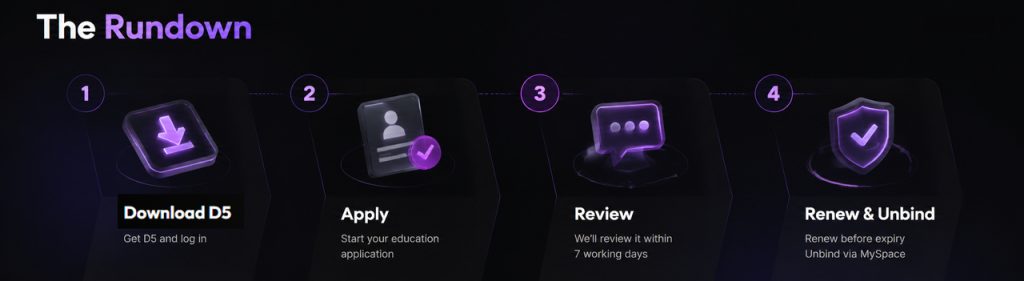
A quick tip: Between Community and Education? If you’re eligible, apply for the Education license. You’ll hit fewer asset and AI walls than Community alone.
Beyond the Subscription: What You’ll Actually Spend
The subscription is only part of the picture. When you’re thinking about render pricing, you need to factor in two other costs.
① Hardware—and Why D5 Is Easier on Your Wallet
Any real-time renderer needs a capable GPU—and that part can cost you. But D5 runs comfortably on mid-range GPUs from the last few years.
The minimum is an NVIDIA GTX 1060 6 GB, AMD RX 6400, or Intel Arc A3. And we recommend RTX 3060 or higher for comfortable work. The upside? If you already own a gaming laptop or mid-range workstation from the last few years, you’re likely good to go. No need to drop $2,000 on a workstation GPU just to try it out.
Get the complete picture: see the full D5 system requirements
② Learning Time—Faster Than You Think
If you’re new to rendering, D5 doesn’t ask you to learn a whole new workflow. Open it, sync with your modeling software, and start adjusting lighting, materials, and cameras in real time. LiveSync handles the geometry updates for you. D5’s built-in AI tools even help you dress a scene or match materials without digging through menus. People familiar with 3D software are often producing client-ready work within a day or two—something we see all the time from new users.
How D5 Compares to Other Popular Renderers
Before you make a final call, this table should help you compare options at a glance:
| Tool | Approx. annual (solo) | Strength | Trade-off to weigh |
| D5 Pro | ~$360 | Real-time ray tracing, 16K stills, AI Agent, 16,000+ assets, Showreel for tours, LiveSync + D5 Lite in one license | Windows-focused; Teams needed for multi-editor collaboration |
| Lumion Pro | ~$1,149 | Large built-in library, fast scene dressing, polished exteriors | Higher subscription; standalone workflow |
| V-Ray (Chaos) | ~$540–740+ | Industry-standard ray tracing, deep material control | Plugin/DCC-tied; longer iteration than real-time tools |
| Enscape (Chaos) | ~$575 | Tight BIM/CAD plugin integration, strong design-review loop | Plugin-first; less standalone scene authoring |
| Twinmotion | Free under $1M revenue; ~$445/year above that | Epic ecosystem, strong for quick viz and Mac users | Commercial rules tied to studio revenue |
The price difference is bigger than you might think. Twinmotion can be free under the revenue cap; D5 Pro sits at about $360/year; V-Ray and Enscape run in the mid‑$500s; Lumion Pro pushes past $1,100. Each tool has its own sweet spot. But D5 Pro bundles everything across every stage of visualization into one subscription—no need to stitch together separate bills. If you’re tired of tracking multiple tools, D5 Pro is worth a look.
Is D5 Worth It? A Simple ROI Check
Here are four questions that do the math for you:
1. How many paid visuals do you ship per month?
If you deliver even two or three commercial images or tours monthly, Pro at $360/year is often less than a single outsourced hero render (commonly $500–$1,500+). One outsourced render saved can cover the entire year.
2. Does more than one person touch the same scene?
If yes, you’ve probably dealt with endless email threads, the “which version is final?” confusion, and the time wasted syncing materials. D5 for Teams costs more per seat than Pro, but shared libraries and multi-editor scene editing cut down those bottlenecks. Recovering even a few hours a month covers the difference.
3. Do you rely on AI throughout your 3D design workflow?
If you’re already using generic AI tools like Midjourney or Stable Diffusion, you know credits burn fast, prompt tuning takes time, and usable results often require multiple iterations across different apps. D5 Pro gives you unlimited AI from concept to final render—all inside the scene viewport. No separate subscriptions. No per-use credits. No exporting and re-importing. And you get results faster because D5’s built-in AI can understand your 3D scene.
4. Do you live in client review meetings?
If you spend a lot of time in client review meetings, D5 Pro pays for itself fast. It includes VR walkthroughs and XR tour exports that let clients explore your design on their own headset or browser—with no need to book a separate VR service. D5 Showreel creates password-protected tours with hotspots, floor plans, and comments. Clients can review and approve on their own time.
Lots of users tell us the subscription pays for itself faster than they expected—often after one or two renders, they no longer outsource.
Real-World Stories: Solo Artists, Studios & Students
Solo Professional
Novaforma, a two-person practice in New York, tested Lumion, V-Ray, and Corona before settling on D5. Co-founder Francis put it simply: “D5 wasn’t just a renderer—it became part of our business model.”

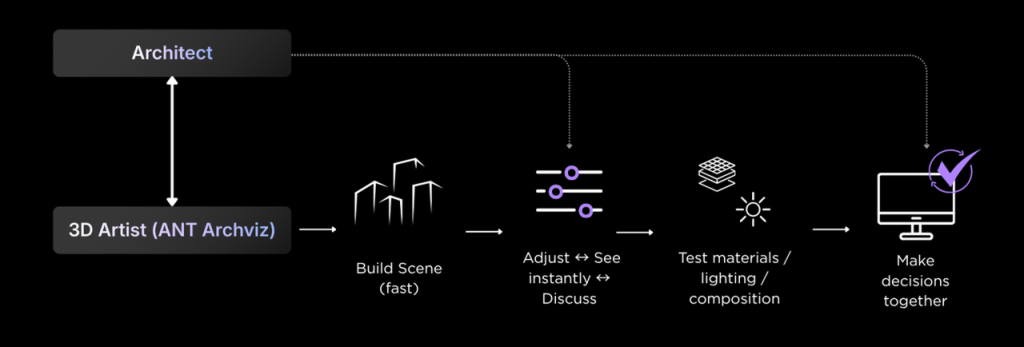
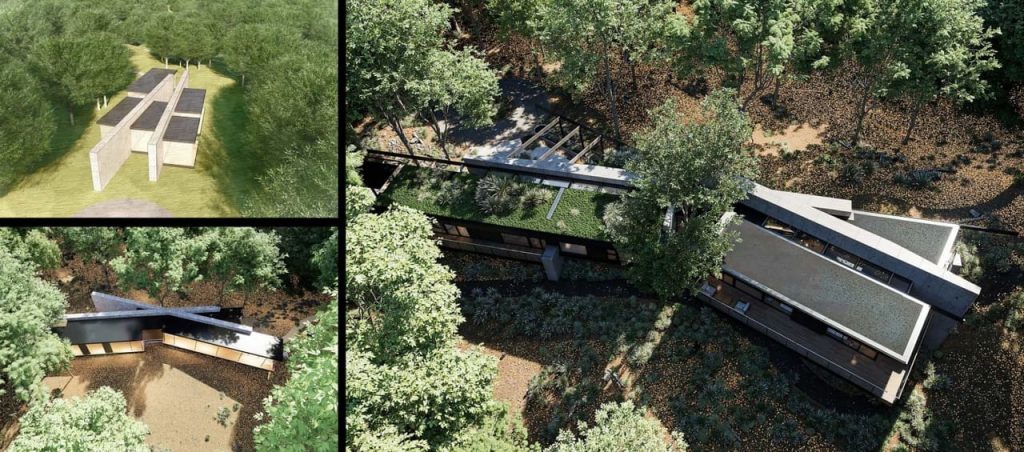
Then there’s ANT.archviz in Vietnam, a solo artist who takes whatever models clients give him—SketchUp, Revit, Rhino—and runs with them in D5. He started sharing client renders on Instagram. No separate content strategy. It just grew: 180,000 followers. As he puts it: “Instead of rendering what’s already decided, we can test ideas together in D5 and see the result immediately.”
Studios on Teams
AO, a 325-person U.S. practice with 17 studios, adopted D5 for Teams. Design Partner Richard Clarke notes that work that “could sometimes take weeks” in early approvals now often comes together in “just a few days.” AODK, a 29-person U.S. studio, upgraded to Teams so architects, interior designers, and landscape specialists could co-create in one project file—the kind of consistency that scales when headcount grows.
Students and Educators
In Argentina, educator Ignacio Sottini reports students moving from a slow SketchUp–Lumion/V-Ray–Photoshop pipeline to professional-quality results in weeks—on a free Education license with Pro-level assets and lighting. “D5 Render is easier to learn and gives students faster, more professional results,” he says. At the institutional level, the University of Sonora (UNISON) now frames free student licenses and on-demand faculty training as part of its long-term visualization strategy.

Final Thoughts: Does D5 Deliver on Its Price?
D5’s pricing is straightforward—four clear tiers, published on the pricing page, with no add-on renderer or AI credit packs on top of Pro. But the real value isn’t just the price tag; it’s what the workflow delivers in practice. It means finishing renders faster, cutting costly outsourcing, and keeping your entire pipeline under one roof—from concept to client delivery. We’ve seen solo artists recoup their subscription in one project, and studios save days on multi-editor coordination.
Your workflow and project mix will decide the right tier. That’s why we always say: try D5 Community first. Test it on your own machine, on your own projects. You’ll feel when it’s time to upgrade. And when you do, Pro and Teams will be waiting.
Continue Reading for More D5 Tips & Tutorials
3 Steps to Cinematic Renders: Mastering D5 AI Lighting and Free LUT Workflow
Beyond the Basics: Master Photorealistic ArchViz via D5’s Render Template
Real-Time AI in 3D Visualization: Where Designers Actually Save Time
Architecture Students: 6 Visualization Mistakes to Avoid in 2026
Small Space Interior Design: How to Get Layered Light, GI, and Depth in D5
Beyond the Prompt Loop: Why D5’s Scene-Native AI Control Matters
FAQ: D5 Workflow Plans & Render Pricing
D5 Community is free for non-commercial use. D5 Pro is $38/month or $360/year. D5 for Teams starts at $75/seat/month or $708/seat/year (minimum two seats). Verified students and educators can apply for a free Education license.
Yes. D5 Pro includes VR/XR tour export, unlimited Panorama and Spatial tours, Showreel for password-protected client sharing, and Phasing for construction or design sequences.
Both include full commercial licensing and the Pro feature set. Teams adds collaboration—multi-editor scene editing, project comments, member access control, team libraries and presets, a data dashboard, 100 GB cloud space, and 8K video output (Pro caps at 4K video).
Yes. A single Pro subscription includes both D5 Render and D5 Lite, plus full access to D5 Works Pro assets and discounts on paid assets. No separate paid licenses are needed.
Yes—qualified students and educators can get D5 for Education at no cost. It includes most Pro-level features and assets with no watermarks, but it is non-commercial, fixed-seat, and valid for 180 days (renewable). Apply through D5 Launcher with your academic email.
- Minimum: NVIDIA GTX 1060 6 GB, AMD RX 6400, or Intel Arc A3 (or newer equivalent).
- Recommended: RTX 3060 or higher. D5 requires a discrete GPU and Windows 10 version 1809 or later.
As of 2026, D5 Pro is $360/year versus roughly $1,149/year for Lumion Pro and ~$575/year for an Enscape solo license—pricing may vary by region and bundle. D5 bundles real-time ray tracing, AI tools, and Showreel delivery in one subscription; Enscape emphasizes in-CAD review; Lumion emphasizes large libraries and standalone scene building. Compare trials against your typical project type.
Yes. D5 supports upgrading Pro to Teams. If your firm already uses Teams, ask the admin for an invitation. For billing or seat changes mid-cycle, contact [email protected].

 English
 Español
 Français
 한국어
한국어 日本語
日本語