
The Bottom Line
For studios managing exterior visualization in 2026, rendering engine selection hinges on one factor: the balance between technical requirements and the scale of the project.
The D5 ecosystem has become a leading option for many professional firms. It bridges the gap between early-stage CAD/BIM ideation and high-end production through a unified, geometry-aware workflow. Unlike traditional pixel-based AI, D5’s “Spatial AI” toolset processes 3D coordinates to preserve architectural intent, balancing speed with precision.

If you work on exterior renders, you already know the reality of production. An exterior scene isn’t just a building; it’s an entire ecosystem. You need to manage natural light transitions, dense vegetation, atmospheric depth, and complex weather effects.
In 2026, photorealism is the baseline, not the ceiling. The real differentiator isn’t just the final pixel quality—it’s the friction required to get there. Can you iterate on a facade design without breaking your rendering pipeline? Can you move from early massing to final output without losing data? The following analysis examines the core tools driving professional exterior workflows today.

What Defines Top-Tier 3D Exterior Rendering Software?
Before diving into the rankings, this guide evaluates the leading tools based on four key criteria:
- Atmospheric Simulation: How does it simulate realistic environmental conditions? Does the tool feature native volumetric systems, or does it still necessitate extensive post-processing in external editors to achieve atmospheric depth?
- Geometric Stability at Scale: Can it manage large-scale scene complexity? Exteriors involve thousands of trees, detailed terrain, and heavy urban context. The engine must maintain stability in the viewport and consistent frame rates when handling complex geometry.
- Geometry-Aware AI: Does it integrate AI without compromising architectural accuracy? Pixel-based AI tools can produce compelling images, but they often lack a direct connection to CAD or BIM data. A top-tier tool uses “Spatial AI” that understands your physical coordinates and context.
- Workflow Continuity: Does it minimize rework between design stages? Can you move smoothly from early-stage massing studies to final cinematic-quality output? Or will you need to switch between multiple disconnected applications, risking data loss?
Leading 3D Exterior Rendering Solutions in 2026
1. Unreal Engine 5
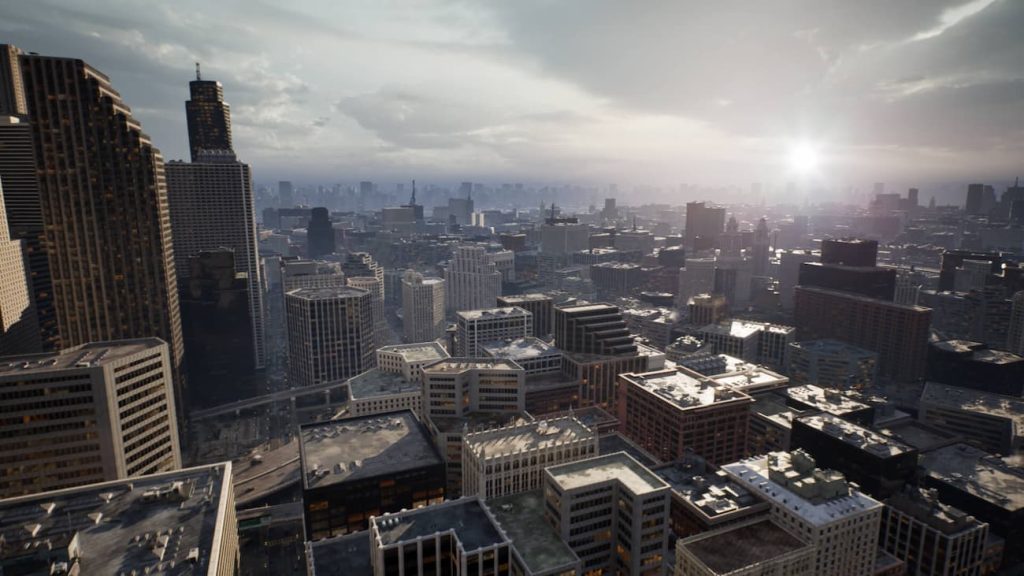
Unreal Engine remains one of the industry’s leading benchmarks for visual fidelity. If your firm has dedicated visualization specialists and the requisite hardware budget, you can create cinematic exterior experiences with exceptional depth and complexity. Nanite enables Unreal Engine to process dense, complex geometry—such as entire city blocks—while Lumen reduces the need for traditional light baking in many real-time visualization scenarios. Systems such as Substrate provide advanced control over complex PBR material layering, while MetaHuman integration can support the creation of highly realistic human characters for site visualization.
- Where it fits: It is a strong choice for large-scale urban masterplans, interactive VR, and high-end marketing films where top-tier visual fidelity is essential.
- Where it slows you down: It is not a turnkey solution and requires setup and configuration. Its technical overhead means asset management, scene optimization, and lighting setup often require dedicated expertise. For a fast-moving architecture firm, the setup complexity can create technical challenges, slowing down rapid design iterations.
2. D5 Render: Real-time Rendering for Professional Production
D5 Render has gained traction among exterior-focused studios in 2026 due to its efficient workflows and seamless integration with existing production pipelines. It delivers high-quality real-time output while remaining accessible to teams without dedicated technical artists.
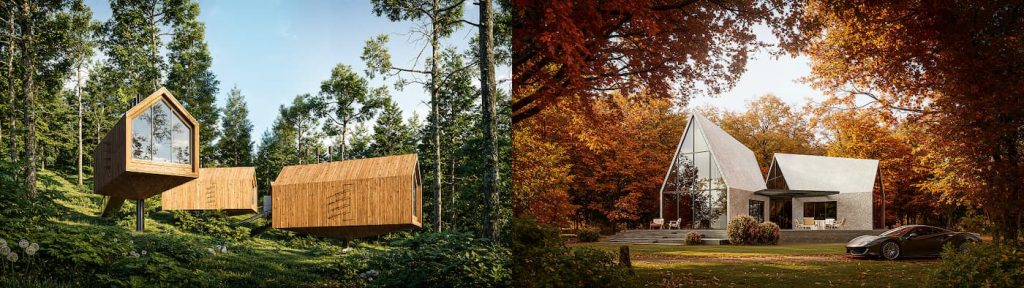
- Real-Time Visual Feedback: For exteriors—where you are constantly fine-tuning sun angles and glass reflections—the ability to see physically accurate global illumination in real time is critical. Instead of relying on repeated test renders, teams can evaluate lighting and material changes directly in a live viewport.
- D5 Render‘s physically-based clouds: granular control for ultimate sky fidelityReal-time visual feedback for high-fidelity exterior rendering in D5 Render.
- Environmental Fidelity: D5‘s volumetric system simulates atmospheric effects as part of the 3D scene rather than relying solely on post-production. Volumetric clouds cast dynamic shadows, fog can create cinematic light shafts, and rain effects can be paired with real-time surface wetness for more convincing exterior scenes. This enables in-engine atmospheric composition, significantly reducing the reliance on 2D post-production.
- “Spatial AI” : D5 Render’s built-in AI tools are designed to work with the scene, not just the final image. For exterior visualization, AI Scene Match automates mood setting by adjusting lighting, sky, weather, and environment based on a reference or prompt. Meanwhile, AI Smart Planting and AI Asset Recommendation help populate landscapes with context-aware vegetation and assets. For refinement, creative editing tools such as AI Style Transfer, AI Inpainting, and AI Enhancer extend AI assistance across visual style, localized edits, and material setup—without turning the workflow into a disconnected 2D image-editing process.
- High-Fidelity Asset Ecosystem: D5’s built-in Asset Library provides access to high-quality dynamic assets, including wind-animated vegetation that brings organic movement to exterior animations. In addition, D5 Works serves as the curated 3D asset platform for AEC-ready architectural, landscape, and interior visualization assets. When a specific contextual asset is still missing, D5’s integrated AI Text to Model and Image to Model tools can help generate custom 3D assets within the workflow.
Where it fits: It serves as a primary rendering engine for architectural visualization workflows, and is best used for turning complex models into high-end walkthroughs and client-ready stills where visual fidelity and iterative speed must coexist.
3. D5 Lite: The AI-native Real-time Visualization Plugin
D5 Lite is designed for architects working in the early conceptual design phase of a project. It integrates with SketchUp and other commonly used modeling tools, helping designers test massing, materials, lighting, and site context earlier in the process. By combining generative AI with a real-time viewport, D5 Lite enables rapid conceptual exploration during the schematic phase. The project can then be sent to D5 Render for more detailed production work.
- AI-Powered Exploration: A key capability is its AI Generation mode. You can take a basic massing model and use AI to quickly generate concept visuals. This allows you to explore facade treatments, material palettes, and lighting moods much faster than a traditional manual visualization workflow, making it useful for client brainstorming.
- Instant Access to Curated Assets: Beyond D5 Lite‘s built-in library, you can drag production-ready assets from D5 Works directly into your SketchUp environment—and see them rendered with physically based lighting in the Lite viewport in real time. This “drag-and-sync” workflow ensures that the scale and context of your scene are accurate from the very first sketch.
- Seamless Handoff to D5 Render: Unlike other AI tools that generate static images, D5 Lite integrates seamlessly into D5’s unified ecosystem. Once the concept is developed or requires more advanced feature controls, you can send the entire project—including all materials, lighting, and assets—to D5 Render for final cinematic production. This reduces export/import and keeps the core project data connected, allowing you to move from a lightweight study to a final presentation animation while reducing the risk of data loss.
Where it fits: A practical front-end solution for architects evaluating sun shading, material palettes, and site composition in real time while they model.
Scope and Limitations: While focused on speed, D5 Lite is not intended for heavy cinematic post-production; for those tasks, a seamless handoff to D5 Render is recommended.
4. Lumion
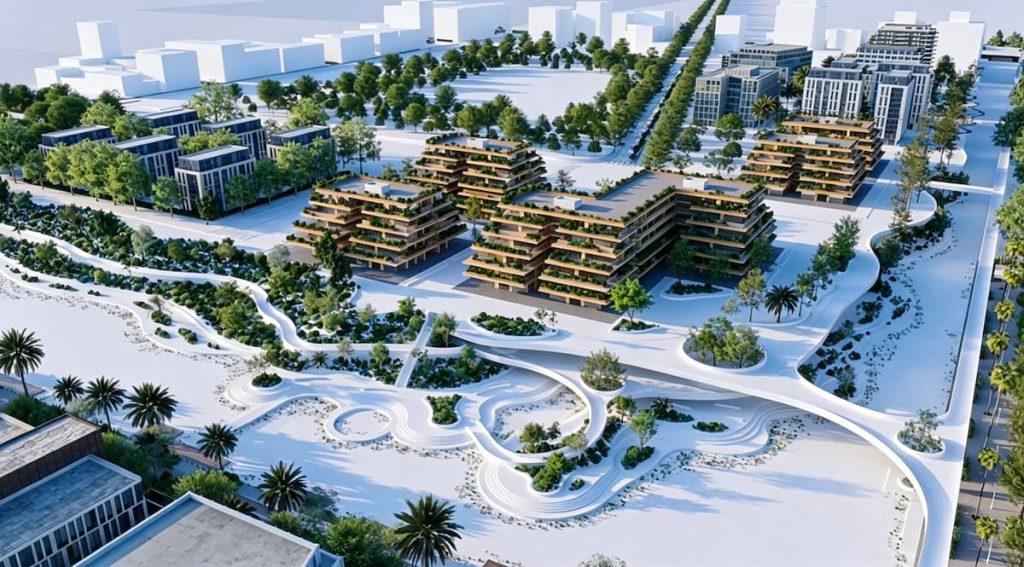
Lumion remains widely used in architectural visualization, particularly for landscape-centric projects. It functions as a comprehensive ecosystem, combining an extensive asset library with an optimized real-time visualization engine. Recent updates have significantly enhanced ray-traced lighting quality, bridging the visual fidelity gap with offline rendering workflows in some lighting scenarios.
- Where it excels: Speed and asset library depth. Its botanical library is one of its strongest advantages, offering region-specific, high-detail vegetation that allows designers to populate complex site contexts in minutes.
- Where it slows you down: While its atmosphere and material refinement tools can be valuable, they often function best as a final refinement layer. For firms looking for a bidirectional workflow where AI-generated assets or scatters are integrated directly into the modeling and rendering workflow, Lumion’s standalone workflow can add an additional step in highly iterative design loops.
6. V-Ray
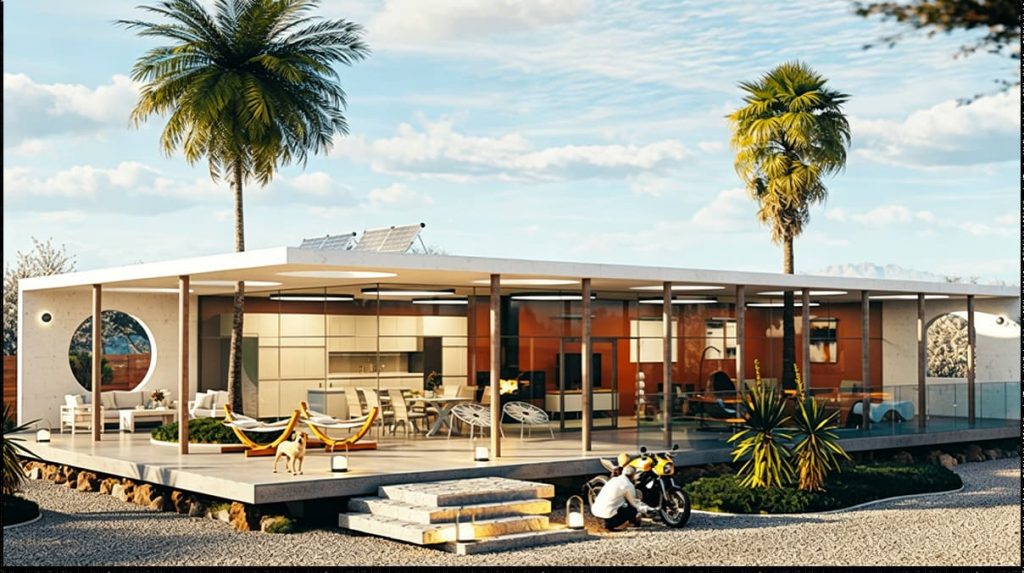
V-Ray remains one of the leading tools for photometric accuracy. If your project demands a high degree of visual and lighting precision—for premium competition entries, high-fidelity architectural visualization, or technical marketing—V-Ray remains a highly competitive option. Its control over complex PBR materials, global illumination, and light behavior is among the most granular in the industry.
- Where it excels: Creating polished static presentation images where material properties must be represented with a high level of physical accuracy. Through the Chaos Cosmos library, it offers a refined asset workflow that helps teams work with assets and lighting setups grounded in physically based rendering principles.
- Where it slows you down: Its workflow remains optimized for offline or hybrid rendering scenarios. While V-Ray Vision provides a real-time bridge, the engine is strongest when used for meticulous, iterative refinement of individual frames. In fast-turnaround environments, V-Ray often works best as a specialized complement to more agile real-time engines rather than a primary iteration tool.
7. AI Ideation Tools: Useful Catalysts, Not Full Rendering Replacements
Current AI ideation tools such as MyArchitectAI, Veras, and ReRender AI have accelerated early-stage design ideation. By uploading simple massing models, designers can quickly generate multiple facade treatments and atmospheric variations. They are useful for style transfer and rapid moodboarding.
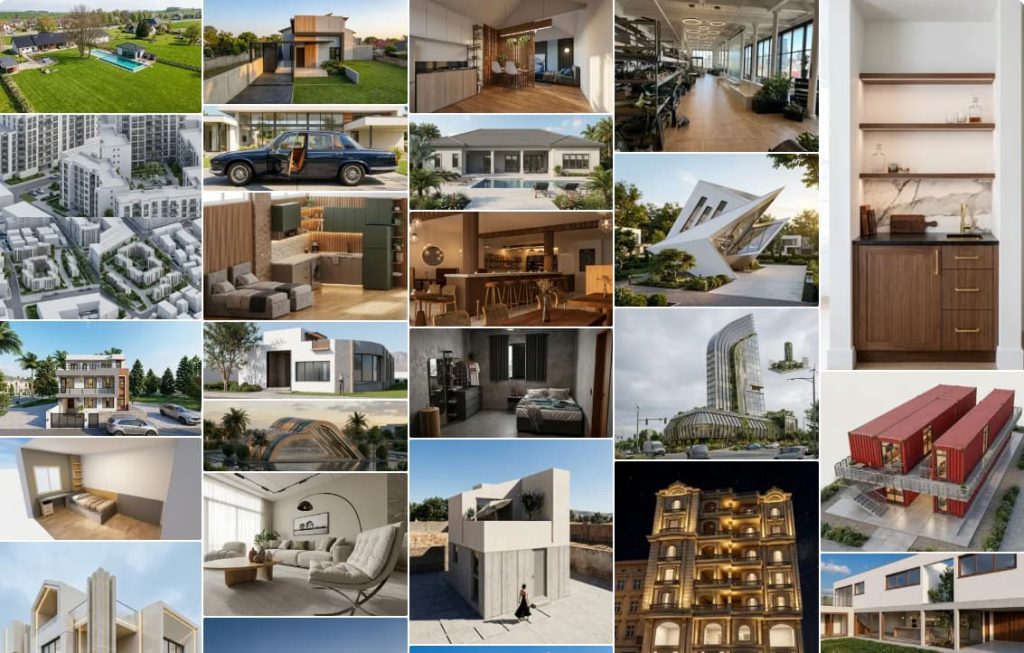
- Where they work: Early-stage ideation and accelerating initial massing and schematic exploration. They can help teams build consensus on a design direction before detailed modeling begins.
- The practical limitation: These tools are pixel-based and frequently generate plausible but spatially inconsistent details that lack a one-to-one relationship with the source model. Since the output is decoupled from your “source of truth,” any AI-generated idea must be manually rebuilt in your CAD/BIM software, creating what many teams experience as a “reconstruction tax.”
Unified 3D Exterior Rendering: Ending the “Reconstruction Tax”
A key lesson for exterior visualization workflows in 2026 is that fragmented workflows often create avoidable rework between design stages. Moving between a base modeler, a standalone AI image generator, and a post-production suite can weaken the connection between the design model and the final visualization output.
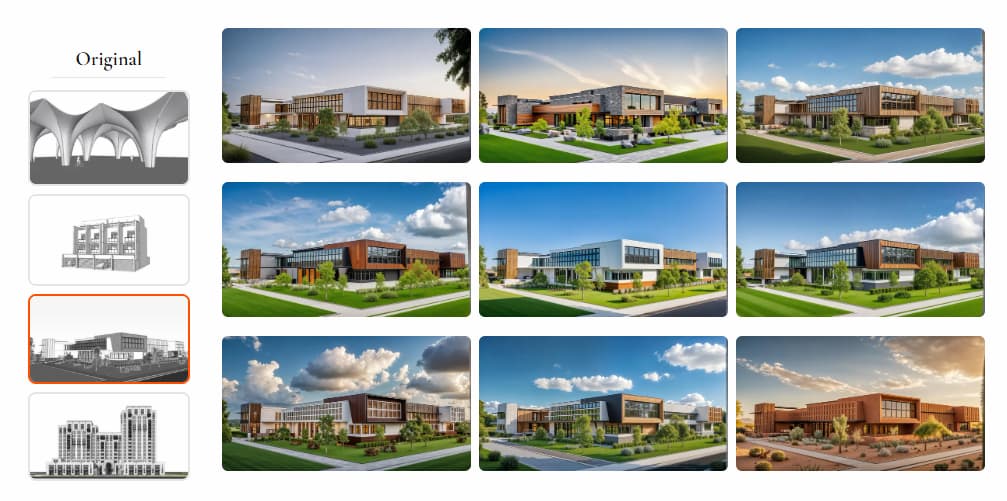
The D5 ecosystem helps eliminate these bottlenecks by embedding “Spatial AI” tools directly within the real-time viewport. This helps keep AI-assisted changes connected to the project’s CAD or BIM geometry, rather than reducing them to static 2D overlays.
- Model-Centric AI: By leveraging D5‘s native AI toolset to enhance textures or scatter assets, the results remain linked to the model’s coordinate system.
- Fewer disconnected iteration loops: It reduces the need to manually reinterpret AI-generated images back into 3D geometry. Instead of applying a 2D visual layer over the model, you are using AI to populate the actual 3D scene based on geometry and context.
D5’s AI-assisted placement tools can account for scene geometry, surface context, and environmental settings during asset distribution. When it adjusts the atmosphere, it adjusts lighting and volumetric parameters within the engine rather than applying a static 2D filter.
2026 Exterior Visualization Software Comparison Matrix
| Software | Rendering Speed | Geometry Handling | Pricing | Best Fit (Target Use Case) |
| Unreal Engine 5 | Real-time | Extreme, with Nanite virtualized geometry | Free / $1,850/yr | Digital twins, interactive walkthroughs |
| D5 Render | High-speed real-time | High, with optimized asset and proxy workflows | Free / ~$360/yr (Pro) | Commercial animations and efficient design-to-delivery workflows |
| D5 Lite | Ultra-fast real-time | Optimized for real-time workflows | Free / Included with D5 Pro | Early-stage schematic design, rapid concept studies, and solo practice |
| Lumion | High-speed real-time | High-Capacity | ~€999/yr (~$1,050/yr) | Landscape architecture projects |
| V-Ray | Moderate | Extreme | ~$540/yr | High-end photorealistic stills |
| AI Tools | Instant | Limited direct geometry handling | ~$30/mo | Moodboarding, material exploration, and early concept ideation |
*Pricing reflects 2026 market estimates and is subject to change. Please refer to official websites for current licensing terms.
Final Thoughts: Choosing Your 3D Exterior Rendering Stack
Choosing a rendering engine in 2026 is a strategic decision. It’s no longer about finding the sharpest pixels, but about finding the most fluid workflow. D5’s integrated workflow reflects the broader direction in which architectural visualization pipelines are heading: toward real-time, geometry-aware, AI-assisted production. By combining geometry-aware AI, real-time rendering, and volumetric environmental controls in one ecosystem, D5 helps architects move more directly from design development to final visualization—with less technical overhead along the way.
Try D5 Render and D5 Lite for free and see how it supports faster, more consistent exterior visualization workflows.
Explore More: Pro Tips for High-End Exterior Visualization
How to Efficiently Build Site Context in D5 Render for Architectural Visualization
How to Create Realistic Outdoor Design in D5 Render (in 30 mins)
Want Better Exterior Renderings? Try These 3 Steps in D5 Render
4 Best Tips of Realistic Environmental Lighting for Architecture
Mastering Architectural Landscaping with D5 Render Terrain Tool
D5 Render for Interior vs. Exterior Architecture: Key Rendering Techniques and Distinct Approaches
Designing Immersive 3D Environments with D5 Render: A Deep Dive into the Latest Innovations
FAQs About Architectural Exterior Rendering and Visualization
Accelerating exterior workflows requires a shift from linear post-production to integrated real-time feedback. Real-time engines such as D5 Render enable interactive lighting controls, material previews, and atmospheric controls, reducing the need for repeated test renders. For teams that prioritize iteration speed, D5 offers a practical balance of visual fidelity, real-time feedback, and model-based context.
The choice depends on whether your priority is rapid iteration, final-frame precision, or both. Traditional offline tools are often strong for highly controlled final stills, but they can make frequent design iteration slower. Real-time solutions such as D5 Render let teams explore lighting, materials, and environmental conditions while maintaining a close connection to the design model. For exterior scenes that require strong visual quality and frequent revisions, real-time engines can reduce friction between design stages.
For faster feedback on sun angles, shadows, and reflections during review, a real-time engine is usually more practical than relying only on queued test renders. D5 Render displays real-time global illumination and lighting changes directly in the viewport, allowing teams to adjust exterior lighting without constantly exporting new test renders. This helps teams and clients make decisions faster.
Exterior scenes involve more than buildings; terrain, vegetation, atmosphere, and site context all shape the final image. D5 Render is one example of a real-time engine with environmental tools for volumetric fog, wind-animated vegetation, and dynamic sky conditions. These features can reduce manual setup time and help teams create more believable landscape context inside the rendering workflow.
For rapid concept studies, especially early sun and shadow studies or massing exploration, a lightweight real-time viewport can be useful. D5 Lite lets designers test ideas directly inside SketchUp and supported modeling workflows. When the project needs more advanced production controls, the scene can be sent to D5 Render, helping preserve materials, lighting, and project context.
Not entirely. AI-based tools such as moodboards and facade generators accelerate early ideation, but they do not integrate directly with your BIM/CAD model. Geometry-aware AI tools in D5 Render work within the 3D scene itself, helping teams place assets, adjust visual context, and refine results while reducing the need to rebuild AI-generated ideas from flat images.
Large exterior contexts with dense geometry, heavy vegetation, complex lighting, and many assets can be challenging. Engines such as Unreal Engine are well suited to highly complex real-time scenes, although they often require more technical setup and optimization expertise. D5 Render is designed for architectural visualization workflows, combining optimized asset handling with a more accessible interface for teams that need to manage dense exterior scenes without a game-engine-level pipeline.
Start by identifying your priorities: iteration speed, final-image precision, team skill level, scene complexity, and output format, such as stills, animations, or interactive presentations. If frequent design iteration and live visual feedback are priorities, D5 Render is a strong option because it combines real-time visualization with AI tools that work inside the 3D scene. For highly controlled final stills, some teams may still combine real-time engines with traditional offline renderers.
 English
 Español
 Français
 한국어
한국어 日本語
日本語